
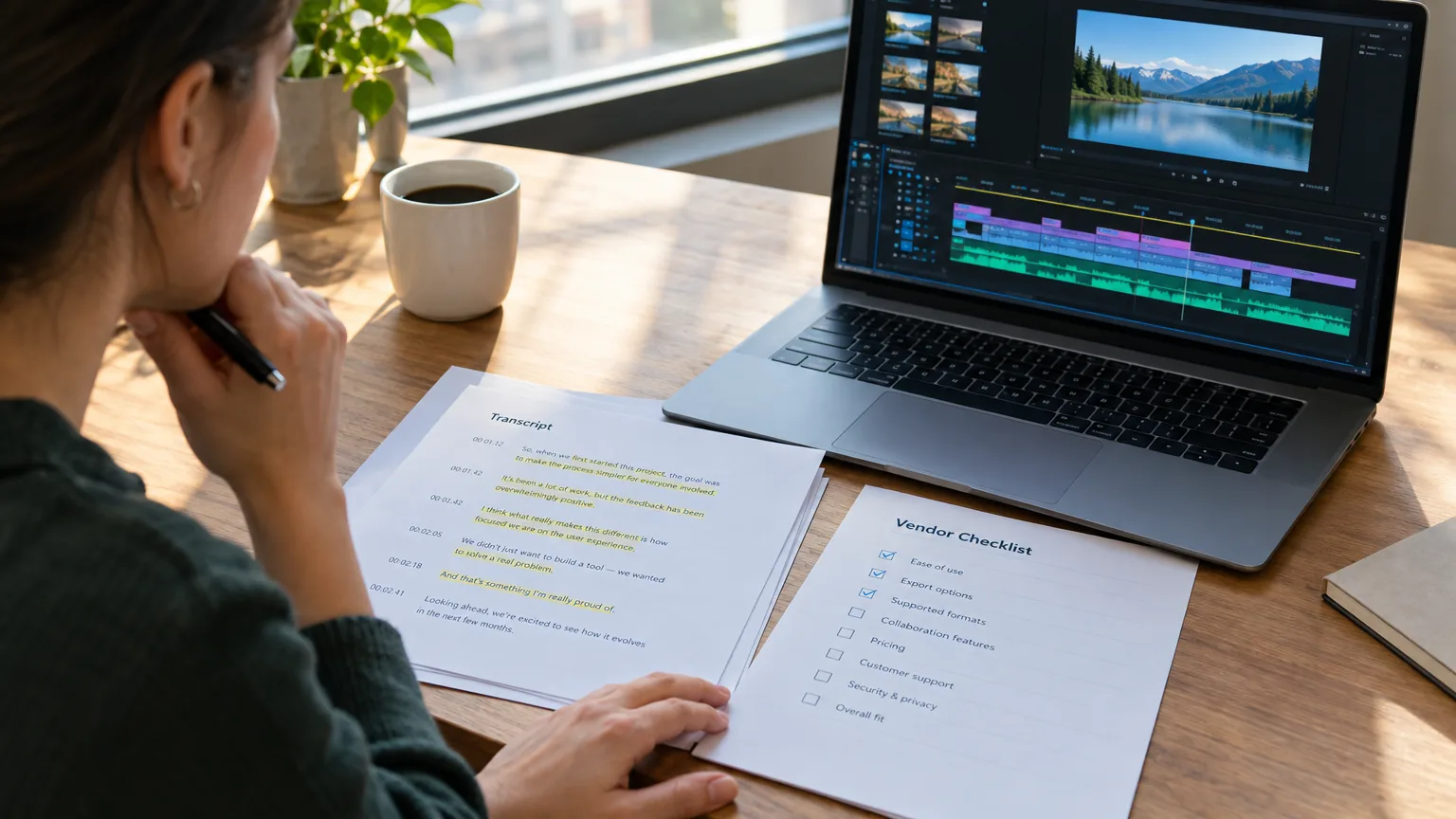
Transcript-Based Editor Buying Guide: 7 Questions Before You Switch
Buying Criteria
What actually separates one transcript-based editor from another
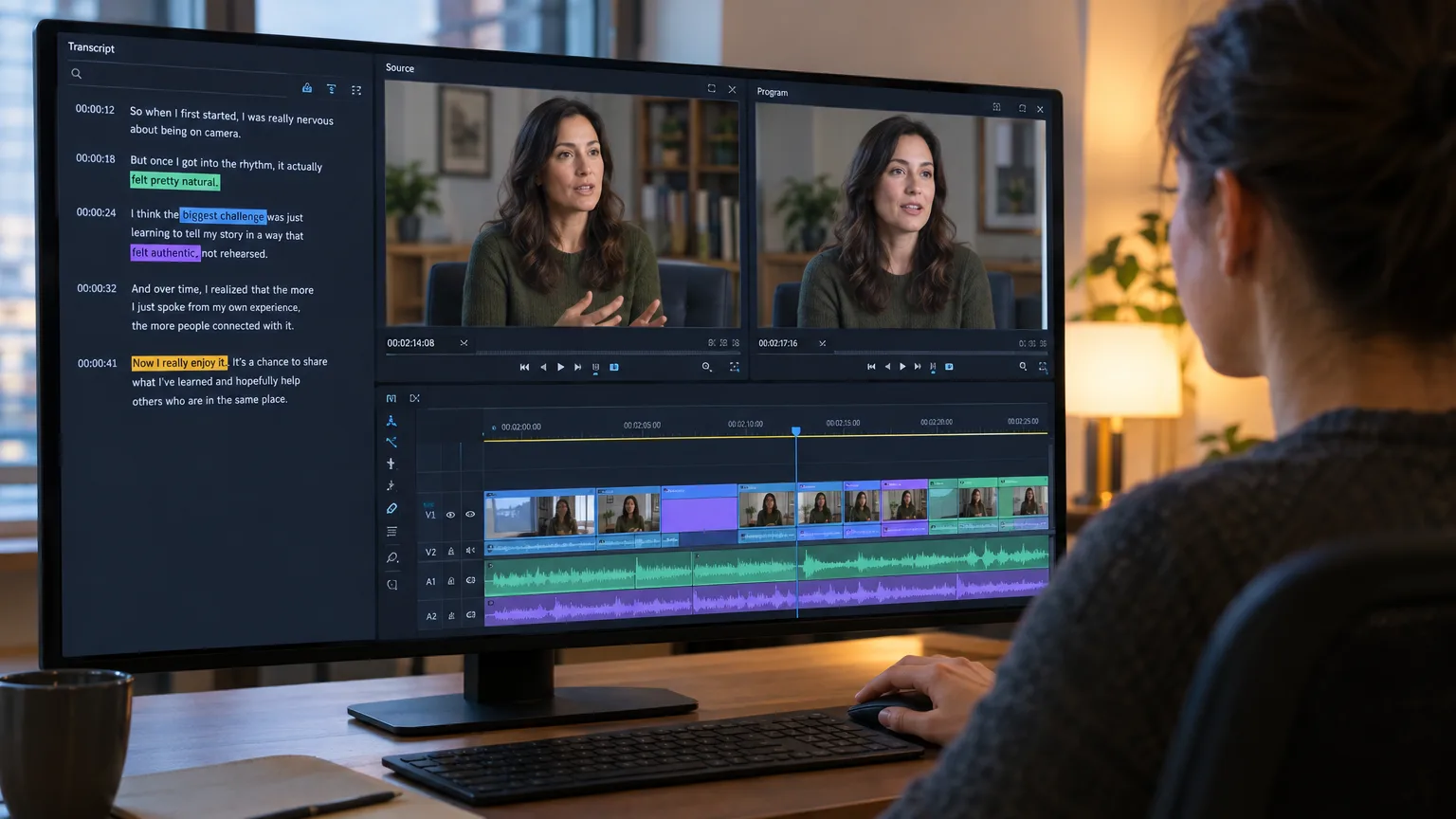
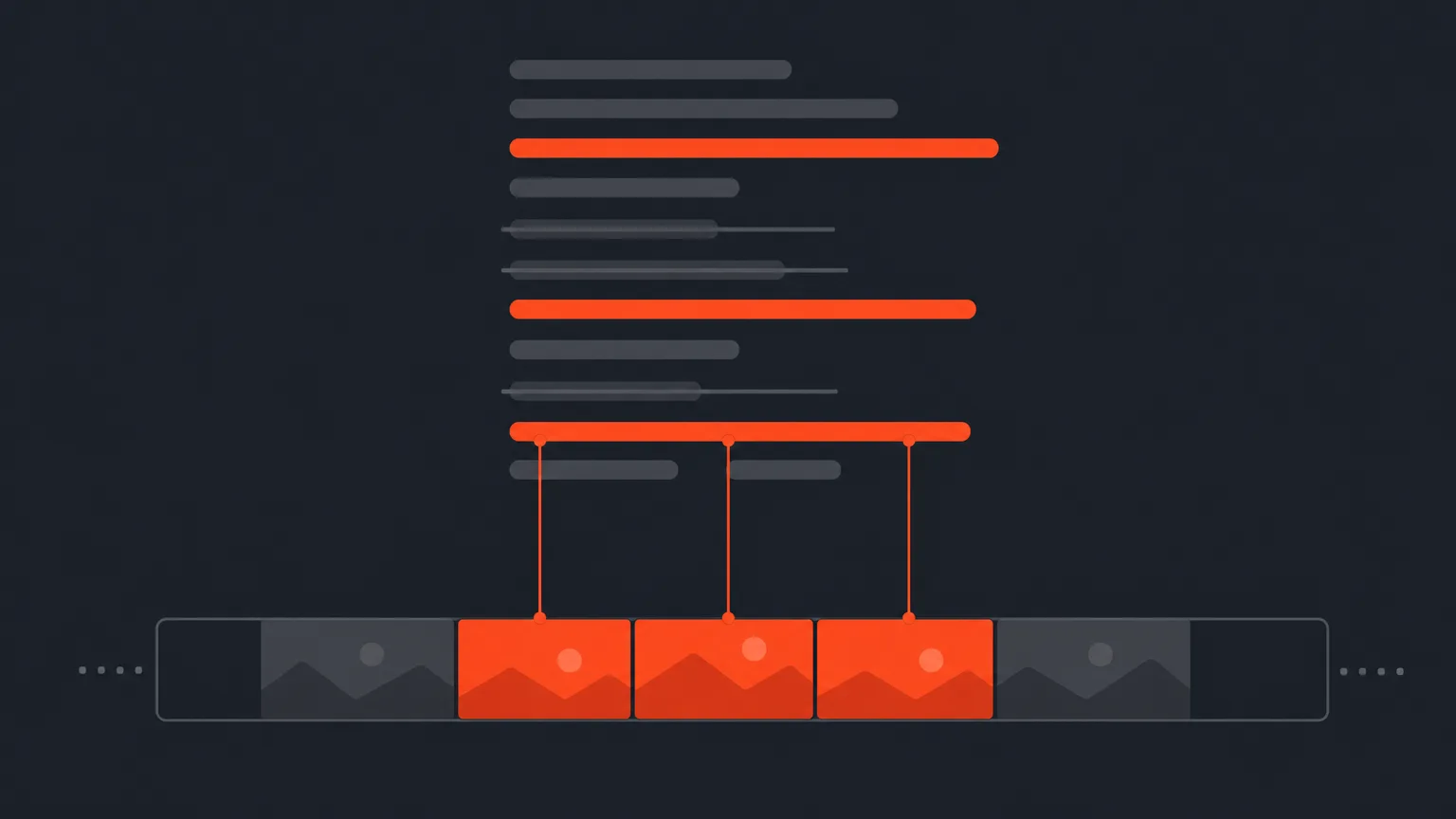
Every transcript-based editor does the same basic trick: it turns a transcript into a timeline, so deleting a sentence deletes the audio and video under it. How transcript-based editors work under the hood is mostly shared plumbing: automatic speech recognition, word-level timestamps, a text layer that maps to media. What varies, and what actually determines whether the tool earns its subscription, is what happens at the edges: how the tool handles a misheard word, how cleanly it exports, whether a client can approve a cut without installing anything, and whether the AI features save time or just add noise. Adobe made text-based editing mainstream when it shipped the feature in Premiere Pro's 23.4 update in May 2023, following the NAB announcement that April. Adobe's own documentation frames it as a way to edit a sequence by editing its transcript rather than scrubbing a timeline, which is the same core idea every dedicated transcript-based editor is built around. That normalized the workflow, but it also means "has a transcript panel" is no longer a differentiator. Everyone has one now. The questions below are about what's underneath it.Question One
How accurate is the word-level timecode, and can you verify it before you cut?
Ask the vendor to show you a cut on a real, messy recording, not a demo reel with a lav mic and a quiet room. Word-level timecode is the foundation of a transcript-based editor: every word in the transcript is tied to an exact frame, so selecting a sentence selects the precise media under it. If that mapping drifts on cross-talk, accents, or a noisy panel recording, every downstream cut inherits the error. The honest answer from any vendor should include two things: a stated (even if approximate) word error rate on their ASR, and a way to spot-check a line before you commit to it. A transcript is a hypothesis about what was said and when. The only way to confirm it is to play the clip back, not just read the words. If a tool won't let you scrub audio against the highlighted word in seconds, that's a real gap, not a nitpick. This matters even more on panel and multi-speaker recordings; see how to edit a panel discussion for how timecode errors compound when several people talk over each other.Question Two
What does the export actually carry into your NLE?
Ask exactly what leaves the tool: an XML that opens in DaVinci Resolve, Premiere Pro, Final Cut Pro or Avid, a subtitle file, a plain transcript, or audio only. Then ask what's preserved in that handoff: clip names, speaker labels, selects order, and whether the sequence that comes out is frame-accurate or approximate. This is where a lot of teams get burned. A tool that "exports to your NLE" might mean it hands you an EDL with no speaker metadata, forcing a re-conform. DaVinci Resolve, now at version 20 as of early 2026, and Premiere Pro both read XML natively, but the fidelity of that XML depends entirely on how the exporting tool built it. Test the actual round trip before you buy: export a real selects sequence, open it in the NLE your team already uses, and check that the order, in and out points, and labeling survived. If you cut documentary interviews, this is worth doing before you build a stack around any single tool; the documentary editing software stack guide walks through matching tools to team size and budget rather than assuming one tool does everything.Question Three
Can a client approve a cut without learning new software?
The best transcript-based editors let a producer or client review a paper edit or rough sequence through a link, not a login. Ask whether comments land at the line level (so "cut this" refers to a specific sentence, not a vague timestamp), whether the client needs an account, and whether approvals are logged so you have a record of what was signed off. This is the step most teams underrate when they're comparing tools on price or AI features. Getting client approval before you edit is where a paper edit actually pays for itself: sign-off happens on the page, in minutes, instead of after a timeline is built, when changes are expensive. Frame.io built its review workflow around commenting on frames and, more recently, on transcript-level review for dialogue and podcasts, which is a useful signal that the industry has settled on transcript-anchored approval as the standard, not a nice-to-have.Question Four
How well does it handle filler words and false starts, and can you control it?
Automatic filler removal is genuinely useful and genuinely risky if you can't turn it off selectively. Ask whether "um," "uh," and repeated false starts are flagged or silently deleted, and whether you can restore one if the speaker's hesitation was actually meaningful (a pause before a hard admission is not the same as a nervous tic). The tool should let you batch-remove filler across a whole session and still let you review each deletion, because removing filler words from an interview is a judgment call as much as a mechanical one. A subject who says "I, uh, I don't think we should have done that" might need the hesitation left in. Cutting it flat changes the performance, not just the grammar.Question Five
Do the AI clip and social features actually fit your output, or are they bolted on?
If your team repurposes long recordings into shorts, ask how the tool finds candidate moments: is it scoring for engagement signals, topic changes, or just sentence boundaries? Ask whether captions, covers and scheduling are native or require exporting to a third tool, and whether vertical reframing preserves the speaker in frame on a multi-person shot. AI clip generators are a crowded, fast-moving category, and the best AI podcast clip generators differ a lot in how they pick moments and how much manual cleanup they leave you with. Don't buy a transcript-based editor for its clip feature alone; buy it for the pre-edit, and treat clip generation as a bonus if it's genuinely good.Question Six
What's the learning curve for an editor who's never worked this way?
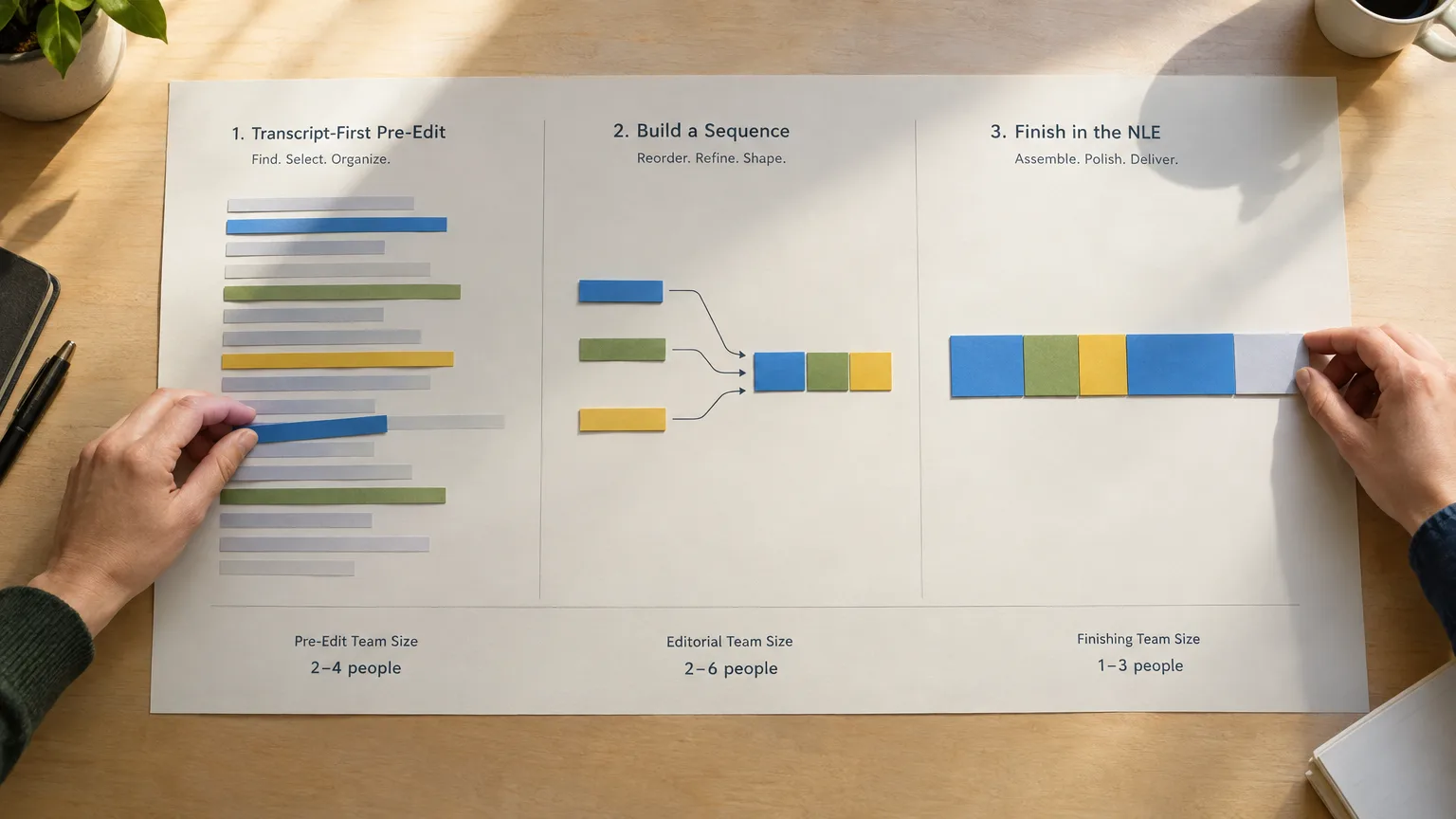
Ask how long it takes a competent NLE editor to get comfortable cutting from text instead of a timeline, and whether the tool's own logic (how it groups takes, how it flags speakers) matches how your team already thinks about a shoot. A transcript-based editor is not a replacement for an NLE; it's a pre-edit stage, and transcript-based editors and text-based editing inside an NLE solve overlapping but not identical problems, so the switch is usually smaller than people expect, but it's not zero. Karen Pearlman, in Cutting Rhythms, describes editing as a cognitive process of building rhythm and meaning from raw material, and that discipline doesn't disappear when you move the first pass onto the page. The tool should make that first pass faster, not turn it into a different craft.Question Seven
Where does the tool admit its own limits?
This is the question most vendors dodge, and the one that tells you the most. A transcript-based editor is built for unscripted, dialogue-heavy footage: interviews, podcasts, panels, documentary sit-downs, vlogs, UGC. It is a poor fit for scripted narrative work, where the "script" is a shooting script written before the shoot, not a transcript built after it, and where performance, blocking and coverage matter more than word selection. Ask the vendor directly whether they'll tell you when their tool isn't the right one. If the answer is a confident "it works for everything," treat that as a red flag, not a feature.Vendor Checklist
A one-page table to bring to any demo
Print this and use it in the sales call. A vendor who can't answer these in plain language on the spot probably can't deliver them in production.| Question | Why it matters | What a good answer sounds like |
|---|---|---|
| What's your stated word error rate, and on what kind of audio? | Determines how much manual correction you'll do | A specific percentage range, tied to audio conditions, not "industry-leading" |
| Can I play back any selected clip before exporting? | Verifies the transcript's timing against real tone and delivery | Yes, with in-line playback on the selected word or line |
| What exactly is in the export: XML, subtitles, transcript, audio? | Determines rework needed once it lands in your NLE | A named list, plus which NLEs they've tested it against |
| Does the export preserve speaker labels and selects order? | Avoids a manual re-conform | Yes, demonstrated on a real multi-speaker file |
| Can a client approve without an account or install? | Speeds up sign-off and reduces friction | A share link with line-level comments |
| Can I undo an automatic filler removal? | Protects meaningful pauses from being flattened | Per-instance review, not only a global toggle |
| Where do you tell customers this isn't the right tool? | Signals honesty about scope | A direct answer naming scripted or narrative work, or another limit |
Honest Fit
Where ScriptCut answers these questions, and where it doesn't
ScriptCut keeps word-level timecodes on every line of the transcript, so a selected sentence is a precise, frame-accurate cut, and you can play any selected clip back to check tone before you lock it in, which is the direct answer to question one. On export, it hands off a frame-accurate timeline along with transcripts, subtitles and audio for DaVinci Resolve, Premiere Pro, Final Cut Pro or Avid, which covers question two, though you should still confirm your specific NLE version handles the file the way you expect. Share links give producers and clients a way to review and approve a paper edit without installing anything, answering question three. Filler removal is adjustable at the line level rather than a blunt global pass, which is the honest answer to question four. AI Clips and the ScriptCut Social suite (captions, covers, scheduling) are built into ProAI for teams repurposing long recordings into shorts, addressing question five. Where ScriptCut is not the right tool: scripted narrative work. If you're cutting from a shooting script with planned coverage and performance rather than a transcript of something that actually happened, a transcript-based editor isn't built for that job, and we'd rather say so than sell you a workflow that fights your footage. That's the honest answer to question seven, and it's one worth getting from any vendor you're evaluating, not just us. If you want to try the questions above against a real tool instead of a sales deck, run a real session through ScriptCut and check the answers yourself: export it, share it for approval, and play back a clip before you decide.Sources
frequently asked questions
It's software that turns a timecoded transcript into an editable timeline, so deleting or reordering text deletes or reorders the matching video and audio. It's built for unscripted footage like interviews, podcasts and panels, not scripted narrative work.
They solve a similar problem but aren't identical. Premiere Pro's text-based editing works inside the NLE on an existing sequence, while a dedicated transcript-based editor usually handles the pre-edit stage before anything reaches a timeline.
It varies by vendor and by audio quality. Ask for a stated word error rate and, more importantly, confirm you can play back any selected clip to verify the transcript's timing before you cut, since a transcript is a hypothesis about the footage, not a guarantee.
Look for XML that opens in DaVinci Resolve, Premiere Pro, Final Cut Pro or Avid, plus subtitle files, transcripts and audio. Always test the actual round trip with a real sequence before committing, since fidelity varies a lot between vendors.
The better tools support a share link with line-level comments, so a producer or client can approve a paper edit or rough sequence without an account. This is usually the biggest time-saver in the whole workflow because sign-off happens before timeline work begins.
No. Buy it for the pre-edit quality first, and treat AI clip generation as a bonus. Clip-finding logic varies widely between vendors and is a separate decision from how well the core transcript-to-timeline workflow performs.
Generally no. These tools are built around editing what was actually said in unscripted footage, while scripted work is planned before the shoot with a shooting script and specific coverage. A vendor that claims otherwise is worth questioning.
You might also like...



Start selecting.

Pick the story in the transcript, export a finished rough cut.
Get the ScriptCut newsletter
Thanks! Check your inbox to confirm.
Something went wrong. Please try again.