
How Transcript-Based Editors Work: A Step-by-Step Look Under the Hood
Transcript-based editors
What These Tools Actually Do, Mechanically
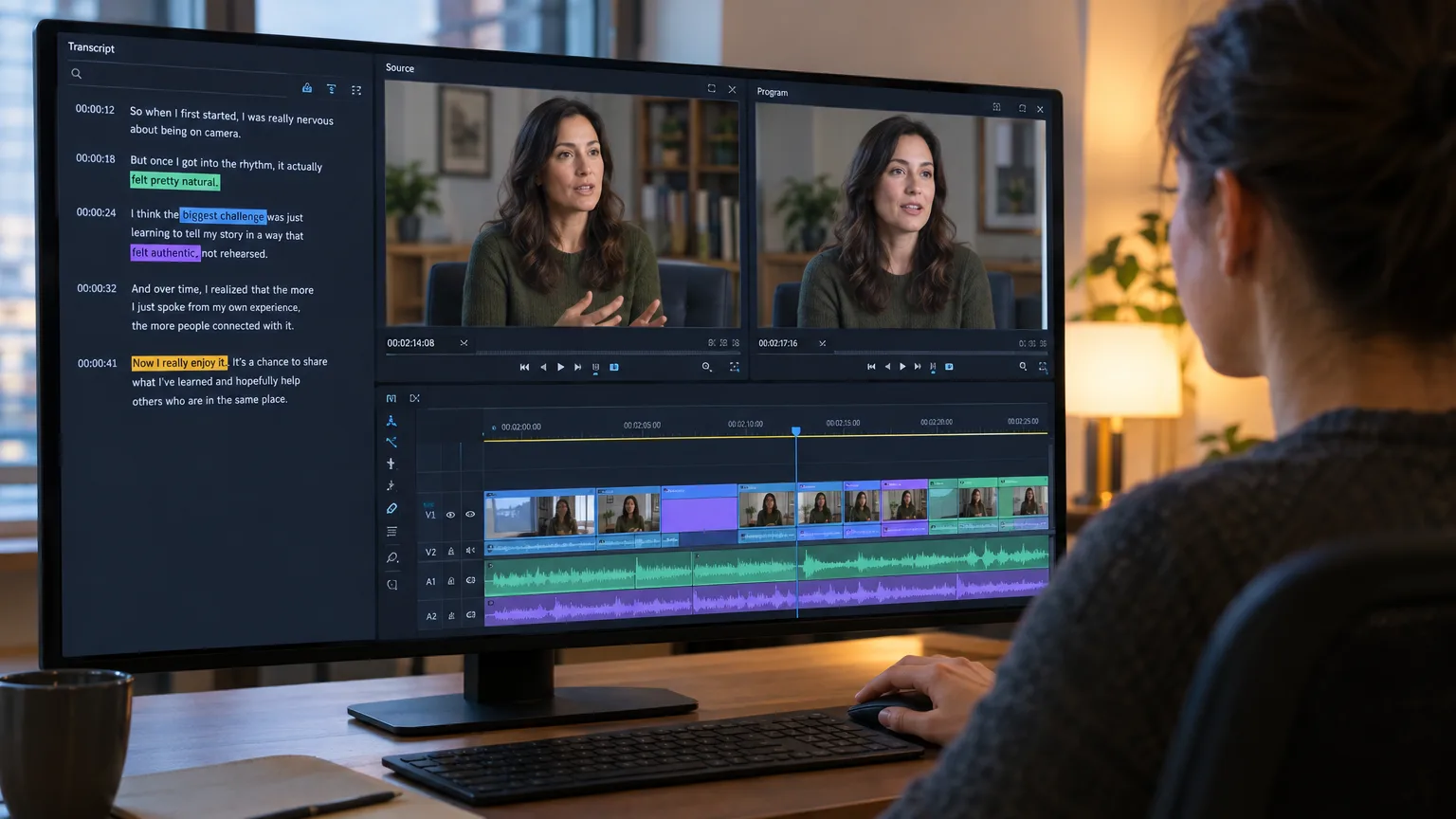
A transcript-based editor is any tool that represents your footage as searchable, timecoded text and lets edits to that text propagate back to the media. That's distinct from a normal NLE, where the timeline is the primary interface and the transcript, if it exists at all, is a caption sidecar you read but don't edit from. The category includes very different products built on the same idea: DaVinci Resolve's text-based editing panel, Adobe Premiere Pro's Text-Based Editing workspace, standalone tools like Descript and Reduct, and pre-edit tools like ScriptCut that sit upstream of the NLE and hand off a finished selection to it. They all solve the same four problems in roughly the same order: get text out of audio, pin that text to time, let a human pick the good parts, and turn the picks into something an editing application can actually cut. Everything else, including AI features, speaker labels, filler removal, is built on top of that spine.Step one
Turning Audio Into Text With ASR
The pipeline starts with automatic speech recognition, and the important thing to understand is that ASR models were not originally built to know where a word starts and stops. Most modern transcript-based editors run on Whisper-family models or comparable large ASR systems, and those models are trained to predict what was said, not exactly when. As one widely used open-source project puts it, Whisper models were trained to predict approximate timestamps on speech segments (most of the time with 1-second accuracy), but they cannot originally predict word timestamps. That one-second fuzziness is fine for a caption block. It is useless for cutting video. If you delete the sentence "and that's when I quit my job" from a transcript and the underlying timestamp is off by half a second on either end, your cut either clips the first consonant or drags in half a second of the interviewer's next question. This is exactly why a second stage exists.Step two
Why Word-Level Timecode Is the Real Engine
Word-level timecode comes from a separate process called forced alignment, and it's the actual technical foundation that makes text-based editing possible, not the transcription itself. Forced alignment takes the ASR transcript (or any known reference text) and the original audio and works backward to pin a precise start and end time to every single word. A widely cited definition from a media research toolkit describes it plainly: Alignment (officially 'forced alignment') is the process of synchronizing a text transcription of speech to the audio recording that contains the speech, by automatically adding time labels to every word in the transcript using a specific form of speech recognition technology. Under the hood, most implementations use a CTC-based acoustic model, an approach also used in NVIDIA's open-source aligner, which the project describes as a tool for generating token-, word- and segment-level timestamps of speech in audio using NeMo's CTC-based Automatic Speech Recognition models. WhisperX, a popular open-source project that pairs Whisper's transcription with a separate alignment model, is blunt about why this second pass matters: Whisper's own output gives timestamps that are at the utterance-level, not per word, and can be inaccurate by several seconds, so a phoneme-level alignment model is layered on top specifically to get accurate word-level timestamps using wav2vec2 alignment. This is the part worth remembering when you're deciding whether to trust a tool: the transcript and the timecode are produced by two different systems, chained together. A transcript-based editor with sloppy alignment will still read fine on screen and still cut badly. When you evaluate one of these tools, don't just check if the words are right. Play a clip that starts one word into a sentence and see if it starts clean.Step three
Cutting an Interview by Deleting Sentences
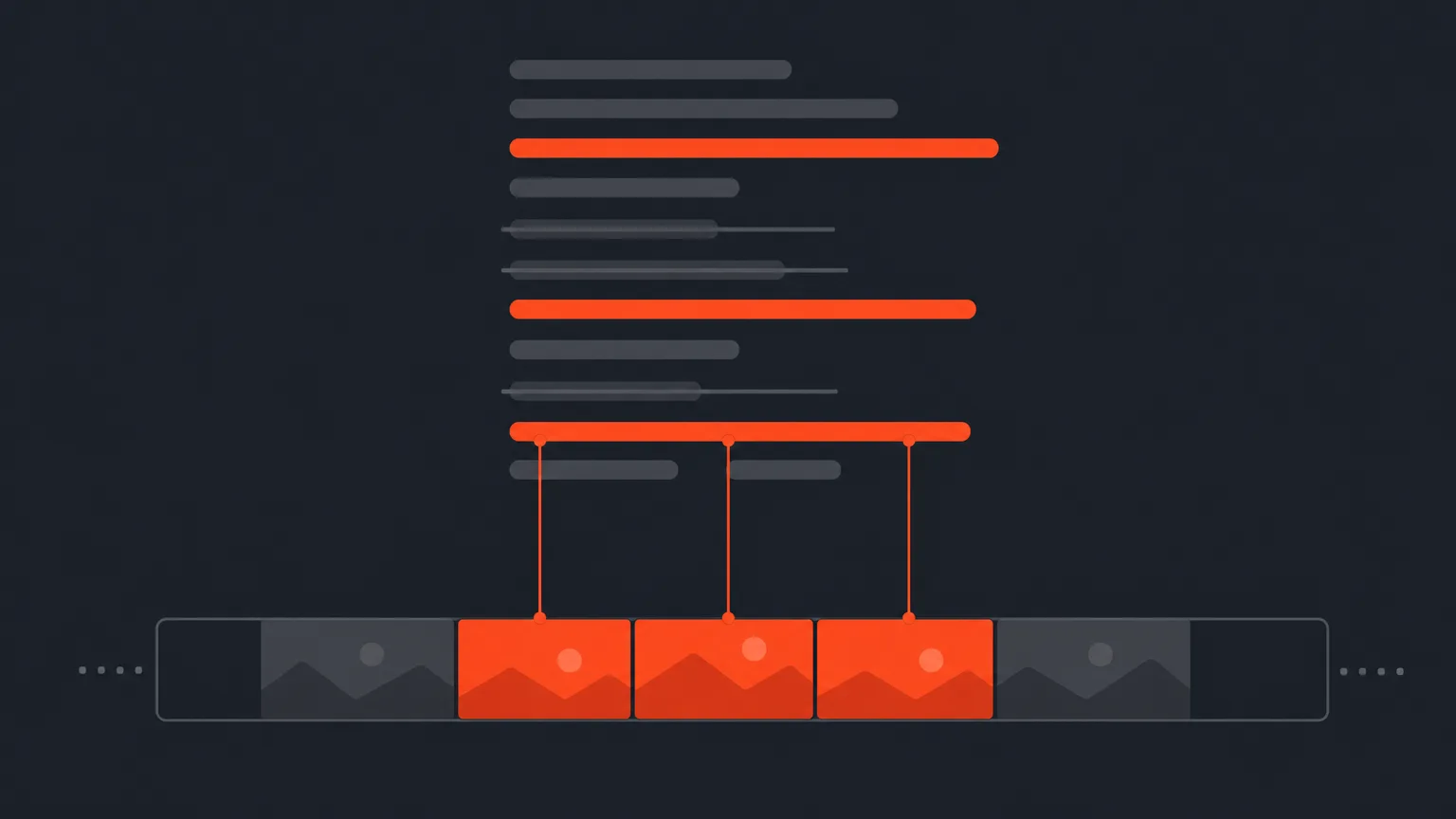
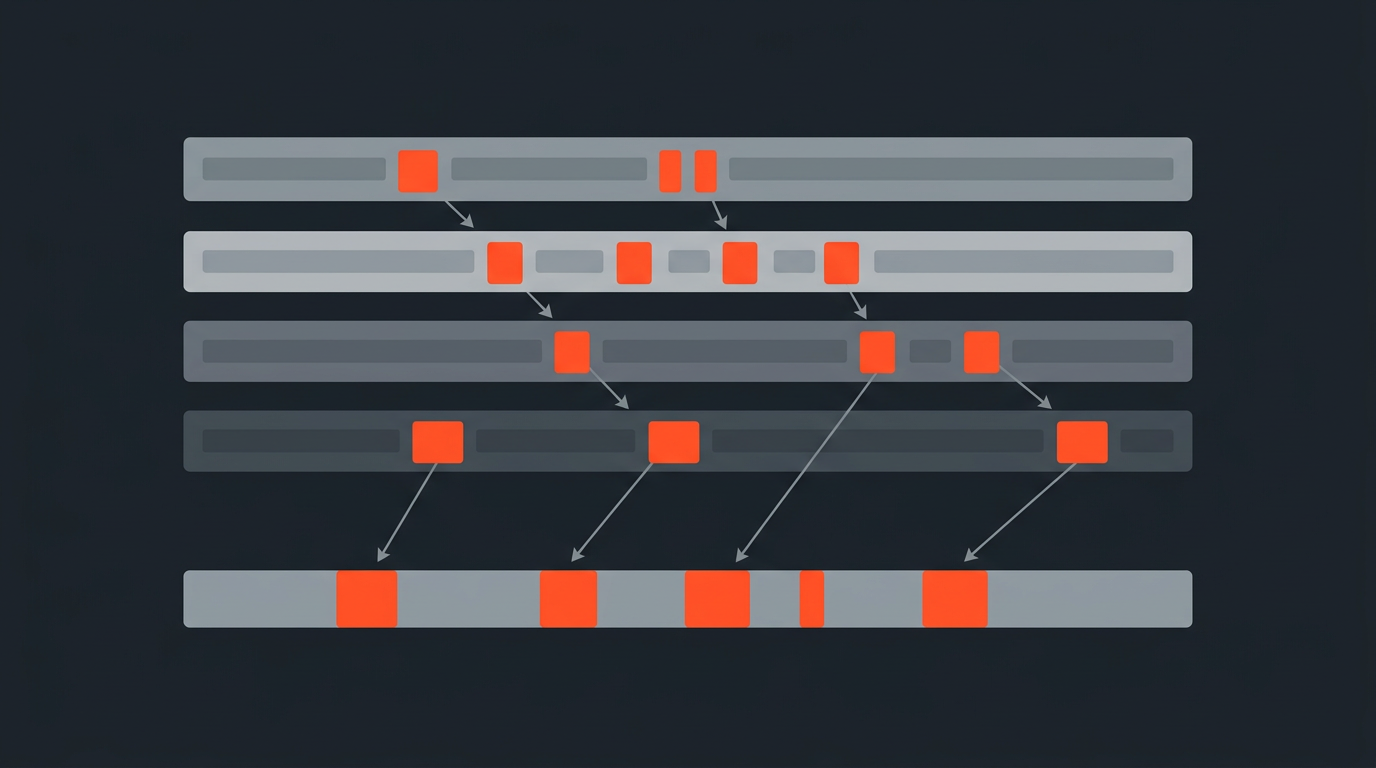
Here's the difference in practice. Say you have a 40-minute interview and you need the three minutes where the subject talks about a product recall. The timeline way: you scrub, you guess where the topic starts based on waveform shape or a vague memory of watching it once, you mark an in-point, you play forward hunting for the moment they moved on, you mark an out. You do this eight or ten times for eight or ten selects, then reorder clips on the timeline by trial and error, nudging in and out points until the pacing feels right. Even a fast editor spends real time just finding the edges. The transcript way: you read the interview like a document, because reading is faster than listening at real-time speed. You highlight the sentences that are the actual selects, delete the filler and false starts around them, and drag paragraphs into story order the way you'd rewrite a paragraph in a Google Doc. Because every word already carries its own timecode from the alignment stage, the moment you finalize the text, the tool already knows the exact in and out points in the source media. There's no separate "find the edit point" step, because the edit point was located the instant the word was transcribed and aligned. This is also why you should never treat the finished text as the finished cut. Words on a page don't carry tone, pacing, or a raised eyebrow, and a sentence that reads great can play badly out loud. Before you lock a sequence built this way, play every selected clip, not just the transcript. That's the whole argument for keeping playback in the loop rather than trusting the page alone, and it's the difference between a fast draft and a sloppy one.Step four
From Selected Text to a Frame-Accurate Timeline
Deleting text doesn't move pixels. What actually happens is that the tool keeps a map between every character in the transcript and a source timecode, and when you finalize your selection, it walks that map and generates an edit decision, a list of in and out points against the original media, in the order your text now reads. That decision then has to leave the transcript tool and become something an NLE can open. Different tools hand that off differently. Some export an XML sequence that Premiere Pro, Final Cut Pro, or DaVinci Resolve can import directly with clips already placed on a timeline; some export a plain transcript or subtitle file for review; some export a reference audio mixdown so a client can approve the radio cut before anyone touches picture. ScriptCut, for example, builds the sequence from the same word-level timecodes used for selection, so what you approved on the page is what lands on the timeline, down to the frame. If you want the deeper mechanics of one of the interchange formats involved, FCPXML and the older EDL format both solve a version of this same handoff problem, just with different levels of detail. The practical upshot: the fidelity of this last step is the difference between "the cut opens correctly with clips on the right tracks" and "the cut opens as a pile of disconnected clips you have to re-sync by hand." When you're testing any transcript-based tool, don't just check the edit, check what the exported project actually looks like when it lands in your NLE.Tool by tool
How DaVinci Resolve, Premiere Pro, Descript, and ScriptCut Differ
They all implement the same four stages, but where the tool sits in your pipeline, and what it assumes you'll do next, changes a lot.| Tool | Where it sits | Transcript source | Best fit |
|---|---|---|---|
| DaVinci Resolve | Inside the NLE, alongside the color and audio pages | Built-in transcription, edits happen directly on the existing timeline | Editors who want text search and text-based trims without leaving Resolve, see our Resolve-specific walkthrough |
| Premiere Pro | Inside the NLE, a dedicated Text-Based Editing workspace | Adobe's own speech-to-text on import | Premiere-first shops assembling a rough cut before fine-tuning, covered in the Premiere transcript workflow |
| Descript | Standalone editor, transcript and timeline are the same surface | Its own ASR and voice tools | Solo creators who want to record, transcribe, and export in one app, see our Descript comparison |
| ScriptCut | Upstream pre-edit stage, before the NLE | Transcription with word-level timecode built for selection and client approval | Teams who want the paper edit and client sign-off done before anyone opens a timeline |
Common mistakes
Where Transcript-Based Workflows Actually Fail
Most failures aren't about the technology being wrong, they're about trusting a stage more than it deserves.- Treating the transcript as the performance. A line can read as the perfect soundbite and land flat on playback because the delivery was flip, or hesitant, or sarcastic in a way text can't carry. Documentarian Errol Morris has been openly skeptical of paper-cut-style planning for exactly this reason: it can flatten a subject into their words alone.
- Skipping speaker diarization checks. When ASR misattributes a line to the wrong speaker in a multi-person recording, you can end up selecting the wrong person's sentence entirely. If your source has more than one voice, verify speaker diarization before you trust the transcript's speaker labels.
- Assuming alignment is perfect near crosstalk and filler. Forced alignment models degrade at overlapping speech and heavily disfluent audio, exactly the moments editors most want to trim cleanly. Play the actual clip at the edges before you lock it.
- Stitching selected sentences into a statement nobody made. Reordering and tightening what someone said is normal editing. Splicing fragments from different answers to construct a sentence that never happened is a frankenbite, and it's an ethics problem, not a technical one.
- Never checking the exported timeline against the transcript. If your export step is unreliable, you can approve a perfect paper cut and still get a broken sequence in your NLE. Test the round trip before you depend on it for a real deadline.
Bottom line
Start on the Page, Finish in the Timeline
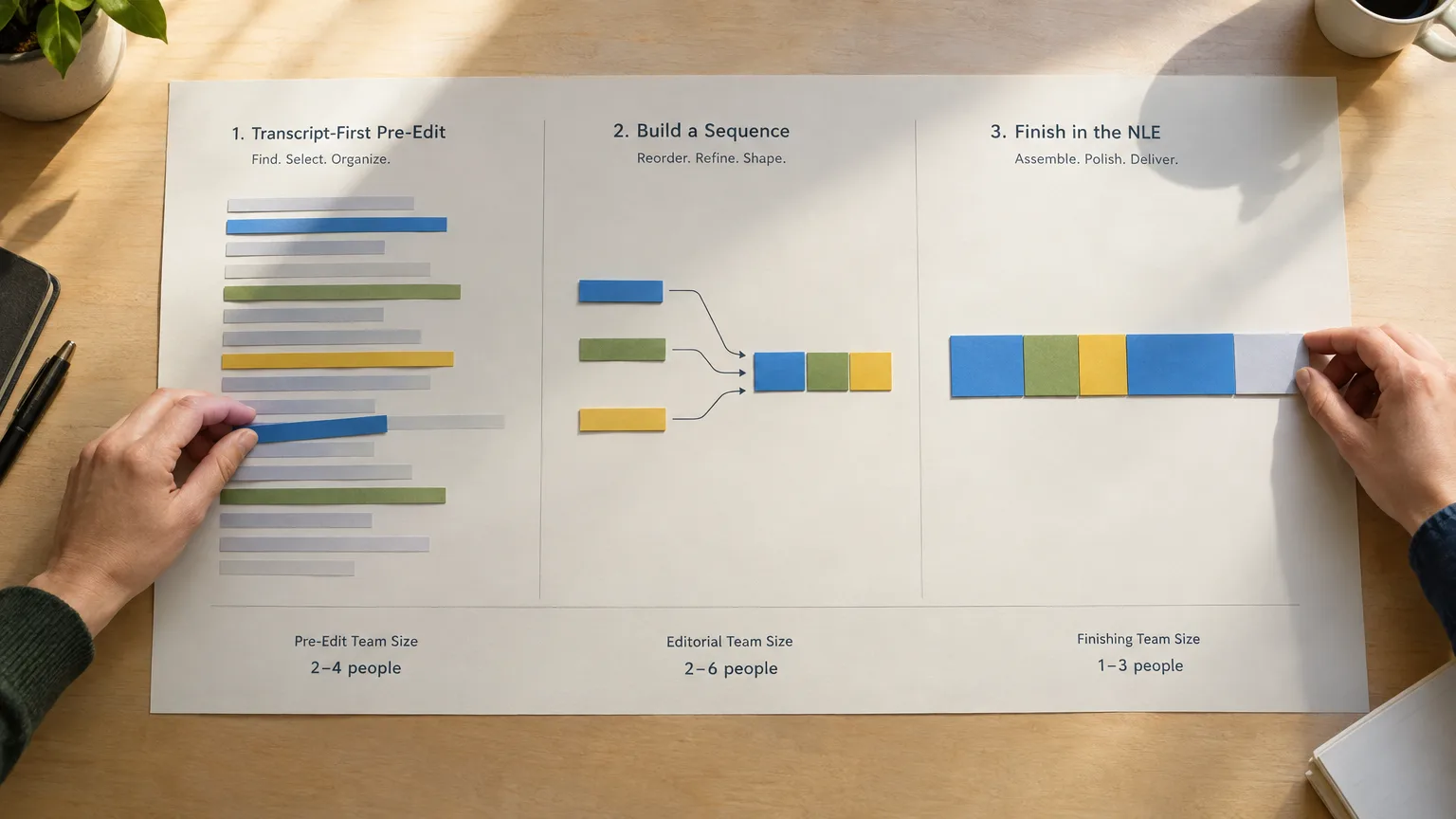
Transcript-based editors aren't replacing the NLE, they're replacing the slowest part of getting into one: hunting for edit points by ear. Once you understand that the whole system rests on word-level timecode from forced alignment, not just decent transcription, you know exactly what to test before you trust a tool with a real deadline: read the transcript, but play the clip. If you're cutting long unscripted recordings, whether that's a documentary interview, a podcast, or a panel, and you want the selection and client approval done on the page before anyone touches a timeline, that's what ScriptCut is built for: select from the transcript, get sign-off on a share link, and export a sequence that opens correctly in DaVinci Resolve, Premiere Pro, Final Cut Pro, or Avid.Sources
frequently asked questions
It's a tool that represents your footage as searchable, timecoded text and lets edits to that text create real cuts in the underlying media, instead of requiring you to scrub a timeline to find edit points.
Every word in the transcript is tied to a precise start and end timecode from a forced alignment process. When you delete or reorder text, the tool reads that timecode map and generates the matching in and out points against the source media.
Most ASR models predict approximate timing per phrase, not per word, so a second alignment pass is needed to pin exact timecodes to each word before text edits can be frame-accurate.
They rely on the same underlying idea of ASR plus word-level alignment, but Resolve and Premiere build it into their existing timeline, while ScriptCut works upstream as a pre-edit step that hands off a finished sequence to whichever NLE you use.
Yes. The text captures words, not delivery, so a line can read well and play badly. Always play the selected clip before you lock a sequence built from a transcript.
Most export an editable sequence such as an XML timeline, along with plain transcript, subtitle, or audio files depending on whether you need picture, review copy, or a radio cut for approval.
No. The same pipeline works for any long, unscripted recording, including podcasts, panels, vlogs, documentaries, and UGC, anywhere the footage has spoken words worth searching and selecting.
You might also like...





Start selecting.

Pick the story in the transcript, export a finished rough cut.
Get the ScriptCut newsletter
Thanks! Check your inbox to confirm.
Something went wrong. Please try again.