

Descript Alternative for Video Editors
Most people typing "Descript alternative" are not actually unhappy with Descript. They are trying to figure out where the pre-edit should live before a project moves into a real NLE. Descript is a full editor: you cut, mix, add AI voice, and publish inside one app. ScriptCut is not that. It is the step before the timeline, transcript-based selecting that hands off a real sequence to Resolve, Premiere Pro, Final Cut Pro, or Avid. Neither claim is a knock on the other tool. They are built for different endings.
Landscape
Eight transcript and video tools, compared honestly
Before picking a side, it helps to see the whole shelf. Some of these tools cut video, some only produce a transcript, and one of them (Premiere Pro) is the destination NLE itself, not a competitor to either. Pricing below is billed rate as of August 2026; check each vendor for current promos.
| Tool | Best for | Pricing (Aug 2026) | Export / NLE support | AI features |
|---|---|---|---|---|
| ScriptCut | Selecting from a transcript, then finishing in a pro NLE | Free $0; Starter $19/mo ($15/mo annual); ProAI $29/mo ($24/mo annual); transcription $4-$7/hr by plan | XML, subtitle, and audio export into Resolve, Premiere, FCP, Avid | AI Select, AI Clips (ProAI) |
| Descript | Solo creators and podcasters who want one app for the whole job | Free; Hobbyist $16/mo annual ($24 monthly); Creator $24/mo annual ($35 monthly); Business $50/mo annual ($65 monthly) | Renders a finished video file; no native XML/EDL handoff | Overdub AI voice, Studio Sound, filler removal, translation |
| Adobe Premiere Pro (Text-Based Editing) | Editors already in Creative Cloud who want to trim by deleting transcript text in their own NLE | Single App $22.99/mo; Creative Cloud Standard $54.99/mo; Pro $69.99/mo (annual, billed monthly) | Native, it is the NLE | Sensei transcription, filler-word detection, Firefly tools on Pro |
| Otter.ai | Meeting and interview notes, not video cutting | Free; Pro $8.33/mo annual ($16.99 monthly); Business $19.99/mo annual ($30 monthly, per seat) | Text/transcript export only | Live transcription, auto summaries, speaker ID |
| Rev | Outsourced human-accuracy transcripts and captions | Free (45 AI min/mo); Essentials from $25.49/seat/mo annual; AI $0.25/min or human $1.99/min a la carte | Caption and subtitle files, plain transcripts | AI transcription plus a human QA tier |
| Trint | Newsrooms and media teams transcribing at volume | Starter ~$80/seat/mo; Advanced ~$100/seat/mo; Enterprise custom | Transcript and subtitle export, no native timeline | Auto transcription, translation, in-browser text editing |
| CapCut | Short-form social cuts, not long-form interview assembly | Free; Standard/Pro roughly $10-$20/mo depending on billing channel; Team $24.99/mo | Exports a finished video, not an editable sequence | Auto captions, auto reframe, AI effects |
| Sonix | Fast, cheap machine transcription for archives or research | Pay-as-you-go $10/hr; Premium $22/seat/mo plus $5/hr | Transcript and subtitle export, no timeline export | Automated transcription and translation, keyword search |
Descript's own transcript-editing interface, the part of the app most relevant to this comparison, looks like this in practice:
Positioning
What ScriptCut is not, said plainly
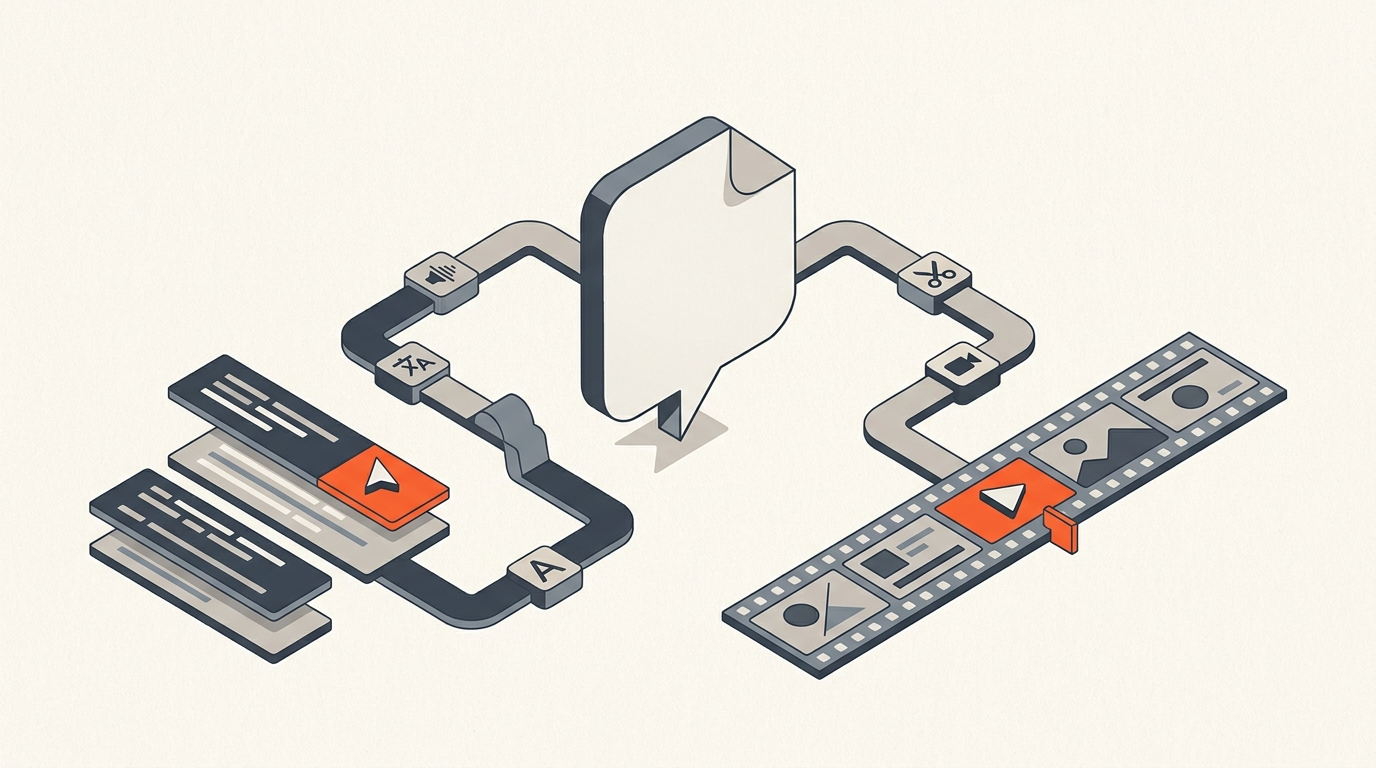
ScriptCut does not touch a waveform. It does not do color, sound mixing, motion graphics, or screen recording, and it will not render your final export. Those are Descript's job, or your NLE's. What ScriptCut does is narrower and, for a specific kind of editor, faster: transcribe with word-level timecodes, read and highlight the moments worth keeping, cut filler, arrange the order, get a client to approve the selects on a share link, then export a real sequence. The finished cut is built where it has always been built, in Premiere, Resolve, FCP, or Avid.
That honesty cuts both ways. If you want one subscription that records, edits, adds an AI voice, and publishes, Descript is doing more for you than ScriptCut ever will. If your actual bottleneck is reading three hours of transcript to find twenty good minutes, and you already have a finishing pipeline you like, ScriptCut removes a step Descript still leaves half-solved: getting the selects out as an editable timeline instead of a rendered file.
Field Notes
What editors say about cutting from a transcript
The value of text-based selecting is not a ScriptCut invention. When Adobe shipped Text-Based Editing inside Premiere Pro, documentary editor Sandra Lucille cut a real project, A Snapshot of Cloud Photography, using it and wrote up the experience for Frame.io: "Text-Based Editing not only allowed me to navigate the interviews and restructure story elements with greater speed and efficiency, it actually helped me to work more creatively and imaginatively." That is the whole pitch for transcript-first selecting in one sentence, whether you do it in Premiere, in Descript, or in a dedicated pre-edit tool like ScriptCut: reading is faster than scrubbing, and speed at the selects stage frees up time for the parts of editing that actually need craft.
Where the tools diverge is what happens after that first pass. Lucille's selects stayed inside Premiere, already sitting on a timeline. A Descript cut stays inside Descript until you render it out. A ScriptCut project is built specifically to leave, as a timecode-accurate sequence, into whichever NLE you actually finish in.
Pricing Reality
Why comparing sticker price alone is misleading
Line the numbers up and Descript's Hobbyist tier looks cheaper than ScriptCut's Starter plan. That comparison misses what you are buying. Descript's price includes screen recording, AI voice, Studio Sound, and a publishing pipeline, a real production suite. ScriptCut's price buys one thing well: a fast, accurate paper edit that turns into a timeline your NLE can open directly, without anyone rebuilding cuts by hand.
Otter, Rev, Trint, and Sonix are a different category again: transcription utilities, not editors. They will hand you accurate text (or, with Rev, a human-checked one) but none of them select moments, arrange a story, or export a timeline. CapCut sits opposite Trint on the spectrum, built for fast social cuts, not for assembling a 90-minute interview into an eight-minute broadcast piece. None of the four are a real alternative to either Descript or ScriptCut; they solve one earlier step. For a closer look at two of those automated-clip tools specifically, see the ScriptCut vs Opus Clip comparison.
Export Handoff
What actually crosses over into your finishing app
This is the detail that decides everything if your work ends in a pro NLE. Descript's output is a rendered file: picture-locked, no clip boundaries, no way to reopen the individual selects as separate events on a timeline. Premiere's Text-Based Editing avoids that problem by never leaving Premiere in the first place, since the transcript and the timeline are the same project. ScriptCut solves it a third way: every selected line carries a word-level in and out point, so the export, whether XML or a subtitle and audio package, lands as an editable sequence with each clip already trimmed to the frame. You are not importing a video. You are opening an assembly and starting the finish.
If you already live inside Premiere and never leave it, read the Premiere Pro transcript workflow breakdown for how the built-in tool compares to a dedicated pre-edit step. If your finishing happens in Resolve, FCP, or Avid, Premiere's transcript editor cannot help you at all, and that gap is exactly where ScriptCut and, to a lesser extent, Descript's export options try to compete. The same gap shows up in an EDL, so it is worth understanding what that format actually carries before comparing exports feature by feature.
Client Review
Who signs off, and on what
Descript's review flow shares a near-finished draft: a client watches something close to done and asks for changes late, when they are expensive. ScriptCut's review happens earlier, on the selects themselves, before a single frame is arranged into a full timeline. A producer or client can approve or flag individual moments straight from a share link, the same way you would get client approval before you edit rather than after. For agency and production-house workflows where a client's opinion changes the shape of the piece, catching that opinion before the build, not after, is the entire reason a separate pre-edit tool exists.
The Call
Which one to actually open tomorrow
Pick Descript if you want one app for the whole job and you publish straight out of it, no detour through a pro NLE. Pick Premiere's Text-Based Editing if you already live in Creative Cloud and want the transcript step built into the same window as your timeline. Pick a transcription utility like Otter, Rev, Trint, or Sonix if all you need is accurate text, nothing about selects or exports. Pick ScriptCut if the real bottleneck is reading hours of footage to find the moments worth keeping, and the cut still has to land in Resolve, Premiere, FCP, or Avid when you are done. None of these is the universal right answer. The question that actually matters is where your project finishes, and every choice above should follow from that one answer, not the other way around.
Sources
frequently asked questions
Descript is an all-in-one editor: you cut, mix, add AI voice, and publish inside one app. ScriptCut is a transcript-first pre-edit tool: you select moments, remove filler, and arrange the story, then export a real timeline into Resolve, Premiere Pro, Final Cut Pro, or Avid.
No. ScriptCut does not touch a waveform, mix audio, grade color, or render a finished video. It handles transcription, selecting, filler removal, arranging, and client approval, then hands off an editable timeline to your NLE for the actual finish.
Descript runs Free, Hobbyist at $16/mo billed annually ($24 monthly), Creator at $24/mo annually ($35 monthly), and Business at $50/mo annually ($65 monthly). ScriptCut runs Free at $0, Starter at $19/mo ($15/mo annually), and ProAI at $29/mo ($24/mo annually), plus per-hour transcription.
Yes. Every selected line carries a word-level in and out point, so ScriptCut's XML exports land as a frame-accurate, editable sequence in Premiere, Resolve, Final Cut Pro, or Avid, not a rendered video file you have to rebuild.
Not directly. Those are transcription utilities that produce accurate text or captions but do not select moments, arrange a story, or export an editable timeline. They solve an earlier, narrower step than either Descript or ScriptCut.
Solo creators and podcasters who want one subscription to record, edit, add AI voice, and publish, with no separate finishing step in a pro NLE, are better served by Descript.
You might also like...


Start selecting.

Pick the story in the transcript, export a finished rough cut.