
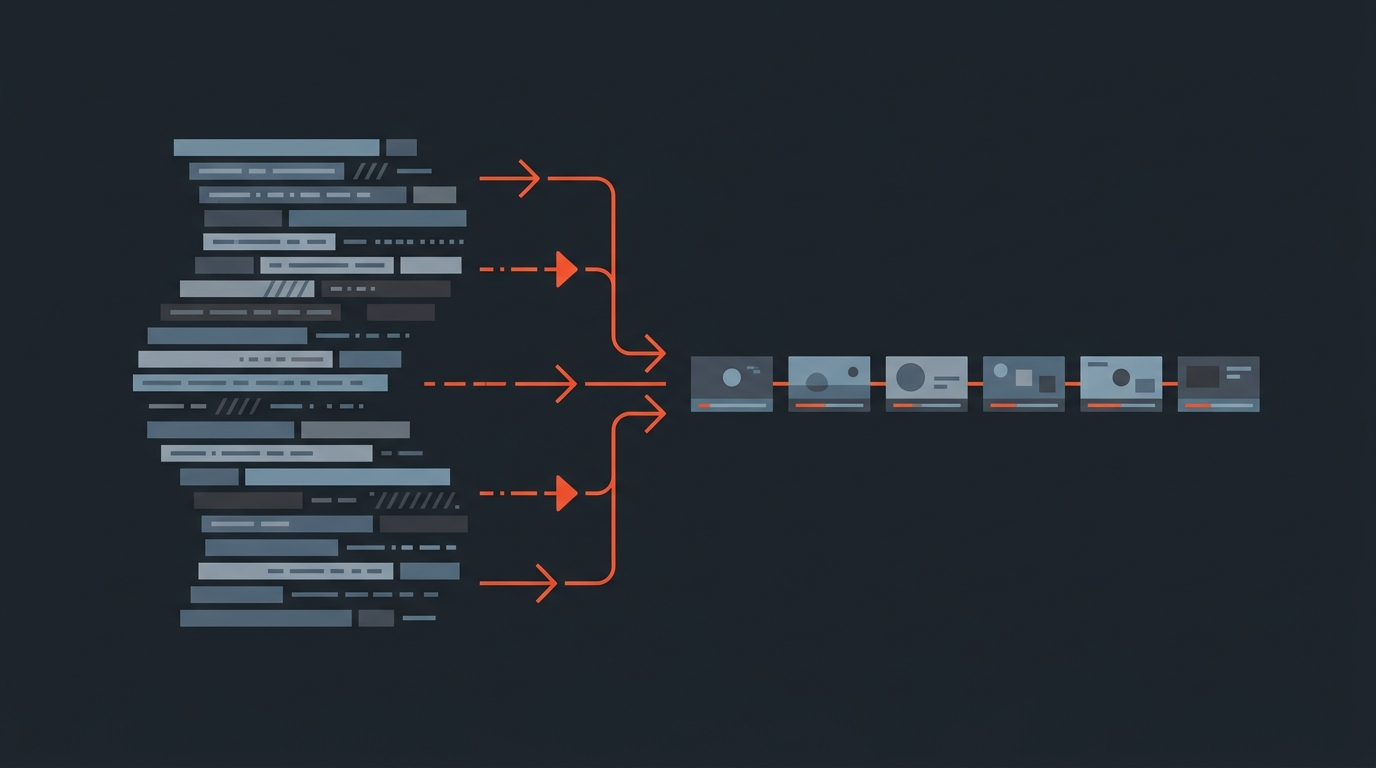
The Premiere Pro Transcript Workflow
The Premiere Pro transcript workflow is: transcribe your footage with Speech to Text, then use Text-Based Editing to select and rearrange the transcript so Premiere builds the matching sequence on the timeline for you.
Adobe shipped Text-Based Editing at NAB 2023 in the 23.4 release, and it changed interview editing for a lot of Premiere users. Adobe framed it as making a rough cut as simple as copying and pasting text, detailed in the company's NAB 2023 announcement.
Transcribe Footage
Step 1: Transcribe the footage
Bring your clips into a project and run Speech to Text. Premiere's Speech to Text, powered by Adobe Sensei, transcribes dialogue automatically; Adobe's Speech to Text documentation covers the setup and supported languages. You can transcribe a sequence or individual source clips. The transcript appears in the Text panel, synced to the footage. For a broader look at getting an interview transcribed well in the first place, see our guide to transcribing an interview.
Clean audio matters here as much as anywhere. Garbled transcription means more correcting later, so it is worth getting input levels right at the shoot.
Build The Sequence
Step 2: Build the sequence with Text-Based Editing
You select the sentences you want and add them to the timeline, and Premiere trims and places the matching clips automatically. This is the part that feels like magic the first time. Adobe's Text-Based Editing overview describes it as selecting, cutting, and rearranging text from a transcript to create sequences, with the clips following the text.
As you add clips, Premiere creates a sequence transcript. From there you can highlight text and use copy and paste to move clips around, and your text edits apply to the timeline. The transcript carries timecode metadata and stays in sync with the clips.
A worked example
- Drop a 30-minute interview into a project and run Speech to Text on the source clip.
- In the Text panel, read the transcript and highlight the sentences that carry the story. Strike out the rambling and the repeated takes.
- Add the kept selections to a new sequence. Premiere assembles them in order, already trimmed to the words.
- Open the sequence transcript and reorder or tighten by editing text, then move to the timeline for B-roll, audio, and polish.
That gets you to an assembly fast. The selection happened in words, not by scrubbing.
Common Gotchas
What to watch for
- Transcription errors propagate. If Speech to Text mishears a name or a number, fix it in the transcript before you cut, or the wrong text sends you to the wrong frame.
- Filler words clutter the cut. Premiere can mark pauses and filler, but a thorough pass matters. See removing filler words for the cleanup mindset.
- Solo by default. The transcript and sequence live in your Premiere project. A producer or client cannot read and approve the selection before you commit to the cut.
- Big projects get heavy. Multi-cam, many source files, and long runtimes make text editing inside Premiere slower than reading and marking somewhere lighter first.
A Cleaner Split
Decide on the words first, assemble in Premiere
Make the creative decisions on the transcript, get them approved, then bring a finished structure into Premiere. Text-Based Editing is strong, but it puts selection, story, and assembly all inside the NLE. For interview and documentary work there is a calmer pattern. If you are still weighing Premiere against Resolve for interview-heavy work, see how DaVinci Resolve and Premiere Pro compare for interviews.
That is what ScriptCut does in the pre-edit, often called a paper edit. Transcribe the footage, highlight the strongest moments, cut fillers, arrange the story, and share it for client sign-off before anyone opens Premiere. Each selected line carries word-level timecodes, so the export is an assembled sequence rather than a pile of raw clips.
Getting it into Premiere
Export an XML from the pre-edit, then in Premiere choose File > Import and select the XML. Premiere rebuilds the cut as a sequence with your selects already placed in order, and you pick up at the refine stage: B-roll, audio, graphics, color. It is the same idea as Text-Based Editing, with the selection and approval done before the project gets heavy.
The Takeaway
Two valid ways to cut from the words
Premiere's transcript workflow, Speech to Text plus Text-Based Editing, is a real way to cut interviews from the words inside the NLE. When you need client approval first, an easier place to reorganize, or to keep the heavy assembly out of a busy project, do the paper edit first and import a finished sequence into Premiere. For more on choosing the right tool for the job, browse our free editing resources.
Sources
frequently asked questions
Adobe announced it at NAB 2023 and shipped it in the 23.4 release in May 2023. It builds on Premiere's existing Speech to Text transcription feature.
It is included with a Premiere Pro subscription at no extra cost. Speech to Text transcription, which it depends on, is also part of the app.
Transcribe the footage with Speech to Text, then in the Text panel select the sentences you want and add them to the timeline. Premiere trims and places the matching clips and creates a sequence transcript you can keep editing.
Not from inside Premiere, since the transcript and sequence stay in your project file. To get approval first, do the paper edit in a tool like ScriptCut, share it for sign-off, then import the approved XML into Premiere.
It keeps selection, story, and assembly all inside the NLE, so a producer or client cannot review and approve the selects before you commit to a cut, and large multi-cam projects can get heavy and slow to edit in text.
Yes, but performance and clarity both suffer on large multicam or long-runtime projects, which is one of the main reasons some editors prefer to do selection and story work outside Premiere first.
You might also like...

Start selecting.

Pick the story in the transcript, export a finished rough cut.