Blog
Practical guides on transcript-first editing: cutting from the transcript, clipping podcasts and webinars, repurposing one recording into a week of content, and getting client sign-off before you edit.
How journalists turn interview recordings into accurate, publishable video and quotes: transcribe verbatim, verify against audio, select without distorting context, and export cleanly.
How course creators turn rambling lesson recordings into tight modules: edit from the transcript, cut tangents, keep the teaching structure, and export a clean timeline.
A retention-first editing workflow for YouTubers: nail the hook, cut the dead air, structure for the retention graph, and find your edit in the transcript instead of the scrubber.
How marketing teams ship more video without growing the edit bay: separate selection from finishing, get stakeholder sign-off before the edit, and hand editors a clean timeline.
Happy Scribe is strong for transcription and subtitles in many languages. ScriptCut takes the transcript further, into selects, a story order, and a timeline.
Sonix is fast, affordable transcription at scale. ScriptCut takes that transcript and turns it into selects, a story order, and a timeline you can actually cut.
Captions is a slick mobile app for talking-head clips and animated captions. ScriptCut is the pre-edit for long-form interview work that finishes in a real NLE.
Veed is a fast browser editor for quick social videos. ScriptCut is the pre-edit for serious interview work that finishes in Resolve, Premiere, or Final Cut.
Trint is a strong transcription and text editor. ScriptCut takes the next step, turning that transcript into selects, a story order, and a timeline you can cut.
Otter.ai is built for meeting notes, not cutting footage. If you need to turn an interview transcript into a real edit, here is the honest comparison.
Edit a demo or sales video that converts: lead with the outcome, cut to the value, structure around the buyer's question, and export a clean timeline from the transcript.
Turn one long video into a full content pillar: a main piece plus clips, posts, captions, and a newsletter, all sourced from one transcript instead of one painful edit at a time.
How to cut a trailer that sells the thing without spoiling it: find the promise, build tension in the transcript, structure three acts, and export a ready-to-finish timeline.
A working editor's process for building a highlight reel from long footage: transcribe, pull the strongest moments, arrange a beat, and export a timeline ready to cut.
Vlog footage is messy: hours of talking, b-roll, and tangents. Here is a transcript-first workflow to find your story, cut the rambling, and pace it so people stay.
One conference talk can become a dozen pieces of content. Here is how to turn a recorded session into clips, a blog post, quote cards, and a clean full upload.
Chapters make a long video easy to navigate and easier to find in search. Here is how to add them on YouTube, the exact rules, and how to write titles that actually help.
Turn hours of live footage into sharp, postable clips. A practical workflow for finding the moments, cutting them clean, and exporting for every platform.
Editing an interview is really three stages: getting the transcript, planning the cut, and finishing in an NLE. Here are the best tools for each in 2026 and how to chain them so a long interview stops being painful.
Repurposing is two different jobs that get confused: making new formats and distributing what you have. Here are the best tools for each in 2026, plus the step most people skip.
Video podcasting needs more than one tool. Here is the real stack for 2026 broken down by job: recording, planning the edit, cutting the episode, and pulling clips, with a clear pick for each.
Getting an accurate transcript is the first step in any interview, podcast, or documentary edit. Here are the strongest transcription tools for video in 2026, what each is best at, and what to do once you have the text.
Both are pro NLEs that finish serious work. The real choice comes down to platform, pricing model, and how you like to cut. Here is the honest breakdown for interview and dialogue editing.
Opus Clip pulls short clips out of long videos automatically. Descript lets you edit a whole video by editing its transcript. They sound similar and solve different problems. Here is how to choose.
For podcasters, video editing is two jobs: cutting the full episode into a watchable video, and slicing the best moments into clips that bring new listeners in.
To edit a Zoom recording, clean up the rough audio and framing, then cut it like an interview: work from the transcript and keep the substance.
Editing a YouTube video is mostly about pace and retention. Hook fast, cut every dead second, and keep the story moving.
The fastest way to edit a podcast is to edit the transcript first: cut the dead weight, tighten the talk, then polish the audio or video.
Documentary editors live in interview transcripts. Here is how ScriptCut turns that reading-and-selecting grind into a fast, frame-accurate pre-edit.
From organizing footage to picture lock and finishing, the documentary post-production workflow stage by stage, and where the paper edit fits.
You do not storyboard a documentary the way you storyboard a scripted film. Here is what planning a doc really looks like, before and after the shoot.
A reaction shot shows how someone responds to what just happened, and it is where editing creates emotion. Here is the Kuleshov effect and how to cut reactions well.
An insert shot is a close-up of a detail already in the scene, the letter, the watch, the trigger finger, used to direct attention and add meaning. Here is how it works.
A supercut compiles every instance of the same word, action, or trope into one rapid montage. Here is where the term came from and how creators use supercuts today.
A montage is a sequence of short shots edited together to compress time or build an idea. Here is the history, the famous examples, and how editors actually build one.
A match cut links two shots through a shared shape, motion, or idea so the transition feels intentional and meaningful. Here are the famous examples and how to use one.
A lower third is the text graphic in the bottom portion of the screen that names who is speaking. Here is what it does, where the name comes from, and how to use one well.
A cutaway is a shot of something other than the main action, cut in to add context, hide an edit, or control pace. Here is how editors actually use it.
Two cameras double your footage and your decisions. Here is how to keep multicam interviews from doubling your edit time too.
A 60-minute interview rarely needs to be 60 minutes. Here is how to cut it to its strongest five without losing the thread.
Logging is the unglamorous step that decides whether your edit takes a day or a week. Here is how to do it fast.
The best interview questions are written for the edit, not the conversation. Here is how to get answers that stand on their own.
A cold open is the scene that runs before the title card, built to hook viewers in seconds. Here is how it works and how to build one from your footage.
An AAF file carries your edited timeline, with tracks and automation intact, from your NLE into a sound mixing app like Pro Tools. Here is how it works.
Timecode is the address of every frame in your footage, written as hours, minutes, seconds, frames. It is how editing systems stay in sync. Here is the guide.
Picture lock is the moment the edit freezes. No more cuts, no more reorders. It is the green light for sound, color, and effects. Here is why it matters.
A frankenbite stitches words from different moments into something the person never actually said. Here is where fair editing ends and deception begins.
Speaker diarization answers one question: who spoke when? It is what turns a wall of transcript into a readable, labeled conversation. Here is how it works.
A radio cut is a story built on audio alone, no picture yet. If it works with your eyes closed, it will work on screen. Here is how editors use it.
Text-based editing turns a transcript into your timeline, so deleting a sentence deletes the footage. Here is how it works and when it actually helps.
Stop starting from a blank page every day. Here is how to turn one strong recording into a week of clips, posts, and emails.
Students bail the moment a lesson rambles. Here is how to tighten course videos fast by cutting from the transcript, lesson by lesson.
A testimonial fails when it sounds coached and wins when it sounds like a real person solving a real problem. Here is how to edit one that converts.
DaVinci Resolve or Premiere Pro for interview editing? An honest comparison of transcription, text-based editing, cost, and workflow, plus what to do before either.
Riverside is built to record remote interviews and podcasts. For the part after recording, here is the transcript-first tool that turns footage into a cut.
A fine cut is the frame-level finishing pass before picture lock: precise trims, final takes, tuned rhythm, and clean transitions, with the structure already locked.
FCPXML is Apple's XML format for moving timelines, clips, and metadata in and out of Final Cut Pro. Here is what it stores and how it differs from an EDL.
An EDL is a plain-text list of cuts with source and record timecodes. Here is what it does, where it still matters, and where it falls short.
A jump cut is the visible lurch you get when you cut within one shot. Here is where it came from, when to use it, and how to hide it.
J-cuts and L-cuts are the audio-and-picture tricks that make dialogue flow. Here is what each one is, where the names come from, and when to use them.
The honest pipeline for documentary work: planning, the pre-edit decision, the NLE, and review. What each tool actually does, and where the lines are.
Most editing time vanishes into scrubbing and revisions. Here is how a transcript-first workflow attacks both and gives you the hours back.
Agencies bleed margin on revisions. Here is a workflow that gets client sign-off before the edit, so your team builds each cut once.
CapCut is built for fast social edits. For interview and documentary work that finishes in a pro NLE, here is a transcript-first alternative that feeds your editor.
AI speeds up real parts of editing, but only if you match the tool to the job. Here is how the categories compare in 2026 and where each one actually helps.
Reposting raw audio over a static cover does not count as a YouTube video. Here is how to turn an audio podcast into something people will watch.
How to cut a documentary interview down to its strongest moments without losing the story, plus the tone check most transcript workflows skip.
Disorganized interview footage is where edits go to die. A simple system, built on transcripts, turns a hard drive of clips into something you can actually cut.
Talking-head footage is one person, one camera, and a lot of dead air to remove. The edit lives in the words, so that is where you should cut.
A sizzle reel is a short, fast promotional video that sells the feeling of a project or brand. Here is what makes one actually work, and how to build it.
An assembly edit is the first full sequence: everything in order, untrimmed, built to test whether the story holds together before you spend time on polish.
A selects reel is your best raw moments gathered in one place before story: the strong soundbites and takes, collected and verified, ready to be arranged.
B-roll is the footage that covers your cuts and shows what people are talking about. Here is what it is, where the name comes from, and how to plan it.
A paper edit is the fastest way to cut long interviews. Here is what real paper edit software needs to do, and how the main options compare in 2026.
A webinar is an hour of content you already produced. Here is how to break it into clips, a recap video, and assets people will actually watch.
Both turn long video into clips. Opus Clip auto-generates them; ScriptCut gives you editorial control plus a timeline export. Here is which fits your workflow.
A clean workflow for adding captions to short clips, from accurate transcription to styling that survives muted autoplay, without retyping anything.
Turn a long video into Shorts that people actually finish: how to find the moments, reframe to vertical, and cut a clean hook without re-editing from scratch.
The most expensive edits are the ones you redo. Here is how to get a client to sign off on the cut before you build a single frame.
Ums and false starts make a sharp speaker sound unsure. The fix is not scrubbing the timeline for each one. It is editing the words and letting the video follow.
A transcript is only useful for editing if it carries timecode. Here is how to transcribe an interview the right way, and what accuracy you can actually expect.
A stringout is your selects laid end to end in rough order so you can judge the story before trimming. On voice-led work, the audio version is the radio cut.
A rough cut is the draft where structure is settled and you refine: trimming for pace, shaping performance, and adding temp music and b-roll. Here is how it works.
Transcript-based editing is the fastest way to cut interviews and podcasts. Here is how the main tools really differ in 2026, and how to choose the right one.
You have a paper edit done. Here is how to get it into Final Cut Pro and Avid as a real sequence, using XML, FCPXML, EDL, and AAF the right way.
Most podcast clips flop because they are clipped by feel. Here is the transcript-first way to pull shorts that actually hook and pay off.
AI podcast clip tools are everywhere. Here is what separates the good ones, and why a transcript-first approach makes clips that actually hold up.
A working editor's method for getting a documentary from raw transcript to a ready-to-cut timeline, without burning a week scrubbing tape.
A great soundbite is a complete thought that stands on its own. Most editors miss them because they are listening when they should be reading.
Paper cut and paper edit mean nearly the same thing. Here is the small difference, where each term comes from, and the terms people actually confuse them with.
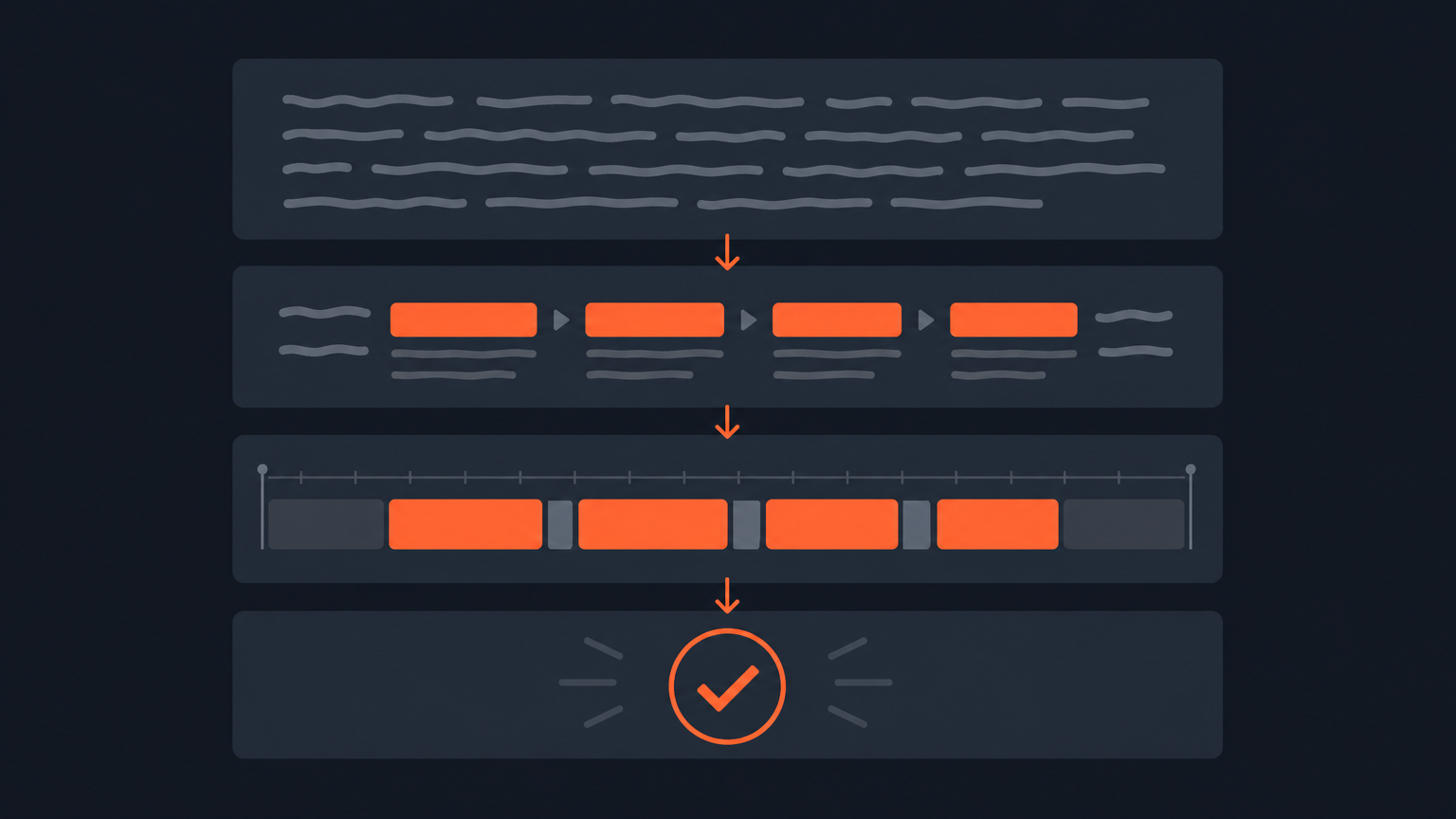
A step-by-step method for paper editing: transcribe with timecode, read, highlight selects, arrange the story, verify against the footage, then build the timeline.
Premiere Pro's Text-Based Editing turns a transcript into a rough cut. Here is the full workflow, from transcribing footage to a sequence, plus the gotchas.
DaVinci Resolve can transcribe footage and let you edit from the words. Here is how transcript-based editing works in Resolve, and where a dedicated paper edit beats it.
Descript wants to be your whole editor. ScriptCut keeps the part editors love, transcript-based selecting, and hands a finished timeline to the NLE you already use.
Frame.io reviews a finished cut. ScriptCut handles the step before the edit: choosing the moments and getting client sign-off, then exporting a timeline.
The slow part of cutting an interview is not the timeline, it is the deciding. Move the deciding onto the transcript and you can finish in a fraction of the time.
A repeatable system for turning every podcast episode into a batch of clips, built on the transcript so it takes an hour, not a day.
A paper edit is the written blueprint of a non-fiction edit: transcribe, highlight the strongest lines, and arrange the story on the page before you touch a timeline.