

How to Remove Filler Words From an Interview
Remove filler words fastest by working from a transcript instead of scrubbing the video timeline: mark every um, uh, and false start in the text, judge discourse markers like "you know" and "I mean" case by case instead of deleting them all, then let word-level timecodes cut the audio and video together in one pass.
Why It Matters
Filler Words Cost Credibility, Not Just Polish
This is not just an aesthetic preference. In research on vocal fillers, credibility, and likeability published by Duvall, Robbins, and colleagues, speakers who used more vocal fillers were rated as less credible by listeners. Toastmasters International runs a formal role built around this exact problem: the Ah-Counter. As the organization puts it, "the purpose of the Ah-Counter is to note any overused words or filler sounds used as a crutch by anyone who speaks during the meeting," a description from the Toastmasters magazine. The same crutch words that cost a public speaker credibility in a room cost a video its watch time on a screen. Coverage in Forbes on the neuroscience of filler words makes a similar point: listeners process filler-heavy speech as more effortful, and that extra effort quietly erodes trust in the speaker even when the actual content is solid.
Not Zero
Some Filler Serves the Speaker
The goal is not eliminating every filler sound, which is not realistic and can flatten a speaker's natural cadence into something robotic. The goal is getting fillers below the point where they distract, while leaving the discourse markers that carry real meaning or rhythm.
What To Cut
Non-Words First, Then Judgment Calls
Start with the easy cuts: um, uh, er, and repeated false starts where a sentence restarts mid-thought. Those almost never carry meaning and almost always improve the cut when removed. Discourse markers like "you know," "I mean," "like," and "so" are a different category, sometimes they are pure filler, sometimes they carry rhythm or signal a shift in thought. Cutting every instance on autopilot tends to make a speaker sound stiff and over-processed, so these need a listen, not a find-and-replace.
Setting a Threshold
How Aggressive to Be Depends on What You Are Protecting
Before removing a single word, decide what the cut is optimizing for. A tight, confident delivery, or a natural, unscripted feel. Those pull in opposite directions once removal gets aggressive. A reasonable starting threshold is removing every clear non-word filler and every false start, then listening back once before deciding whether the surviving discourse markers help or hurt. A simple test that works in practice: read the cleaned line back in your head at normal speaking pace, if it still sounds like a real person talking, the threshold was right; if it sounds like a script, it was cut too hard.
Different Content, Different Rules
A Sales Video and a Documentary Need Different Thresholds
A corporate explainer or a sales video usually benefits from aggressive filler removal, viewers read a tighter cut as more confident and more competent, consistent with the credibility research above. A documentary interview or an emotional testimonial can go the other way, natural pauses and the occasional "I mean" often read as authenticity, and stripping all of it out can make a real person sound scripted. A social clip pulled for reach sits somewhere in between, tight enough to hold attention in the first few seconds but not so scrubbed that it feels like a script read off a teleprompter. Match the aggressiveness of the cleanup to the format, not a fixed rule applied everywhere.
Automated Detection
What Filler-Detection Tools Actually Catch
Automated filler detection works by pattern-matching common non-word sounds and known discourse markers against the transcript, which is reliable for um, uh, and the obvious repeats, and much less reliable for judgment calls. A tool can flag every instance of "like" in a transcript, but it cannot tell you which ones are filler and which one is doing real grammatical work in the sentence. That is why every automated pass still benefits from a human skim before the cuts get applied, the tool narrows the list, it should not make the final call alone on anything beyond the clearest non-words.
Language and Accent
Fillers Are Not the Same Sound in Every Language
Filler removal gets more complicated on multilingual or heavily accented content because the fillers themselves are not universal. Linguists have documented language-specific filler patterns for decades, French speakers commonly use "euh," Japanese speakers use "eto" or "ano," Spanish speakers lean on "o sea" or "este," alongside the same basic function English's um and uh serve. A transcript-based workflow handles this better than a generic audio filter tuned only to English filler sounds, since the fillers get marked as text in whatever language they were actually spoken in, rather than relying on an audio model trained mostly on English speech patterns.
One Pass Method
Mark It Once, in the Transcript, With Timecode
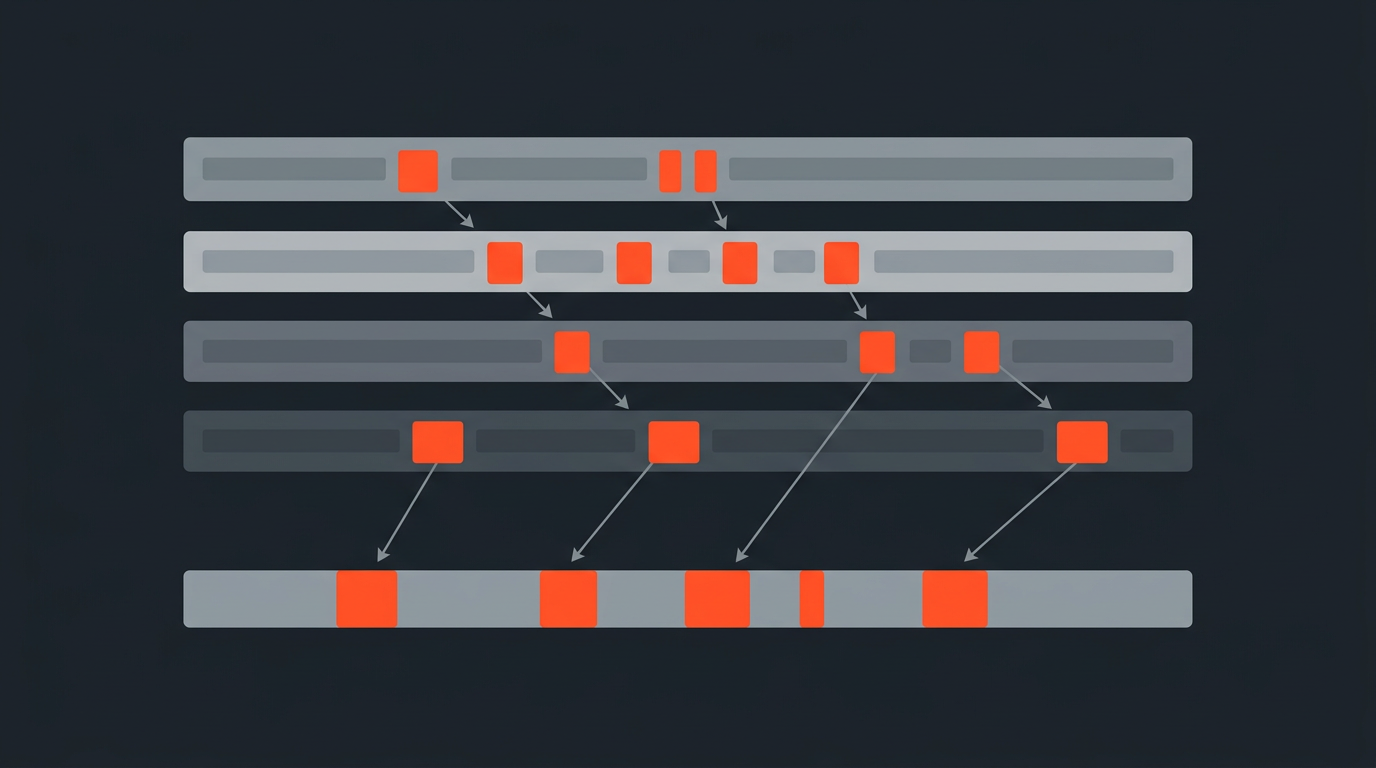
Work from a transcript with word-level timecode attached to the footage. Read through once, marking fillers and false starts as you go, then remove the marked words in bulk instead of hunting one at a time on a timeline. Because each word carries its own timecode, the cut audio and video stay in sync automatically, there is no separate step to re-align picture to sound after the text changes. ScriptCut's Remove Fillers feature is built around exactly this workflow.
How Tools Compare
Not Every Filler Removal Tool Works the Same Way (as of July 2026)
| Tool | Approach | Starting price | Notes |
|---|---|---|---|
| ScriptCut | Flags fillers in a word-level transcript for bulk removal before export | Free; Starter $19/mo ($15/mo billed annually) | Cuts stay synced across audio and video automatically |
| Descript | Delete filler words directly from the transcript, video follows the text | Free; Hobbyist $24/mo ($16/mo billed annually) | Filler removal is one feature inside a full transcript editor |
| Premiere Pro Text-Based Editing | Marks pauses and some filler inside the NLE transcript panel | Included with a Premiere Pro subscription | Selection and cleanup both happen inside the same heavy project file |
| Manual timeline removal | Find, mark, and cut each instance directly on the timeline | Whatever editor you already own | Slowest method, easy to miss instances in long takes |
Pairing With Other Cleanup
Filler Removal Is One Pass Among Several
Filler removal rarely happens in isolation, it usually runs alongside trimming dead silence, tightening long pauses, and cutting repeated takes where a speaker restarted an answer entirely. Doing all of these from the same marked transcript, rather than as separate passes on the timeline, keeps the cuts consistent, a pause trimmed to match the pacing set by the filler removal reads as intentional, while a pause left at its original length right next to a tightly cut filler removal can feel jarring and uneven.
Worked Example
A 30-Minute Interview, Two Very Different Timelines
A 30-minute interview typically runs somewhere around 150 to 250 filler instances depending on the speaker. Removing those by scrubbing the video timeline, finding each one, marking an in and out point, and cutting it, realistically takes the better part of an afternoon. Doing the same removal from a marked transcript, where the words are already flagged and the cuts apply in bulk, typically takes about fifteen to twenty minutes, plus a listen-through to catch anything the pass missed.
Common Mistakes
Where Filler Removal Goes Wrong
- Working on the timeline instead of the transcript. Slowest possible method, and the easiest way to miss instances buried in long takes.
- Removing every discourse marker on principle. Strips out natural rhythm and can make a speaker sound artificial, especially bad for testimonials and documentary interviews where authenticity matters.
- Trusting automated detection without a human pass. Pattern-matching catches obvious non-words reliably, but not the judgment calls on discourse markers.
- Applying one threshold to every project. A sales video and a documentary interview call for different levels of aggressiveness, not the same rule copied across formats.
- Skipping the verification pass. A removed filler in continuous, static footage can leave an audible jump or a visible splice; always play back the cut before calling it done.
- Applying the same aggressiveness to every speaker. A naturally fast, filler-heavy talker and a naturally measured one need different thresholds, not one blanket rule.
The Takeaway
The Transcript Is the Fast Path, Not the Timeline
Filler word removal is a text problem wearing a video costume. Do it on the transcript, keep word-level timecode attached so the cuts land cleanly, set a threshold that matches the format, and use judgment on discourse markers instead of stripping everything that is not a hard noun or verb.
Sources
frequently asked questions
Work from a transcript with word-level timecode instead of the video timeline. Mark filler words once in the text, then remove them in bulk so the audio and video stay synced automatically.
Cut clear non-words like um and uh, but treat discourse markers like you know and I mean case by case. Removing all of them can make a speaker sound artificial or over-processed.
Research on vocal fillers has found that speakers who use more filler words are rated as less credible by listeners, so a moderate cleanup generally helps how a speaker comes across on screen.
It can in static, single-angle footage. Cutting away audio without covering visuals can produce a visible jump, which is why B-roll or a second angle helps on heavily cleaned sections.
ScriptCut's Remove Fillers feature flags filler words in the transcript so they can be removed in bulk, with word-level timecode keeping the cut audio and video in sync.
It varies a lot by person and setting, but most unscripted speakers produce enough filler words across a 30-minute recording that manual timeline removal takes an afternoon, while a transcript-based pass takes under half an hour.
No. Sales and corporate video generally benefit from tighter, more aggressive cleanup, while documentary and testimonial interviews often keep more natural pauses and discourse markers to preserve authenticity.
You might also like...


Start selecting.

Pick the story in the transcript, export a finished rough cut.