
What Is Timecode in Video Editing?
Timecode is the addressing system that gives every single frame of video or audio a unique label, written as hours, minutes, seconds, and frames (HH:MM:SS:FF), so editing systems can find, sync, and cut media with frame-level precision.
It works like a street address for footage. Every frame gets one, no frame within a clip shares it, and any tool in the pipeline, a camera, a recorder, an editing app, an export, can point to that address and land on the exact same instant. Pull the address system out of video production and precise editing collapses with it: no reliable sync, no exact durations, no clean handoff between an editor's cut and a colorist's timeline.
It reads as plumbing, not craft. But every cut you have ever watched was built on a pair of these addresses, an in point and an out point, so it is worth understanding properly rather than half-remembering.
It also shows up as a visible burn-in during review, the small ticking number stamped into the corner of a cut sent for approval. That number is not decoration. It is how a colorist, a mixer, or a client can say "there is a flash frame at 00:14:22:08" and everyone downstream lands on the same exact spot without describing it in words.
Definition
What Timecode Actually Labels
Timecode is a numbering scheme standardized by the Society of Motion Picture and Television Engineers, published as SMPTE ST 12-1 (originally filed in 1975 as ANSI C98.12.1975, before SMPTE renamed and revised it). It assigns a running HH:MM:SS:FF value to every frame of a recording, counting up from a start point the same way a car's trip odometer counts up from zero.
The format has an unusual origin. The underlying frame-counting method was developed by engineer Leo O'Donnell at the National Film Board of Canada, and according to the historical record on SMPTE timecode, it borrowed its structure from rocket telemetry data, a system built to track a fast-moving object's exact position at every instant, repurposed to track a frame's exact position in a reel. That lineage explains why timecode is so rigid: it was designed to never lose its place.
The standard has been revised since, not replaced. SMPTE folded the original 1975 document into SMPTE 12M-1 and 12M-2 in 2008 for clarity, then added ST 12-3 later to cover high frame rate formats like 100 fps and 120 fps while staying backward compatible with the original addressing scheme. A timecode written today for a 4K high-frame-rate project still resolves the same way a videotape's did in the 1970s.
Format
Reading the HH:MM:SS:FF Code
Hours, minutes, and seconds behave like a normal clock. The fourth pair, frames, resets every second and its maximum value depends on the frame rate. At 24 fps it counts 00 through 23 before rolling the seconds forward. At 30 fps it counts 00 through 29. So a timecode reading 01:23:45:12 is one hour, twenty-three minutes, forty-five seconds, and twelve frames into the media, and that value is meaningless without also knowing the frame rate it was recorded at.
This is also why a timecode value can flag a broken file before anyone even plays it back. A frame count of 27 at 24 fps is not a rounding quirk, it is impossible, and it usually means a transcript, XML, or EDL was built against the wrong frame rate. Anyone doing text-based editing off a transcript runs into this the moment the transcript's timecode and the source footage disagree.
The frame count also varies with which flavor of a frame rate a project uses. A camera set to 23.976 fps, 24 fps, 25 fps, 29.97 fps, 30 fps, 50 fps, 59.94 fps, or 60 fps all read out as HH:MM:SS:FF, but the FF ceiling and the rate at which it rolls over the seconds column are different in each case. Two clips that look identical on a monitor can carry timecode that is structurally incompatible, which is exactly why an NLE asks for a project frame rate before you import anything.
Origin
The Sync Problem Timecode Solves
Timecode exists because separate picture and sound, or multiple cameras on one subject, need a shared reference point or they drift apart. Film solved this with a clapperboard: the clap gives camera and audio one loud, visible moment both recordings capture, and an editor lines the two up by eye and ear.
Timecode does the same job digitally and continuously, every frame instead of one clap. Cameras and recorders can be "jam-synced" to the same running timecode at the start of a shoot, so a wide shot, a close-up, and a separate audio recorder all carry identical addresses for the same moment. That is the entire mechanism behind a clean multicam edit: the cameras never actually "know" about each other, they just share a clock.
Drop Frame
Drop-Frame vs Non-Drop-Frame Timecode
Drop frame and non-drop frame are two different ways of counting the same timecode, and the split exists because of a compromise made when color television arrived in the United States. Black-and-white NTSC broadcast ran at a clean 30 frames per second. Adding a color signal required shifting that rate down by 0.1 percent, to 29.97 fps, so the new color subcarrier would not interfere with the existing black-and-white broadcast signal.
That tiny shortfall matters more than it sounds like it should. Timecode that simply counts frames as if the rate were a true 30 fps, called non-drop frame, slowly runs ahead of real clock time. As editing educator Larry Jordan explains it, the 0.03 seconds lost every second "doesn't sound like much, but over the course of a one-hour show, it added up," to roughly 3.6 seconds of drift, an amount that matters enormously to a broadcaster who has sold exactly thirty minutes of airtime.
Drop-frame timecode fixes that drift by skipping certain frame numbers, not actual frames, at defined points. The verified rule: it drops the first two frame numbers (00 and 01) at the start of every minute, except every tenth minute, which is left alone. No footage is lost or altered, only the labels jump. You can tell the two apart on sight: drop frame uses a semicolon before the frame count (01:00:00;00), non-drop frame uses a colon throughout (01:00:00:00).
The Math
How Many Frames Actually Get Dropped
Run the arithmetic and the rule becomes concrete. In any ten-minute span, nine of those minutes get two frame numbers dropped at their start, and the tenth minute is skipped. That is 9 x 2, or 18 dropped frame numbers per ten minutes.
An hour holds six of those ten-minute blocks, so 18 x 6 gives 108 frame numbers dropped every hour. Jordan states the same total directly: "over the course of an hour, 108 timecode labels are skipped." It is a small correction spread across 3,600 seconds of footage, invisible in playback, but it is the entire reason a one-hour drop-frame broadcast clocks in at exactly 01:00:00;00 instead of quietly overshooting.
Worth restating because it trips people up constantly: dropping a frame NUMBER is not the same as dropping a frame. A drop-frame hour still contains every frame the camera captured. Only the numbering catches up to the clock; the picture never skips a beat.
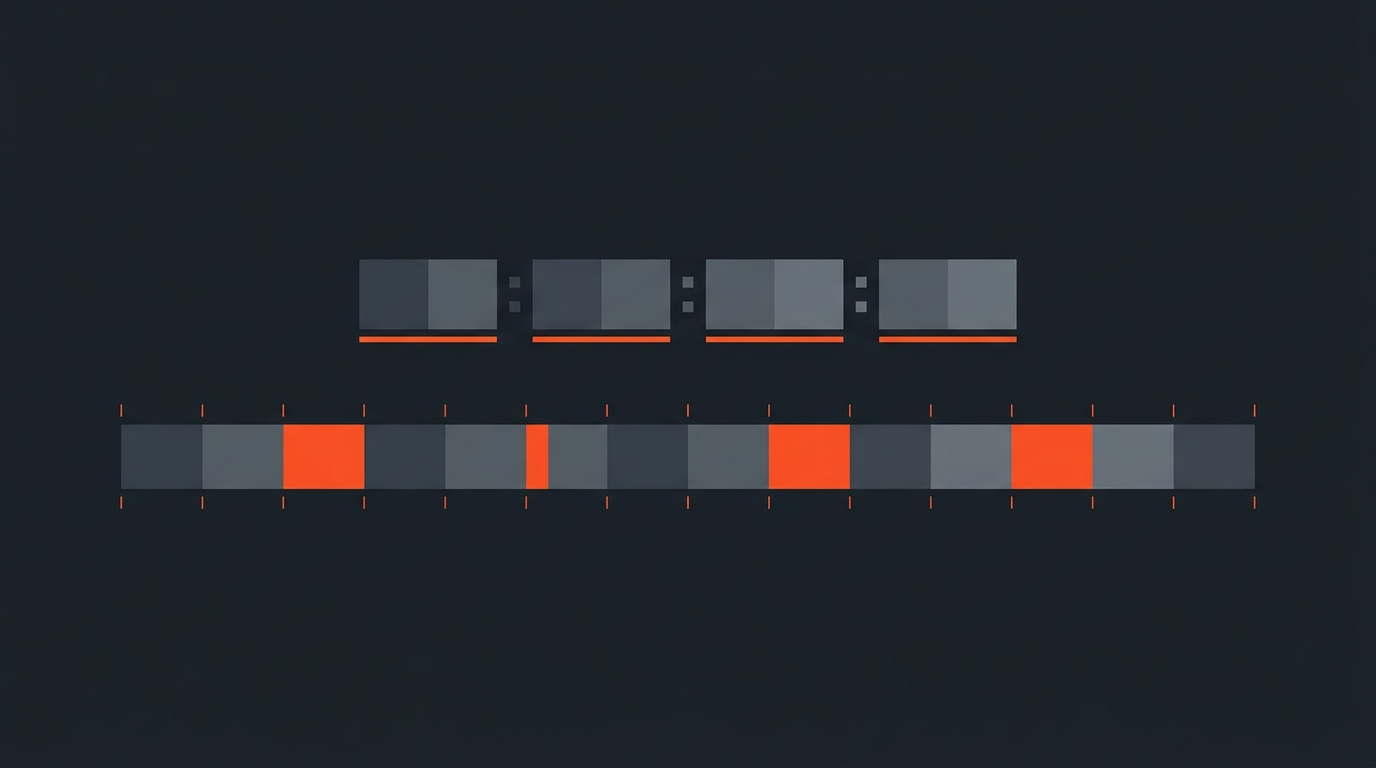
Seeing the two numbering systems counting side by side, and how a drop-frame value visibly catches up to real time, makes the distinction concrete:
NLE Mechanics
Source Timecode vs. Record Timecode
Editors work with two different timecodes on the same cut, and mixing them up is a fast way to misread an EDL. Source timecode belongs to the original clip, the address baked in by the camera or recorder, and it never changes no matter where that clip lands in a sequence. Record timecode, sometimes called sequence or program timecode, is the clip's position on the finished timeline, starting from whatever the project's start point is set to, often 01:00:00:00 rather than zero to avoid confusing hour-zero rollovers.
An EDL entry captures both at once: this source timecode range, placed at this record timecode range. That pairing is the whole grammar of a cut list. Open any exported sequence and every edit is really just two timecodes negotiating where one clip ends and the next begins.
Pitfalls
Where Timecode Breaks in Real Projects
Mixing drop frame and non-drop frame inside one project is the most common failure. The two numbering systems disagree with each other by design, so a sequence built from both will drift out of sync in ways that look like a mystery bug but are really just two clocks running differently. Pick one standard per project and hold it.
Ignoring frame rate is the second. A timecode value only means something paired with the rate it was recorded at, and pulling footage, a transcript, or an EDL from a paper edit at the wrong rate shifts every single cut point, sometimes by a barely visible frame or two, sometimes by much more.
The third is assuming timecode equals wall-clock duration. Non-drop frame does not track real time, so if a client or a broadcast slot needs an exact runtime, confirm which numbering system is in use before promising a number.
A fourth, less discussed problem shows up on long multi-camera or multi-card shoots: duplicate source timecode. Two different media cards, each reset to 00:00:00:00 at the start of the day, will generate identical timecode for entirely different footage. An NLE that trusts timecode as a unique key can then treat two unrelated clips as the same clip. The fix is usually jam-syncing every device to one master clock at call time, or at minimum giving every reel or card its own hour value so the addresses never collide.
Selects to Timeline
How ScriptCut Uses Timecode
ScriptCut transcribes footage with a timecode stamped on every single word, not just every clip or every sentence. When someone reads the transcript and keeps a line for the final story, that keep is really a precise in point and out point, borrowed straight from the source frame rate.
That is what makes the export step reliable rather than approximate. Instead of a rough guess at where a highlighted sentence starts and ends, the paper edit carries real addresses all the way to a finished sequence in DaVinci Resolve, Premiere Pro, Final Cut Pro, or Avid. A client can approve selections through a review link, and the editor who receives that approval gets a timeline the NLE can open directly, not a set of loose notes to re-cut by hand. Word-level timecode is a quiet detail until an editor is staring at a stringout that needs to become an actual sequence, at which point it is the entire reason the handoff works. It carries into the smaller exports too: an SRT or a caption file generated from the same selections lands its in and out cues from the identical addresses, so captions, an audio-only cut, and a full video timeline never drift out of agreement with each other.
Sources
frequently asked questions
Timecode is a standardized label, written as HH:MM:SS:FF, that gives every frame of video or audio a unique address so editing systems can find, sync, and cut media with frame-level precision.
SMPTE timecode is the HH:MM:SS:FF format standardized by the Society of Motion Picture and Television Engineers as SMPTE ST 12-1, first published in 1975. Hours, minutes, and seconds work like a clock, and the frames value resets each second based on the project's frame rate.
Non-drop-frame timecode counts every frame as if the rate were a clean 30 fps and slowly drifts ahead of real time. Drop-frame timecode skips certain frame numbers, not actual frames, to keep the displayed timecode matching wall-clock time. Drop-frame uses a semicolon before the frame count (01:00:00;00); non-drop-frame uses colons throughout.
NTSC color television runs at 29.97 fps instead of a true 30 fps, a 0.1 percent shift made so the color signal would not interfere with black-and-white broadcasts. Counted at nominal 30 fps, timecode drifts noticeably from real time over an hour, so drop-frame timecode was created to keep broadcast durations accurate.
Drop-frame timecode drops the first two frame numbers of every minute except every tenth minute. That is 18 dropped frame numbers per 10 minutes, and six of those blocks per hour, for 108 dropped frame numbers every hour. No footage is lost, only the numbering catches up to real time.
Source timecode is the address baked into the original clip by the camera or recorder and never changes. Record (or sequence) timecode is that clip's position on the finished timeline. An EDL pairs both for every cut: a source range placed at a record range.
Yes. ScriptCut stamps a timecode on every word of the transcript, not just each clip, so keeping a line in a selection is really setting a precise in and out point. Exports carry that timecode into DaVinci Resolve, Premiere Pro, Final Cut Pro, or Avid as a frame-accurate sequence.
You might also like...
Start selecting.

Pick the story in the transcript, export a finished rough cut.