
How to Do a Paper Edit, Step by Step
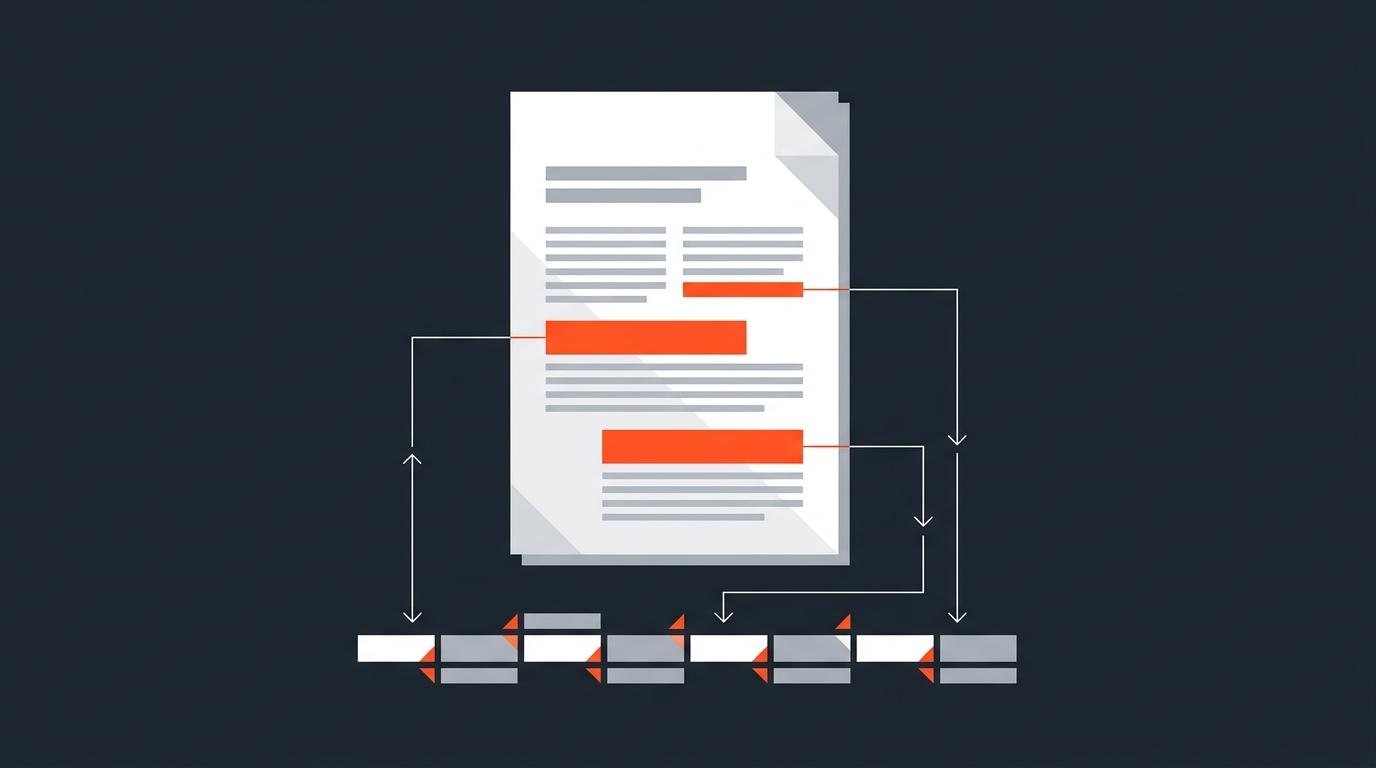
A paper edit is a written plan for a video built entirely from the transcript, before anyone opens a timeline: transcribe with real timecode, read the whole thing, highlight the strongest lines, arrange them into a story, then verify each line against the footage before cutting anything. The method predates digital editing and survived the switch to it for a simple reason: reading is faster than scrubbing, and a paragraph is easier to rearrange than a clip.
Skip the paper stage and structural decisions get made inside the timeline, where changing your mind means re-trimming instead of re-reading. Do it first and the timeline assembly becomes mostly mechanical, since every real decision, what to keep, where it goes, whether it actually plays, already happened on the page. The rest of this walks through the process one stage at a time, with a worked example and the places editors most often disagree about it.
Origins
An old technique that never really went away
The paper edit gets its name from film and early video, when editors marked a printed, timestamped transcript in pencil and physically cut it apart with scissors. Columbia College Chicago's documentary program still teaches a version of it: a two-column script template with picture on one side and dialogue on the other, where cut lines stay visible in strikethrough instead of disappearing, so a decision can be reconsidered without losing the sentence around it. The technique is standard film-school material well beyond one program; Michael Rabiger's Directing the Documentary treats structuring a film's spine from selects, on paper, before assembly as a baseline skill, not a shortcut.
Not every editor endorses it. Errol Morris, the director of The Thin Blue Line and The Fog of War, told Transom: "No, I don't edit from the transcripts, ever. I edit from the film... Paper cuts give you a very false idea." He is talking about observational, performance-driven documentary, where tone and behavior carry more than the words on the page, and there he has a point worth taking seriously. Most unscripted production, interviews, panels, testimonials, is built more on what people said than on how a room felt, which is exactly what a transcript captures faithfully. The clip below, from documentary filmmaker Jacob Pander, walks through building a paper edit from an interview transcript start to finish:
Preparation
Start from a transcript with real timecode
A paper edit only works if every line can be found again fast, which means starting with a transcript that carries accurate, ideally word-level, timecode. Without it, the plan is a well-organized essay with no way back into the footage. Word-level timing is what turns a highlighted sentence into an exact in and out point later, instead of a rough guess someone has to hunt for. See what timecode actually is if the concept needs unpacking.
Auto-transcription handles the bulk of this now; clean up names, jargon, and obvious misheard words rather than retyping the whole document. Read the entire transcript once before marking anything. The strongest moment in an hour-long interview is often buried well past the midpoint, and highlighting from line one anchors attention on the wrong material before the real shape of the conversation has shown up. On longer footage, read in one sitting where possible; stopping and restarting tends to reset a reader's sense of where the good material sits relative to everything else.
Selects
Highlight ruthlessly, then pull the keepers into a clean document
Mark only the lines worth defending, not the lines that are merely fine. A useful test: would this line survive being cut if someone challenged why it made the page? If half the transcript ends up highlighted, that was a skim, not a decision.
Copy the marked lines, with speaker name and timecode attached, into a fresh document, and group them by beat rather than by original order: setup, tension, turn, payoff. Most unscripted material has a version of that shape even when the conversation itself wandered. This grouped document is not a story yet, it is raw material, the text equivalent of a stringout: everything usable, nothing arranged for flow. For isolating the single best phrasing when a subject says the same thing three different ways, No Film School's guide to finding bites in a transcript covers the technique in more depth.
Multi-speaker footage, a panel, several separate interviews on the same topic, a roundtable, needs one more piece of metadata: attach the source file to every select, not just the timecode, since two people can say something similar twenty minutes and two different files apart. Tag each select by speaker as it gets pulled, then build structure across speakers rather than within one file at a time. The strongest version of a scene often cuts between two people answering the same question, a move that is trivial to spot on paper and tedious to discover by scrubbing four separate timelines looking for it.
Structure
Arrange it into a story, then read the whole thing aloud
Order the grouped selects so they build, cutting anything that repeats or stalls momentum. A strong opening line earns attention, the middle should escalate rather than circle, and the ending should pay off what the opening promised. Reordering at this stage costs nothing, since it is text being dragged around, not footage being re-cut.
Then read the full arrangement out loud. This catches what silent reading misses: the answer that needs its question restored, the point that repeats itself, the place where two ideas collide instead of connecting. A killer line that depends on the sentence before it, a common problem with quotes pulled out of context, reveals itself the moment it is spoken without its setup. If the arrangement does not flow out loud, it will not flow on screen either, and it is far cheaper to fix here than after assembly.
Verification
Watch every select against the footage before locking anything
Reading well and playing well are not the same thing, which is the entire basis of Morris's objection to paper cuts and the reason the method never stops at the page. A line can read perfectly and still fail on screen: flat delivery, a stumble mid-sentence, a wrong eyeline, a phone ringing somewhere off camera. Watch each selected line against its source clip before trusting it in the final structure, and swap or cut anything that does not hold up.
This is also where transcript-based tools change the math. A plain document leaves verification as a manual hunt through file bins to find each timecode; software that keeps the transcript bound to the clip, the category text-based editing covers, turns it into a click per line instead of a search. Tools built specifically for this stage, Reduct among them, let editors highlight directly on a transcript and drag selections into a reel, and ScriptCut plays any selected line straight from the transcript for the same reason: the check Morris says the page cannot give you happens before the plan ever reaches a timeline.
Example
A worked example, start to finish
Take a 45-minute founder interview being cut into a 90-second customer story. A full read surfaces roughly 20 candidate lines out of thousands spoken, most of them clustered in two stretches of the conversation rather than spread evenly through it, which is typical: people tend to say their sharpest things once they have warmed up and once more near the end, not steadily throughout. Highlighting and pulling those lines into a grouped document takes a fraction of the time a full re-watch would.
Arranging them by beat surfaces the actual opening: not the founder's origin story, which reads first chronologically but plays slow, but the specific problem the company solves, which lands harder as a hook. Reading the arrangement aloud kills two redundant lines that said the same thing in slightly different words, and exposes one answer that needs its question restored to make sense on its own. The verification pass against the footage catches a single strong line ruined by a cough mid-sentence; a slightly weaker phrasing from earlier in the interview replaces it because it actually plays clean. What started as 45 minutes of raw conversation becomes a plan that assembles in well under the time the interview itself ran.
Assembly
Turn the plan into a timeline
With every decision already made, the on-timeline work becomes mostly mechanical. Drop each verified select in order. Where two lines meet awkwardly, plan a J-cut or a cutaway to cover the seam rather than discovering the problem mid-assembly. Editors working in Premiere Pro can lean on the transcript panel directly; see the Premiere Pro transcript workflow for that specific path.
This is also where a transcript-first tool earns its keep over a plain document. A document still has to be manually conformed clip by clip against its timecodes; a bound transcript can hand off a real sequence, XML, EDL, even burned-in or sidecar captions, that opens already assembled in DaVinci Resolve, Premiere Pro, Final Cut Pro, or Avid. That gap is the difference between a transcript tool built for editors handing off to an NLE and one built mainly for solo, timeline-free output. A standard documentary editing workflow puts transcribing and the paper edit before assembly, rough cut, and fine cut for exactly this reason: it is cheaper to fix a sequence in text than in frames.
Format
How the method flexes by content type
The steps stay constant, but what counts as a strong select shifts with the format. Interview and documentary work is hunting for narrative arc, cross-cutting between speakers where it strengthens the story, and the paper edit is closest here to how the technique was originally built. Podcast-to-clip work is closer to pulling a series of self-contained moments, each one nearly its own tiny paper edit that has to make sense without the rest of the episode around it; turning a podcast into a YouTube video applies the same instinct at episode scale. Course and webinar footage usually already has a built-in agenda, so the paper edit becomes mostly subtraction, cutting tangents, dead air, and technical hiccups rather than building structure from nothing. Testimonials sit in between: one clean arc, problem, turn, result, hidden inside a longer, friendlier conversation than the finished cut will ever show.
Approval
Get sign-off on the plan before anyone finishes the cut
A paper edit is also the cheapest point to collect feedback, since a client or producer can react to a page of selected lines in minutes instead of scrubbing a rough cut for an hour. Circulating the arranged plan before assembly starts means notes come back while a change still just means moving text, not re-editing a timeline. Getting approval before you edit covers how to structure that review so it saves time instead of adding another round of notes later.
Done end to end, transcribe, highlight, arrange, verify, export, share for approval, in one place instead of switching between a document, a set of bins, and an NLE, in ScriptCut.
Sources
frequently asked questions
A script is written before filming and predicts what will be said. A paper edit is built after filming, from what a subject actually said, so it works from real transcript lines instead of planned dialogue.
Yes, effectively. Without word-level timing, a highlighted line cannot become a precise in and out point later, and the plan stays disconnected from the actual footage.
No. A line can read perfectly and still fail on screen, so every selected line needs to be watched against its source clip before the structure gets locked.
A plain document with highlights, physical index cards for spreading a structure out by hand, or transcript-based software that keeps timecode bound to each selected line so the plan and the cut stay connected.
Yes. The same steps apply, but what gets selected shifts: podcast clips need self-contained moments, webinars are mostly subtraction of tangents and dead air, and interviews lean on cross-cutting between speakers.
You might also like...
Start selecting.

Pick the story in the transcript, export a finished rough cut.