
Happy Scribe Alternative
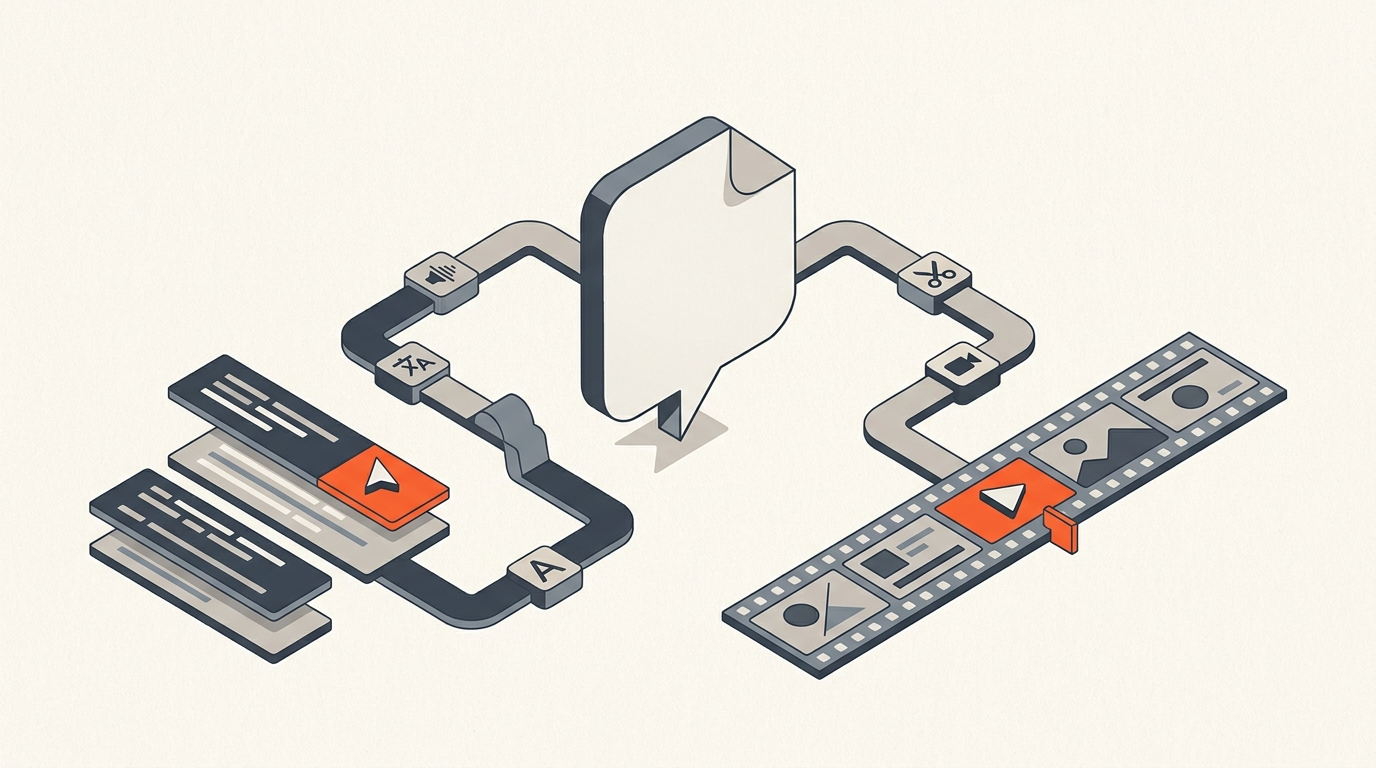
Happy Scribe is the stronger pick when the job is transcription and subtitles in many languages. ScriptCut is the stronger pick when the next step is an actual video edit. They are not really competing for the same job. Happy Scribe turns speech into accurate, translated text and subtitle files. ScriptCut takes a transcript and turns it into selects, a story order, client approval, and a timeline your editor can open. Most teams that outgrow one end up needing both, not a replacement.
Division of labor
What each tool is actually for
Happy Scribe is a transcription and subtitling platform: AI transcription in 150-plus languages, a built-in text editor, direct SRT and VTT export, and an optional human-review tier for higher accuracy. A CreatorStackClub review of the product summed it up well: Happy Scribe is strongest when you need both transcription and subtitles in one workflow, especially if you work in multiple languages (CreatorStackClub). ScriptCut starts where that leaves off: read the transcript, highlight the strongest moments, trim filler at the word level, arrange the order, get a client or producer's sign-off on a share link, then export a real timeline (XML, subtitles, audio) into DaVinci Resolve, Premiere Pro, Final Cut Pro, or Avid.
Here's a closer look at Happy Scribe's transcription and subtitling workflow in practice.
Proof
Where Happy Scribe genuinely wins: scale and language
Happy Scribe's case-study page documents Skydance Sports using its AI and expert-reviewed transcription and translation services across more than 1,000 hours of multilingual footage, cutting post-production time by 75 percent (Happy Scribe case studies). That is a real, large-scale multilingual workload, and it is exactly the kind of job Happy Scribe is built for. Nothing about that story involves deciding which soundbite goes where in a finished cut. That decision happens after the transcript, and it is a separate skill from getting the words down accurately.
The gap
What happens after the transcript is done
A finished transcript answers "what was said." It does not answer "what makes the cut, and in what order," which is the actual bottleneck on most interview and testimonial projects. That stage is a paper edit: read the transcript, mark the best lines, drop the dead weight, build a story, before touching a timeline. ScriptCut is built specifically for that stage, with word-level timecode carried all the way through to export, so a selected line is a precise cut, not an approximate one.
The table
Six transcript-first tools compared
| Tool | Core job | Starting price (July 2026) | Best for |
|---|---|---|---|
| Happy Scribe | Transcription + subtitles, 150+ languages | $17/mo Basic (120 AI min), $8.50/mo billed annually | Multilingual subtitle and localization work |
| ScriptCut | Transcript-first selects, approval, timeline export | Free, $19/mo Starter, $29/mo ProAI | Turning a transcript into an editor-ready cut |
| Otter.ai | Meeting transcription and notes | Free (300 min), $16.99/mo Pro | Live meeting capture, not video editing |
| Rev | Transcription, human or AI | $0.25/min AI, $1.99/min human | High-accuracy transcripts on a per-job basis |
| Sonix | Transcription and translation | $10/hr pay-as-you-go | Occasional multilingual transcription |
| Descript | Transcript-based audio/video editing | Free, $24/mo Hobbyist | Podcast-style editing directly on the waveform |
Honest fit
When Happy Scribe is still the right call
If the deliverable is subtitle files in six languages, or a searchable transcript archive for a newsroom, Happy Scribe is the more complete tool for that job on its own; ScriptCut does not localize subtitles into 150 languages and is not trying to. And if the deliverable is a finished, graded video, neither tool replaces DaVinci Resolve, Premiere Pro, Final Cut Pro, or Avid: both stop at the transcript-and-selects stage, one further along the pipeline than the other.
Switching
Using the two together instead of picking one
Teams doing heavy multilingual subtitle work can keep Happy Scribe for that, then bring the English working transcript into a selects pass before the edit. Teams whose main output is video, not subtitle files, are often better off transcribing directly inside ScriptCut and skipping the extra tool and export step entirely. Either way, the fix for a slow interview edit is rarely a better transcript. It is a proper selects pass before anyone opens a timeline; see what text-based editing actually changes and how to organize interview footage for the rest of that workflow. For marketing teams specifically, video editing for marketing teams and how to edit a testimonial video cover the same gap at a smaller scale.
Sources
frequently asked questions
ScriptCut is the better choice once transcription is done and the next step is a video edit. Happy Scribe stops at transcript and subtitle files; ScriptCut turns that transcript into selects, an approved story order, and a timeline.
ScriptCut does transcribe with word-level timecodes, but its focus is what happens after: reading, selecting, arranging, and exporting a cut-ready timeline. Happy Scribe's focus is broader language coverage and subtitle export.
Yes. Happy Scribe transcribes and translates in 150-plus languages and is built for multilingual subtitle work at scale. ScriptCut is not a localization tool and does not compete on language coverage.
Yes. Teams with heavy multilingual subtitle needs often keep Happy Scribe for that work, then bring the transcript into a selects pass before editing. Teams whose main output is video sometimes skip the extra step and transcribe directly in ScriptCut.
ScriptCut exports XML, subtitles, or audio, built from your approved selects, and opens directly in DaVinci Resolve, Premiere Pro, Final Cut Pro, or Avid Media Composer.
Happy Scribe starts at $17 a month for 120 AI minutes, or $8.50 a month billed annually. ScriptCut has a free tier, then $19 a month for Starter or $29 a month for ProAI, both billed for the selects and export workflow rather than transcription volume.
Not really. If the deliverable is subtitle files in several languages and nothing else, Happy Scribe is the more complete tool for that specific job on its own.
You might also like...

Start selecting.

Pick the story in the transcript, export a finished rough cut.