

Trint Alternative for Video Editors
Trint is a transcription tool built for newsrooms, and a genuinely good one, Trint's own case studies list BBC and Reuters among its newsroom customers. But if what you actually need is to turn a transcript into a finished video timeline, Trint stops right where the real work starts. Here's when to stay and when to look elsewhere.
Two Different Jobs
Transcription and video editing aren't the same problem
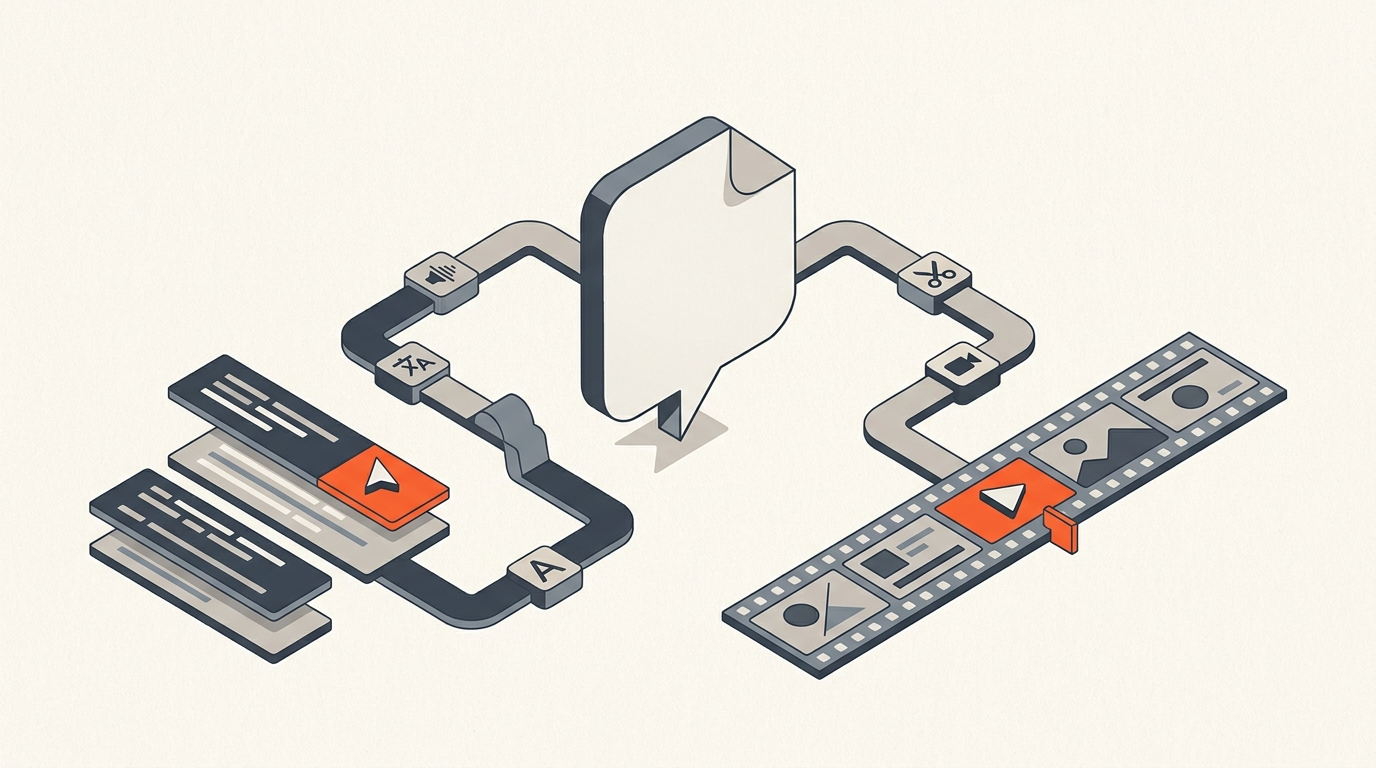
Trint solves speech-to-text: upload audio or video, get a searchable, editable transcript in 40-plus languages, with a collaborative "story" tool built for journalists building an article from multiple interviews. That's the entire job. What it doesn't do is turn that transcript into a video timeline, there's no export that lands in Premiere Pro, DaVinci Resolve, or Avid as a real sequence. ScriptCut starts one step later: it's built around the assumption you already have or will generate a transcript, and its job is turning highlighted transcript lines into a frame-accurate export for an NLE.
Transcription Alternatives Compared
Trint against the rest of the transcription market (pricing as of July 2026)
| Tool | Entry paid plan | Strength | Exports to an NLE timeline? |
|---|---|---|---|
| Trint | Starter ~$80/seat/mo | Newsroom collaboration, story-building | No |
| Otter.ai | Pro $16.99/mo ($8.33/mo annual) | Live meeting transcription | No |
| Rev | Essentials from $25.49/seat/mo annual ($29.99/mo monthly); AI $0.25/min a la carte | Human transcription accuracy option | No |
| Sonix | Premium $22/mo + $5/hr | 54+ language support | No |
| Happy Scribe | Basic $17/mo | Subtitling and translation | No |
| Descript | Hobbyist $16/mo (annual) | Text-based full video editor | Partial, its own editor only |
| ScriptCut | Starter $19/mo, ProAI $29/mo | Word-level selects to a real timeline | Yes, XML |
Worked Example
A 60-minute panel into a recap video
A media team records a 60-minute panel and needs two things: a written recap article and a five-minute video highlight package. Trint transcribes the panel and its story tool lets two writers build the article by pulling quotes from the shared transcript, that part works well. But turning the same transcript into the video package means someone re-watches the footage in an NLE from scratch, because Trint's transcript has no path into a timeline. Run the same footage through ScriptCut instead, and the video producer highlights the same strong moments directly in the transcript, then exports that selection as an XML that opens as an assembled sequence in the NLE, skipping the re-watch entirely.
The Export Gap
Why this gap is the real difference, not accuracy or price
Trint and ScriptCut aren't competing on transcription quality, both use modern speech-to-text and both are accurate enough for editorial work. The difference is what happens after the transcript exists. Trint treats the transcript as the final deliverable, exportable as a document, subtitle file, or story draft. ScriptCut treats the transcript as raw material for a video edit, where every highlighted line carries word-level timecode that survives the export into a real NLE sequence.
When Trint Is The Right Call
Stick with Trint if this is you
If the deliverable is text, an article, a legal transcript, a research document, and video editing never enters the picture, Trint's newsroom collaboration tools and language coverage are a genuine strength worth paying for. Its live shared-feed feature, letting a second journalist verify quotes as they happen, has no real equivalent in a video-first tool.
Why Editors Switch
What pushes video teams toward a transcript-first pre-edit tool
Editors who start using Trint for interview transcripts eventually hit the same wall: the transcript is useful for reading and quoting, but every video decision still has to be re-made by scrubbing footage in the NLE. Moving that decision earlier, into the transcript itself, with an export that actually reaches the timeline, is the workflow change that saves the most time on interview-heavy video projects.
Seeing text-based editing in action makes the export gap easier to picture. This walkthrough shows exactly what editing by cutting a transcript looks like in practice:
Related: Happy Scribe Alternative, Sonix Alternative for Video Editing, Transcript Editing for Journalists, and What Is Text-Based Editing?
Sources
frequently asked questions
No. Trint exports transcripts as documents, subtitles, or story drafts. It has no export that lands as an assembled sequence in an NLE.
Yes, ScriptCut transcribes audio and video, but its purpose is different: the transcript exists so you can mark video selects with word-level timecode and export them as a real timeline.
No. ScriptCut works for any long-form, non-scripted footage, podcasts, documentaries, panels, vlogs, and UGC, not only interview formats.
Yes. Some teams use Trint's newsroom tools for the written article and a separate video producer runs the same footage through ScriptCut to build the video package.
Trint is stronger for newsroom collaboration and text deliverables: articles, legal transcripts, and live quote verification. ScriptCut is built for turning that same material into a video edit.
Trint's Starter plan runs around $80 per seat per month with a 7-file cap, and Advanced runs around $100 per seat per month for unlimited transcriptions. There is no permanent free plan, only a 7-day trial.
Trint's own case studies list major newsrooms including BBC and Reuters among its customers, largely for its collaborative story-building and quote-verification tools.
You might also like...


Start selecting.

Pick the story in the transcript, export a finished rough cut.