

Avid ScriptSync vs ScriptCut: The Right Tool for Scripted Takes vs Unscripted Interviews
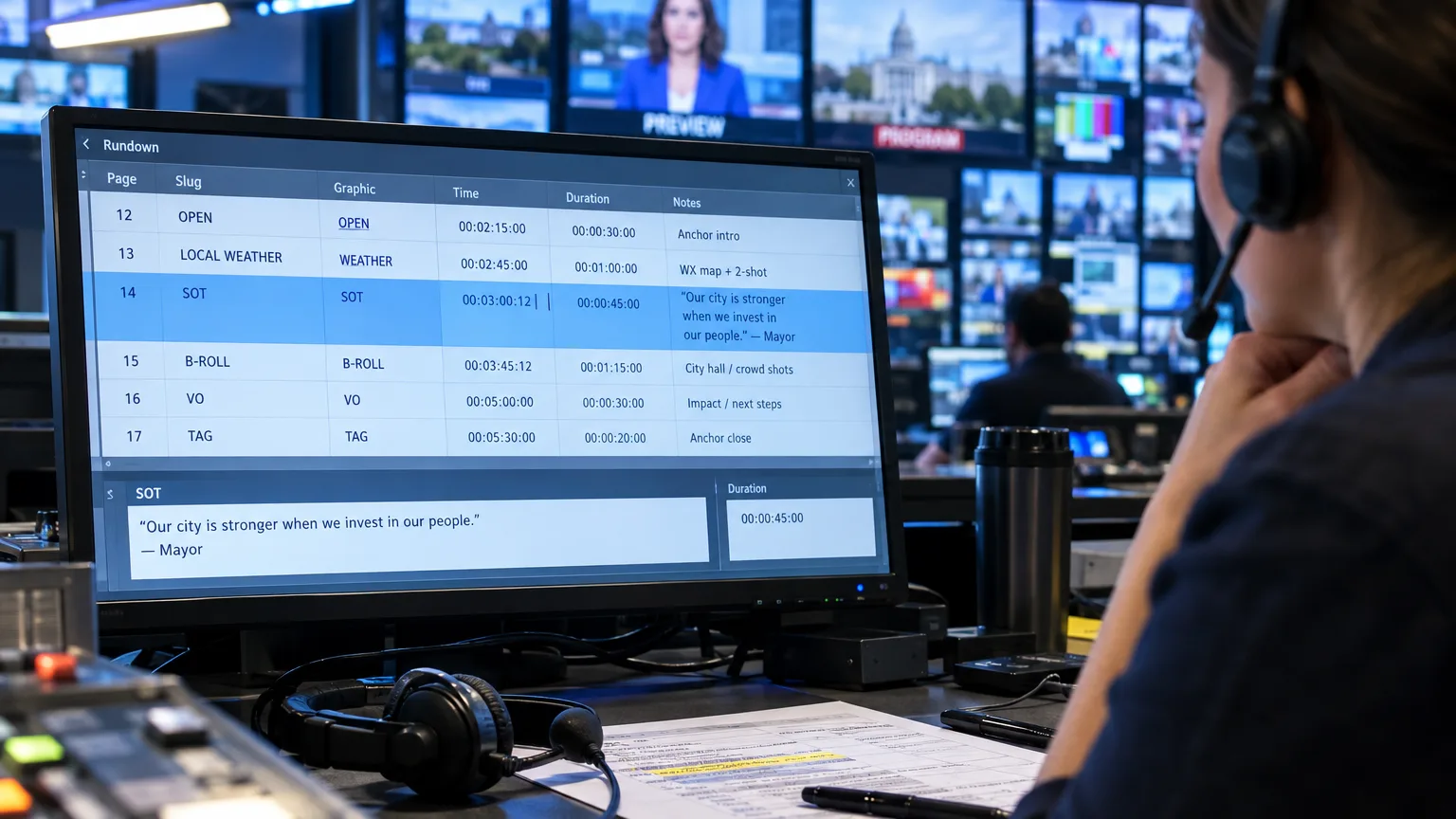
Somewhere in an Avid bin, ScriptSync is matching eleven takes of a scripted reenactment to page 14. Three rooms over, an unscripted interview just sits there, because nobody wrote that conversation down first. Avid ScriptSync matches multiple scripted takes to lines of a written script inside Media Composer, while ScriptCut builds, orders and gets approval for a story out of unscripted talking, so the right tool depends on whether your footage follows a page or was recorded as free conversation. We've watched both problems show up in the same building, sometimes the same week.
ScriptSync, Defined
What does Avid ScriptSync actually do?
ScriptSync is a dialog search and sync option inside Avid Media Composer, built on phonetic indexing technology originally developed by Nexidia. You save a script or a transcript as a plain text file, drop it into a Media Composer bin, and ScriptSync phonetically indexes every take of dialog in the project and aligns each line of text with the matching moment in every clip. Once it finishes, every take carries a script mark for every line, and you can jump straight to any line of dialog across every take by scene number, page number, or a word search, as Toolfarm's ScriptSync guide walks through in detail.
This Media Composer tutorial shows how Script-Based Editing and ScriptSync AI find the take you need without scrubbing through hours of footage.
The job it is built for is simple to describe and genuinely hard to do by hand: when you have fifteen takes of the same scene and need to compare how an actor delivered one specific line in each of them, ScriptSync gets you there in seconds instead of scrubbing fifteen takes end to end.
Built For Takes
Why was ScriptSync designed around scripted takes instead of open conversation?
ScriptSync assumes a fixed text exists before the camera rolled, and that the footage will say roughly that text, more than once, across multiple takes. That is the production reality of scripted drama, and it is also the reality of ADR sessions, where the same line gets performed repeatedly until one take lands. The whole mechanism depends on matching spoken audio to a line that was already written down.
An unscripted interview breaks that assumption before you even open the bin. Nobody wrote down what the subject was going to say. There is no fixed line to sync fifteen takes against, because there was only one take, and it wandered. You can still feed a cleaned transcript into ScriptSync and get useful alignment, but the tool's real strength, finding every version of one known line, has nothing to align against when a subject only said something once, in their own words, with false starts and tangents attached.
Documentary Editors Use It Too
Do unscripted and documentary editors actually rely on ScriptSync?
Yes, more than the drama-only reputation suggests. Emmy-winning editor Stephanie Filo has said plainly that ScriptSync is essential on unscripted work: "I'm obsessed with because I think that you couldn't really meet most of your deadlines without it, to be honest... especially in unscripted editing, it's crucial to have something like that if you're working on a documentary that has 20,000 hours of footage." Frontline editor Steve Audette, ACE, built a well known six step ScriptSync method specifically for documentary and interview-based programming, not drama, laid out in detail in his Avid Blogs writeup, ScriptSync in Six Easy Steps. And editor Chris Bové has described a television series that went from a routine 30-day edit to a 14-day edit once his team adopted Script Based Editing, ScriptSync and PhraseFind, with no added effort on his part.
So the real divide is not drama versus documentary. It is search versus structure. ScriptSync is extraordinary at finding every instance of a known phrase across a mountain of footage, scripted or not. What it was never built to do is tell you which of those instances builds the best story, put the picks in order, or let a producer sign off before anyone touches a timeline.
Where Search Stops
Where does ScriptSync's job end and a paper-edit tool's job begin?
ScriptSync answers "where is every take of this line." A paper edit tool answers a different question entirely: "out of everything this person said, what is the story, and in what order." Those are not competing answers to the same problem, they are two separate problems that both happen to involve a transcript.
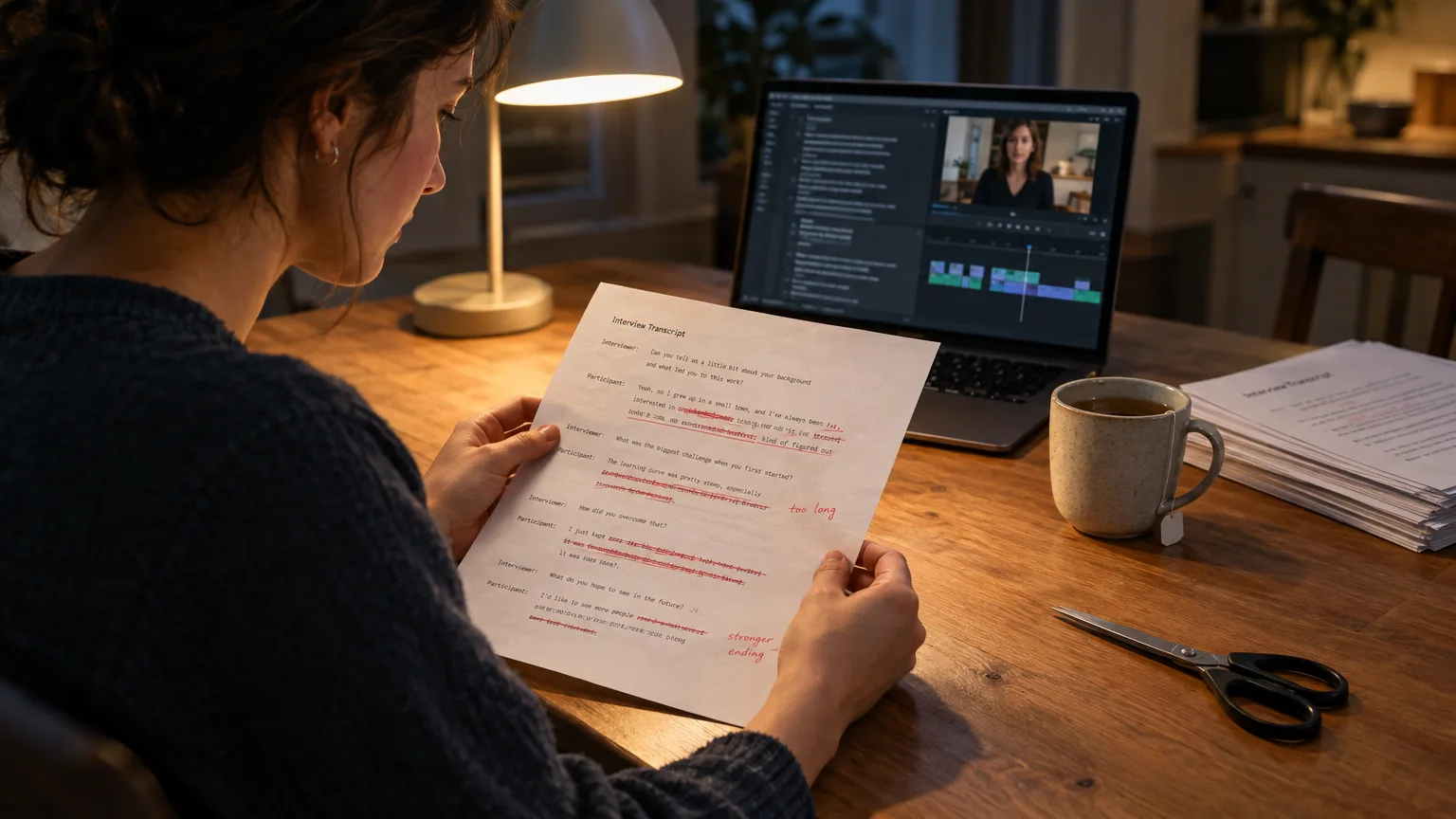
This is the gap ScriptCut is built to close for unscripted A-roll. Drop in a long recording, podcast, documentary interview, panel, webinar, and AI Select marks the strongest moments across the whole transcript rather than waiting for you to search for a line you already know exists. AI Arrange takes whatever you have selected and sequences it into a coherent story, grouped into acts if you want. AI Story does both steps at once and drops you straight onto the arrange page with a built structure to refine. None of that requires a script written in advance, because there isn't one. You can read more about the mechanics in what a transcript-based editor actually does.
Three Ways To Handle The Same Footage
How do ScriptCut, Descript and Premiere's text-based editing handle an unscripted interview differently?
Picture a 90 minute sit-down for a corporate case study video, one subject, one camera, no script, that needs to become a 4 minute testimonial by Friday.
- Descript treats the transcript as the timeline itself. You delete words in the text and the audio and video cut accordingly, which is fast for removing filler and stumbles but still leaves the ordering and story decisions to you, scrolling and dragging blocks of text around manually.
- Premiere Pro's Text-Based Editing (shipped at NAB 2023 and still the core of the Text-Based Editing panel) lets you select ranges of transcript text and ripple-delete them from the sequence, which is genuinely useful once you already know roughly what you're keeping, but it has no model of "the best moments" on its own.
- ScriptCut reads the whole transcript, has AI Select mark the strongest lines automatically, runs Cleanup to strip filler words, lets AI Arrange put the selected lines in story order, and then sends a share link so the client approves the structure before anyone opens an NLE at all. The finished timeline then goes to DaVinci Resolve, Premiere Pro, Final Cut Pro or Avid.
For the testimonial, that approval step is the whole game. A marketing manager signs off on the story on a link, not on a locked cut, which means the revision happens on paper instead of on the timeline. Editing a testimonial gets far less painful when the client argues about a sentence order instead of a finished edit.
The Real Numbers
What do ScriptSync, ScriptCut, Descript, Premiere and Resolve actually cost?
ScriptSync is not sold on its own. It ships free inside the higher Media Composer tiers, which changes the real comparison from "tool versus tool" to "tier versus plan."
| Tool / Plan | Price | What you get for this job |
|---|---|---|
| Avid Media Composer Standard | $259.99/year | Core NLE. No ScriptSync, no PhraseFind. |
| Avid Media Composer Ultimate | $539.99/year ($79.99/mo) | Includes ScriptSync AI and PhraseFind, phonetic dialog search across takes. |
| ScriptCut ProAI | $29/mo ($24/mo billed annually) | AI Select, AI Story, AI Arrange, Cleanup, client approval link, export to Resolve, Premiere, FCP or Avid. |
| Descript Pro | $30/mo ($24/mo billed annually) | Text-based editing, filler word removal, 30 hours of transcription a month. |
| Adobe Premiere Pro (Single App) | $22.99/mo, annual plan billed monthly | Text-Based Editing panel inside the timeline you already use. |
| DaVinci Resolve Studio | $295 one-time (promo $236 through Nov 20, 2026) | Transcribe Audio feature for word-level search; free version also available. |
Prices as of November 2026, confirmed against Avid, Adobe, Descript and Blackmagic's own pages. The upshot: wanting ScriptSync means paying the gap between Media Composer Standard and Ultimate, roughly $280 a year, whether or not your team ever opens a scripted bin. A paper-edit tool like ScriptCut is a separate, much smaller monthly line item that pairs with whatever NLE you already run.
Keeping Both
When would you still want ScriptSync alongside a paper-edit tool?
Keep ScriptSync if your pipeline genuinely has scripted material in it: reenactments, dramatized segments inside a documentary, ADR passes, or a reality show with scripted host-to-camera links alongside unscripted confessional footage. When Avid briefly dropped ScriptSync from Media Composer 8, Steve Audette worked out a manual workaround called script interpolation, detailed in PremiumBeat's walkthrough of the technique, a good reminder that any script-to-footage sync, automated or manual, still needs a trustworthy, correctly spelled transcript to work against.
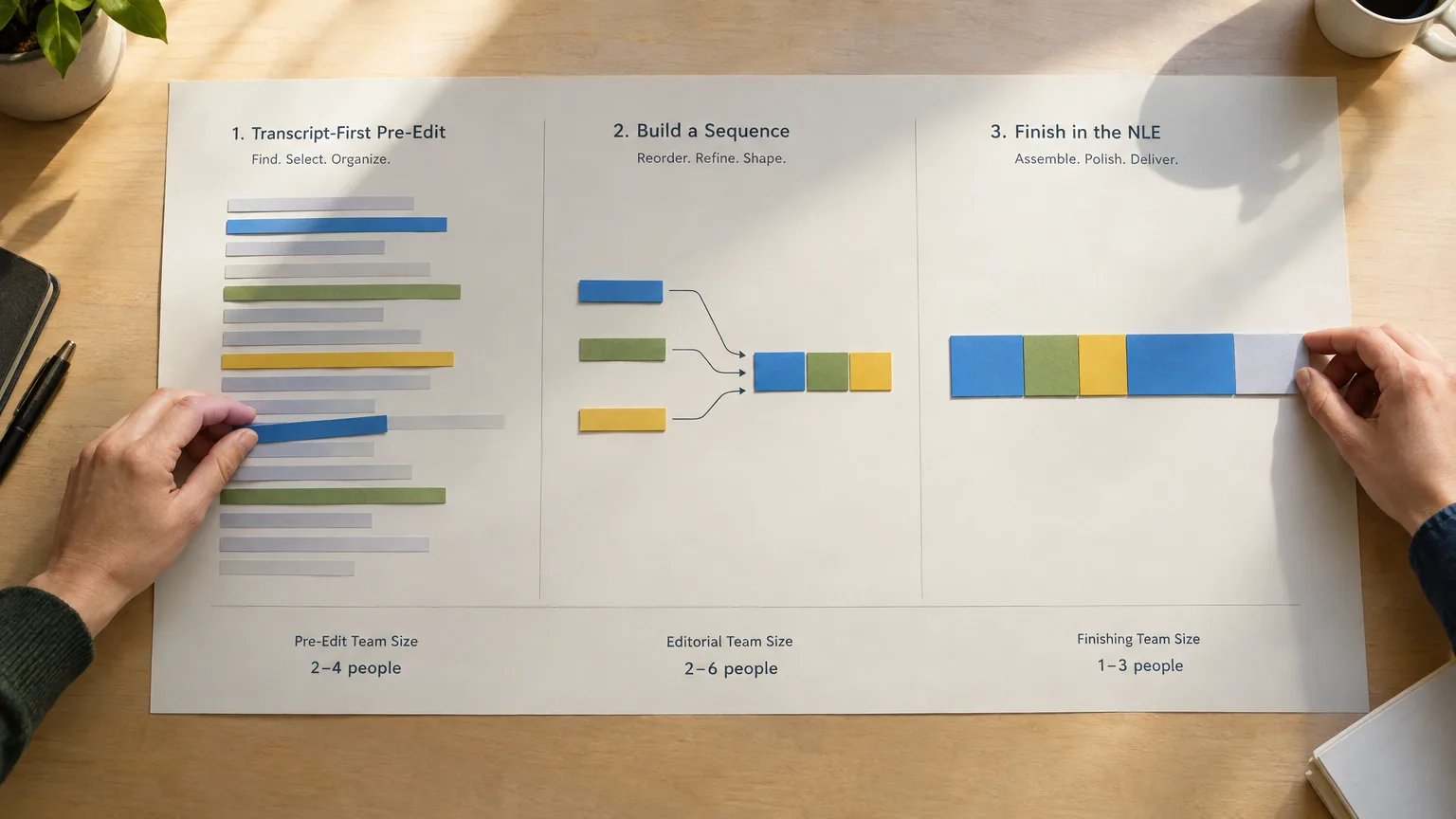
A hybrid team, say a documentary with dramatized reenactments cut in Avid, running alongside hours of unscripted verite interviews, can reasonably run both: ScriptSync inside Media Composer for the scripted reenactment takes, and a transcript-first paper edit for the talking-head material before it ever reaches the timeline. They are not rivals, they are built for opposite halves of the same shoot. For the structural side of that workflow, the documentary post-production stages are worth reading in order.
Common Mistakes
What's the most common mistake teams make choosing between these tools?
The most common mistake is buying Media Composer Ultimate purely to get ScriptSync, then trying to force it to do story-building work it was never designed for on an unscripted interview project. The second most common mistake runs the other way: assuming a paper-edit tool can replace ScriptSync on a true multi-take scripted shoot, when what you actually need there is phonetic search across dozens of nearly identical takes, not AI-selected highlights from a single unscripted conversation. Match the tool to the shoot, not the other way around.
One more mistake worth naming: treating a transcript as gospel either way. ScriptSync's sync accuracy depends entirely on a clean, correctly spelled script. A paper edit built from an AI transcript is a hypothesis about the story, not the story itself, which is exactly why cutting down a long interview still means playing the clip back before you trust a quote.
If subtitle and transcript file formats are part of your handoff between any of these tools, the free SRT to VTT converter cleans up formatting issues before they cost you a round of client notes.
Here is how we'd decide on a real project: if the footage was written before it was shot, ScriptSync earns its keep inside Media Composer. If it was recorded as a conversation, with no page to sync against, we'd start with AI Select to mark the strongest lines and AI Arrange to put them in order, get the client to approve the story on a link, then send the timeline to the NLE already on the desk. Start that pass over at ScriptCut.
Sources
frequently asked questions
Yes, if you feed it a transcript instead of a script, but accuracy depends on how correctly that transcript is spelled, since ScriptSync phonetically matches text to audio. It still won't select the best moments or order them into a story for you, which is what a paper-edit tool does.
Yes. ScriptSync AI is bundled into Media Composer Ultimate and Enterprise, not sold as a standalone add-on, so you're paying for the tier jump from Standard, roughly $280 a year, whether you use a scripted workflow or not.
Not for scripted, multi-take dialog work, no. ScriptCut is built for unscripted A-roll, where AI Select finds the strongest moments and AI Arrange orders them into a story before a client approves it, which solves a different problem than syncing fifteen takes of one line.
Descript treats the transcript as the timeline, letting you delete words to cut video, but you still decide the order and structure by hand. ScriptCut automates the selection and arrangement steps and adds a client approval link before any cutting happens.
Yes, and several editors do exactly that: ScriptSync for scripted reenactment or dramatized segments cut inside Media Composer, and a transcript-first paper edit for the unscripted verite or interview material before it reaches the timeline.
It marks every take of dialog with a script mark aligned to its matching line of text, letting an editor search by scene, page number or phrase and jump straight to that moment across every take in the bin.
You might also like...








Get the next ScriptCut article in your inbox
One short email a week. Editing tips and product news. No spam, unsubscribe anytime.
Start selecting.

Pick the story in the transcript, export a finished rough cut and ready to post short form video.
What are you looking for?
Get the ScriptCut newsletter
Thanks! Check your inbox to confirm.
Something went wrong. Please try again.