

AI Editor for Interviews in 2026: Why Full Automation and Full Manual Both Lose You Time
Somewhere a producer just typed 'connect Claude to Premiere Pro' into a search bar, hoping an AI agent will cut the two hour interview while they grab coffee. Forty minutes later the agent has reordered three clips and invented a transition nobody asked for. An AI editor for interviews is software that uses the transcript to find and structure the strongest moments from recorded conversation, and in 2026 the real choice isn't between automatic and manual, it's between three distinct paths: a fully automated black box, an AI agent you prompt through Claude or ChatGPT, or a tool that puts AI-assisted selects in front of a human editor before anything gets cut.
Most coverage of this topic pretends every tool works the same way. It doesn't. The gap between 'the AI picked the clips' and 'the AI decided the story and nobody checked it' is exactly where an edit goes wrong, and it's the gap most vendors would rather you not think about. Here's what actually happens when someone drops two hours of unscripted talking into each kind of tool, where the handoff to a real NLE begins, and why the option in the middle is the one most editors end up needing.
Three Paths
What are your actual options for an AI editor for interviews in 2026?
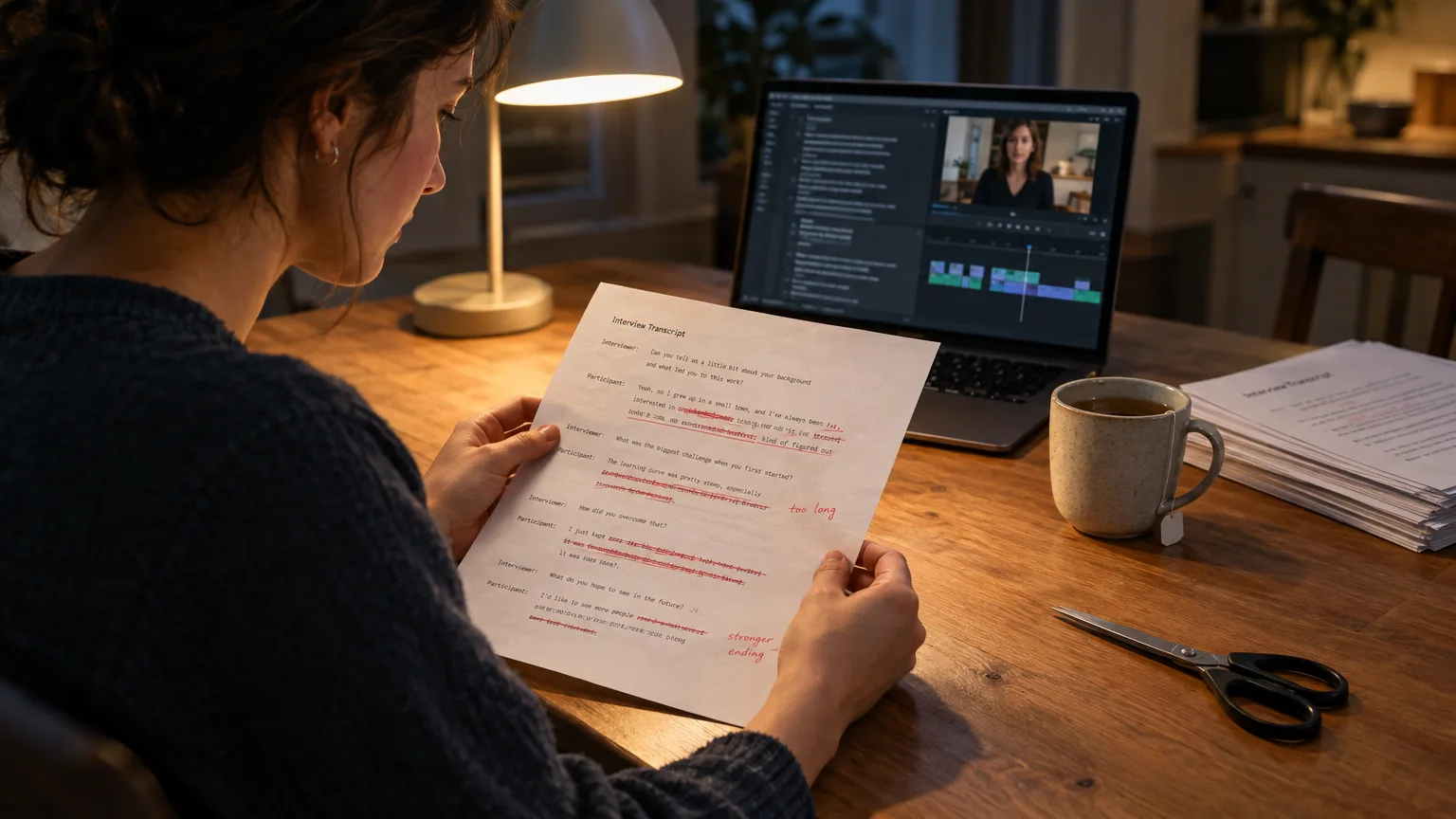
There are three, and they are not equally good at the same job. Path one is doing it entirely by hand: log the footage, write a paper edit on a page, cut a stringout, trim it down. Slow, but every decision is yours. Path two is a fully automated tool that takes a prompt or a script and spits out a finished sequence with no review step along the way. Path three, newer and noisier, is connecting an AI agent like Claude or ChatGPT to your NLE through MCP (Model Context Protocol) and typing instructions for it to execute inside your actual project.
What's missing from most comparisons of this space is a fourth option: AI that does the slow part (finding and structuring the good lines) but still hands the result to a human for review before a frame is cut. That's the gap. Full automation removes your judgment. Full manual work removes your time. The MCP agent route removes neither, reliably, which is its own problem. Read on for what each one actually does, because the differences matter more than the marketing.
The MCP Route
What happens when you connect Claude or ChatGPT to your editing software?
You get an agent that can execute editing commands inside Premiere Pro, DaVinci Resolve, Final Cut Pro or After Effects, but it still needs you to tell it what a good edit looks like. Since DaVinci Resolve 21.1 shipped on 8 September 2026, Blackmagic Design built a native MCP server directly into Resolve Studio, so Claude, Claude Code and Codex can drive a Resolve project without a third-party plugin. For Premiere Pro, there's no official Adobe MCP server yet, so editors use community bridges: Filmit MCP offers 30 Premiere Pro actions and 22 Resolve actions for $20/month after a 50-action daily free tier, and Jumper lets an agent search footage by what's said and who appears, then export a sequence, though agentic editing specifically requires Jumper's Pro tier at $49/month or $599 lifetime.
The catch is real and it's the same catch every time: these agents execute instructions, they don't have judgment trained on what a good selects reel looks like. Ask Claude to 'cut the best 90 seconds' of a two hour panel discussion and you'll get a plausible-looking sequence built from whatever the prompt implied 'best' meant that session. Change the wording slightly, run it again, get a different cut. That inconsistency is the whole problem with the agent route: it's genuinely good at executing precise, narrow instructions (remove every clip under two seconds, place a marker at each speaker change) and genuinely weak at the judgment call of which quote actually carries the story. It also takes time: writing a prompt detailed enough to get a usable result, watching the agent work through dozens of tool calls, then fixing what it got wrong, often costs more time than just doing the select pass by hand.
Full Automation
What do 'fully automated' AI editors actually do with an interview?
They take a script or a prompt and generate a complete, unsupervised sequence, which works fine for short, single-source content and badly for anything with real editorial stakes. CapCut's script-to-video pipeline is the clearest example: paste a script or topic prompt, and it breaks the text into scenes, matches each one to stock or AI-generated footage, and assembles a rough timeline automatically. It is fast and genuinely useful for a 30 second social post. It was never built to reason across a library of unscripted footage: CapCut's own feature set stops at basic silence detection, with no capability to search multiple interview or panel recordings semantically and decide which clip from which camera best supports a point. Premiere Pro's new Paper Edit tool, added in the 26.5 release in September 2026, sits closer to the middle: you select multiple lines anywhere in the transcript and Premiere builds them into a sequence in edit order, which is a real time-saver, but it still doesn't rank your lines or suggest which ones are strong. You already have to know what you're looking for.
The pattern across every fully automatic tool is the same: speed in exchange for an invisible decision. Something decided what mattered, and it wasn't you, and you often can't see why. For a 15 second product clip that's a fair trade. For a documentary interview, a news package or a customer testimonial that has to survive legal review, it's not. This is the exact failure mode the Frankenbite grew out of: words stitched into a sentence nobody actually said, except now it's an algorithm doing the stitching instead of a person with an agenda.
The Missing Middle
What sits between a fully automatic cut and typing prompts at an agent?
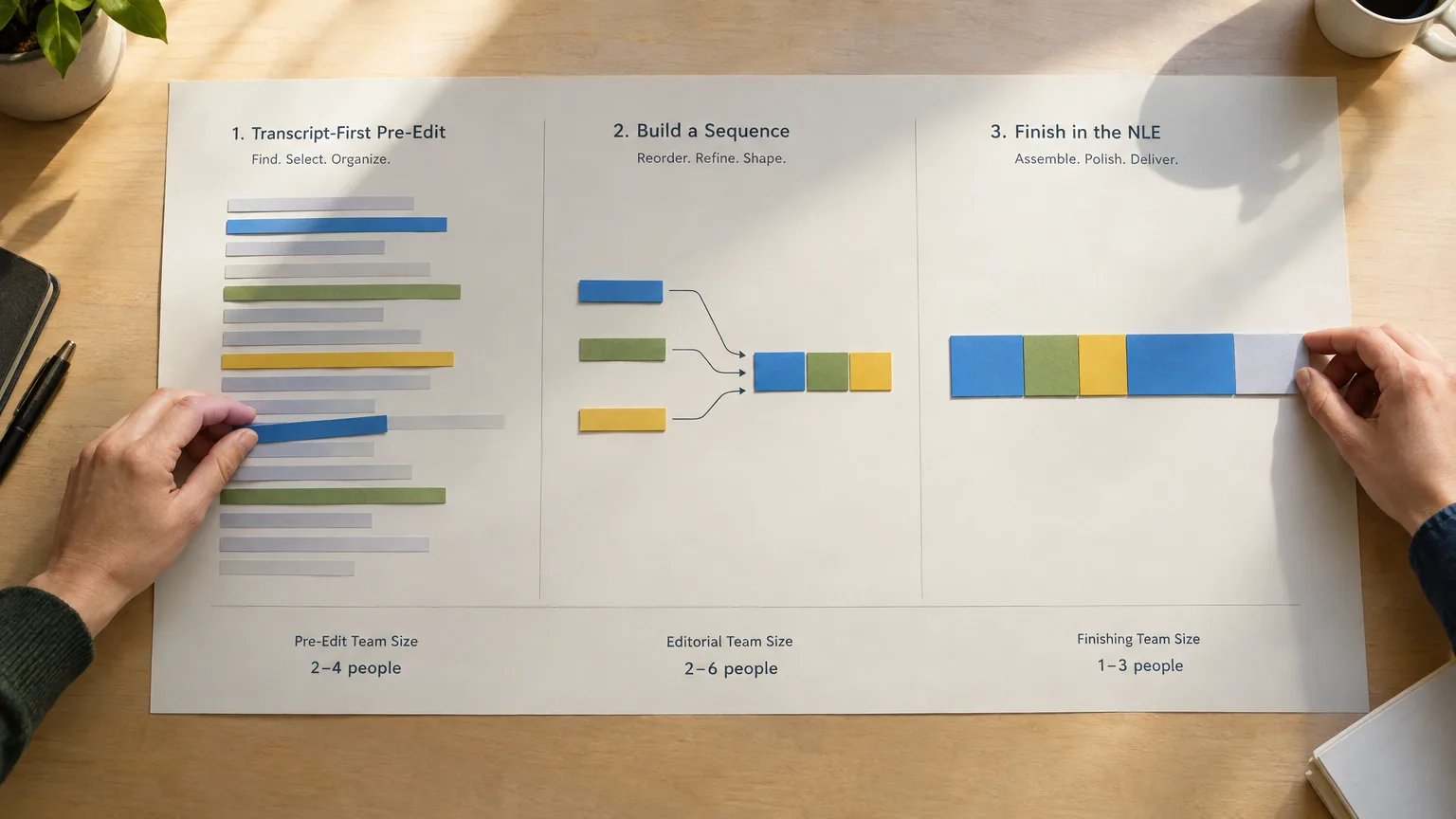
The missing piece is AI that does the slow, mechanical part (reading, selecting, structuring) and then stops, so a human reviews the story before anything gets cut. That's a different shape of tool than either extreme above. ScriptCut runs AI Select to mark the strongest moments across a long recording, AI Arrange to sequence the selects a human already chose, and AI Story to go further and lay out a full structure ready to refine, all from a written brief rather than a conversational prompt you have to keep re-tuning. Every pick stays tied to word-level timecode, so a reviewer can play back any selected clip in seconds rather than trusting the transcript on faith. Then, critically, nothing moves to a timeline until a client or producer approves the structure on a share link. That approval step is the whole difference between this path and full automation: the story gets signed off on paper, the way editors have done it since Michael Rabiger described the paper edit in Directing the Documentary, except the first pass now takes minutes instead of a day of logging.
Where that AI judgment comes from matters too. ScriptCut's AI Select and AI Arrange carry hundreds of hours of training on real cuts, not a generic language model guessing at what a good interview selection looks like. Part of that training set comes from the unscripted body of work of ScriptCut's founder, Marvin Nuecklaus, an Emmy winning editor whose credits include Staycation and Destination LA, both produced under The Destination Channel, which won four Pacific Southwest Emmy Awards in 2026, including one for Nuecklaus's own editing on Staycation Cabo. As Robert Parks-Valletta, the host and co-founder behind that production, put it after an earlier Emmy win, 'I'm excited for our team, and to see Staycation recognized with an Emmy Award as we continue to reinvent what travel destination content looks like,' a quote from the show's 2021 PR Newswire announcement. That's not a marketing claim about generic AI, it's a tool shaped by someone who had to make the same editorial calls on award-winning unscripted TV before writing any of it into software.
Tool Rundown
What does each named tool actually automate for A-roll?
Seven tools come up in every 'AI editor for interviews' search, and they split cleanly across the three paths above, plus the middle one.
- ScriptCut runs AI Select, AI Story and AI Arrange to mark, build and order a full cut from any long unscripted recording, then Cleanup strips filler words before a client approves the structure on a share link. The finished timeline goes to Resolve, Premiere Pro, Final Cut Pro or Avid. It doesn't record footage or color grade, and it doesn't skip the human approval step.
- Descript is text-based editing built into its own all-in-one editor: delete a word in the transcript, the clip disappears from the timeline. Strong for a podcast or a single-source talking-head piece, less built for assembling dozens of source files from a multi-camera shoot.
- Adobe Premiere Pro added Speech to Text and Text-Based Editing as a free part of any subscription, and its newer Paper Edit tool, shipped in the 26.5 release, lets you select multiple transcript lines anywhere in the document and build them into a sequence at once. It won't rank your lines for you; you still bring the judgment.
- DaVinci Resolve Studio matches transcribed footage against a written script with IntelliScript, and as of version 21.1 ships a native MCP server for Claude and Codex agent control. Strong for scripted dialogue or agent-driven project control, dependent on you already knowing the script or writing a precise prompt.
- Otter.ai transcribes and diarizes speakers well, with no timeline, no selects feature and no NLE export built in. Treat it as step zero in the logging process, not an editor.
- Riverside records remotely and layers Magic Clips and a text-based editor on top, strong for podcasters who record and roughly cut inside the same app, weaker once a project needs a dedicated NLE finish or a multi-source documentary assembly.
- CapCut automates script-to-video for short, single-source social content with its Auto Cut and AI Script features. Fast and free at the entry tier, not built to reason across a library of unscripted interview footage from multiple cameras.
Notice where each one sits: full automation (CapCut), agent-driven control (Resolve's native MCP, third-party bridges like Filmit and Jumper), in-app text editing with no ranking (Premiere, Descript, Riverside), transcription only (Otter), or AI-assisted selects with a human approval gate (ScriptCut). None of them do the same job, whatever the homepage copy implies.
Pricing Comparison
What does each option actually cost?
Here's what each tool and MCP route charges as of November 2026, based on publicly listed plans.
| Tool or route | Entry paid plan | Mid/Pro plan | Notes |
|---|---|---|---|
| ScriptCut | Starter, $19/mo ($15/mo annual) | ProAI, $29/mo ($24/mo annual) | Transcription billed per hour; ProAI unlocks AI Select, AI Story and AI Arrange |
| Descript | Hobbyist, $24/mo ($16/mo annual) | Creator, $35/mo ($24/mo annual) | Business tier $65/mo; free tier capped at 60 min/month, watermarked |
| Premiere Pro | Single App, $22.99/mo annual-billed-monthly | Creative Cloud Pro (all apps), $69.99/mo | Speech to Text, Text-Based Editing and Paper Edit all included free with any subscription |
| DaVinci Resolve | Free (Transcribe Audio included) | Studio, $295 one-time (sale price $236 through 20 Nov 2026) | Native MCP server for agent control is Studio-only, version 21.1+ |
| Filmit MCP (agent route) | Free, 50 actions/day | Filmit Studio, $20/mo, unlimited MCP actions | Connects Claude to Premiere Pro, Resolve Studio and After Effects |
| Otter.ai | Pro, $16.99/mo ($8.33/mo annual) | Business, $30/mo ($19.99/mo annual) | Transcription and meeting notes only, no editing timeline |
| Riverside | Standard, $19/mo ($15/mo annual) | Pro, $29/mo ($24/mo annual) | 15 hours of multi-track recording a month on Pro |
| CapCut | Free | Pro, $19.99/mo ($179.99/yr) | Built for short, single-source social content, not multi-source interviews |
As of November 2026.
Worked Example
How would this actually play out on a real documentary interview?
Take a 90 minute interview for a documentary segment that needs to become an 8 minute scene by Friday. Prompting an agent through MCP sounds appealing: type 'find the strongest story about the subject's recovery and build a sequence,' and watch Claude work through Resolve's timeline. In practice, the first pass usually needs three or four rounds of increasingly specific prompting before the structure resembles a story at all, and the agent has no way to flag an ethically shaky edit, like a reaction shot lifted from a different answer entirely. That's hours spent steering, not editing.
Running the same footage through AI Select instead gets a different shape of result. The AI reads the full transcript and marks lines that carry emotional or factual weight, using a brief (short form or long form) instead of a conversational prompt. A producer reviews the marked selects, removes two that read strong on the page but felt flat on camera, and sends the resulting structure to the director on a share link. The director approves it Tuesday morning instead of Thursday night, when there's still time to fix a problem cheaply. Only then does the sequence move into Resolve or Premiere Pro for color, sound design and the final polish, the part that still genuinely needs a trained eye.
Common Mistakes
What goes wrong when teams pick the wrong end of the spectrum?
The most common mistake is trusting a fully automatic cut because it 'looks done.' A sequence a client hasn't seen the structure of yet is a sequence that can still fall apart after someone has already spent a day polishing it; getting approval before you edit is the entire reason the paper edit exists, automated or not. The second mistake is assuming an MCP agent understands editorial judgment because it can execute editing commands. It can trim, place and reorder exactly what you tell it to. It cannot tell you that two selects contradict each other on camera, or that a quote needs its setup kept for context; that's still a human call, every time. The third mistake is going fully manual on a job with a real deadline out of distrust for any AI involvement, which is understandable after watching an agent misfire once, but it throws away the actual time savings that come from AI doing the reading and flagging, not the deciding.
Clips and Social
Does an AI editor for interviews also handle the social posts?
Not usually, and that split is on purpose. Finding and structuring the long-form interview is one job; turning that recording, or the approved A-roll cut, into individual platform posts is a different one with different needs: vertical framing on the speaker, a caption and description per platform, a posting schedule. ScriptCut Social picks up at exactly that handoff: it finds the moments worth posting from the long recording or the finished ScriptCut edit, frames them on the speaker, writes a caption and a platform-specific description, and schedules the posts behind one approval link per client. LinkedIn is the only network it posts to directly today; for Instagram, TikTok, YouTube and Facebook it prepares and schedules the post for you to publish. If the actual job is turning one long interview into a week of posts, turning a podcast episode into shorts walks through that in more depth.
None of this replaces an editor's judgment, and no honest tool, agent or vendor should claim it does. What the right one does is move that judgment earlier, onto a readable page, with a human still signing off before a timeline exists, instead of either a black box deciding alone or someone typing prompts at an agent for two hours to get the same result a select pass gets in twenty minutes. We've watched enough of these prompting sessions go sideways to trust the version with a review step. If a two hour interview needs to be a signed-off story by Friday, here's how we'd start: run AI Select to get a first structure fast, verify every selected clip by ear, send the link for approval, then open ScriptCut and send the approved timeline to whichever NLE already has your project.
Sources
frequently asked questions
No. An AI editor for interviews, like ScriptCut, is trained specifically to read a transcript and flag strong moments, then hand a structure to a human for approval. An MCP agent is a general-purpose assistant like Claude or ChatGPT executing editing commands you prompt it to run, with no training on what a good interview select looks like.
Not yet, and arguably not ever for anything with editorial stakes. Fully automated tools like CapCut's script-to-video pipeline are built for short, single-source social content; they can't reason across multiple unscripted camera sources or flag when a selected quote needs context.
It depends on the task. An MCP agent is good at executing precise, narrow instructions quickly, but getting a usable story structure often takes several rounds of increasingly specific prompting, which can cost more time than a direct select pass.
Premiere's Paper Edit, added in the 26.5 release, lets you build a sequence from transcript lines you've already picked. AI Select reads the whole transcript first and marks the strongest lines for you based on a brief, so you're reviewing picks rather than hunting for them.
Yes, every time. A line can read well in a transcript and fall flat on camera; playing back each selected clip before approval is the one habit that catches most problems before a client sees them.
That's the specific gap ScriptCut's AI Select, AI Story and AI Arrange were built for, with a share link for approval before any timeline exists, which neither a fully automated tool nor an MCP agent workflow currently offers.
You might also like...







Get the next ScriptCut article in your inbox
One short email a week. Editing tips and product news. No spam, unsubscribe anytime.
Start selecting.

Pick the story in the transcript, export a finished rough cut and ready to post short form video.
What are you looking for?
Get the ScriptCut newsletter
Thanks! Check your inbox to confirm.
Something went wrong. Please try again.