
Transcript-Based Editors vs. Traditional Timeline Editing: Why Editors Are Switching
Transcript-based editor
What "Switching" Actually Means
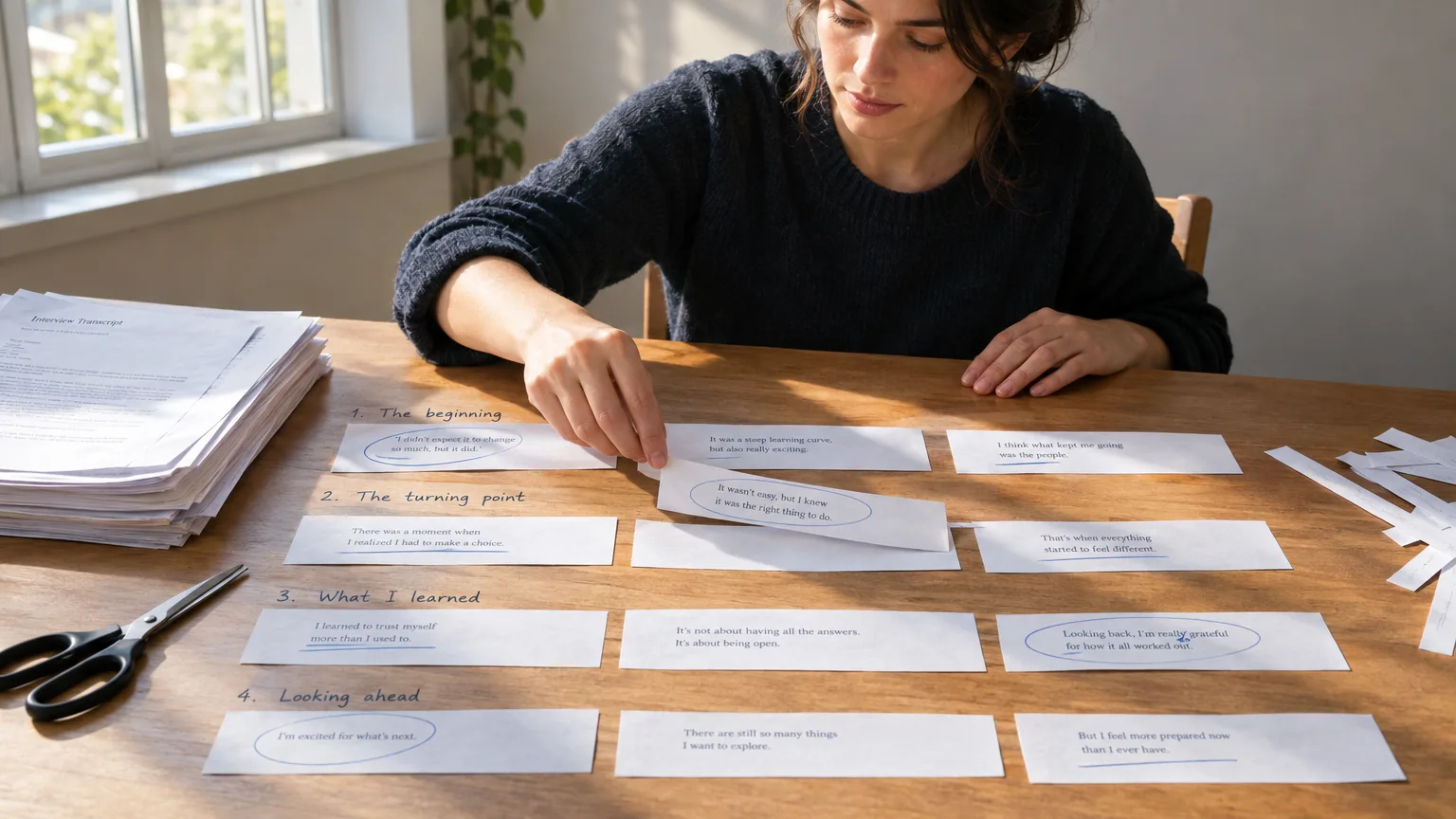
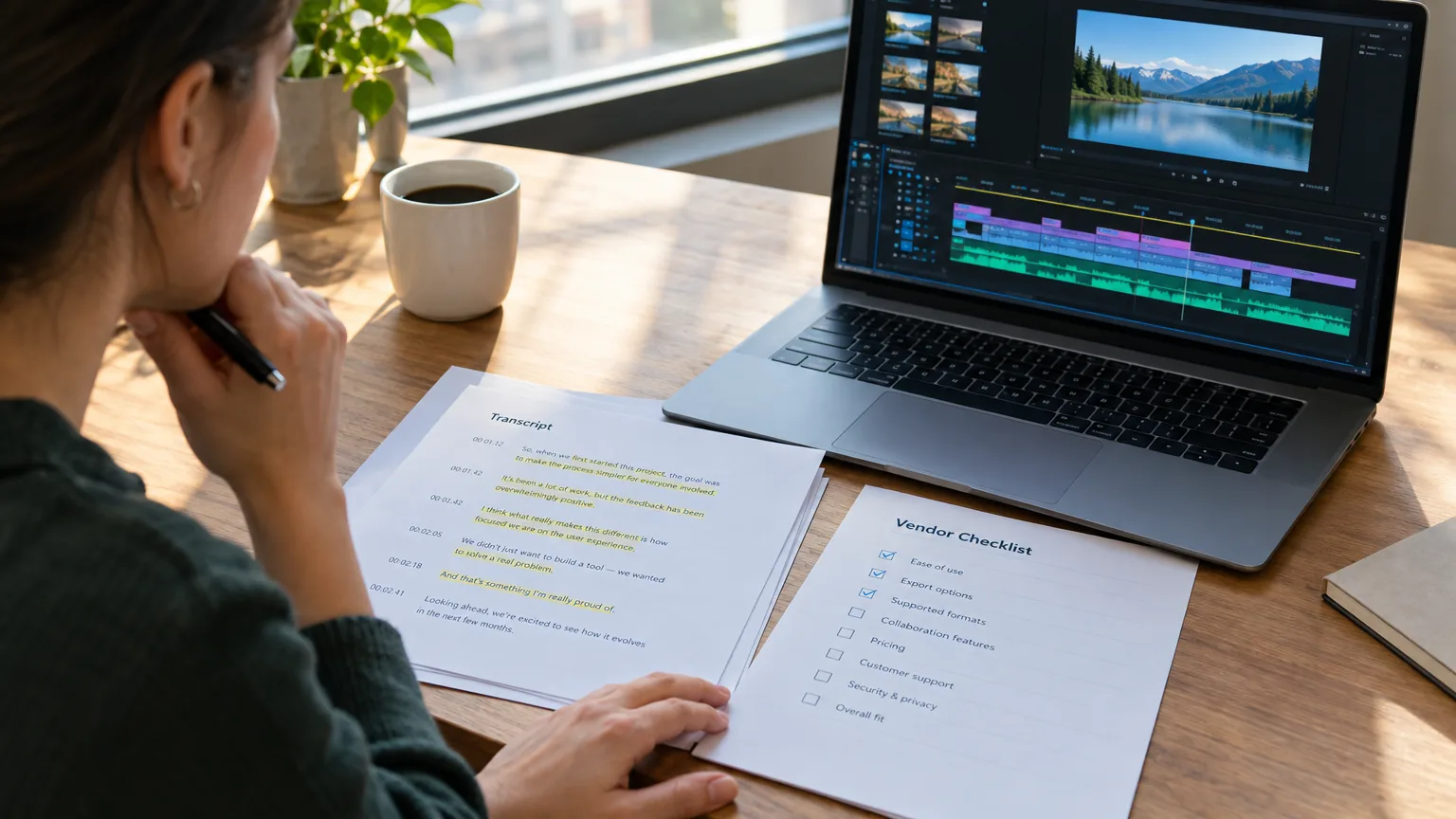
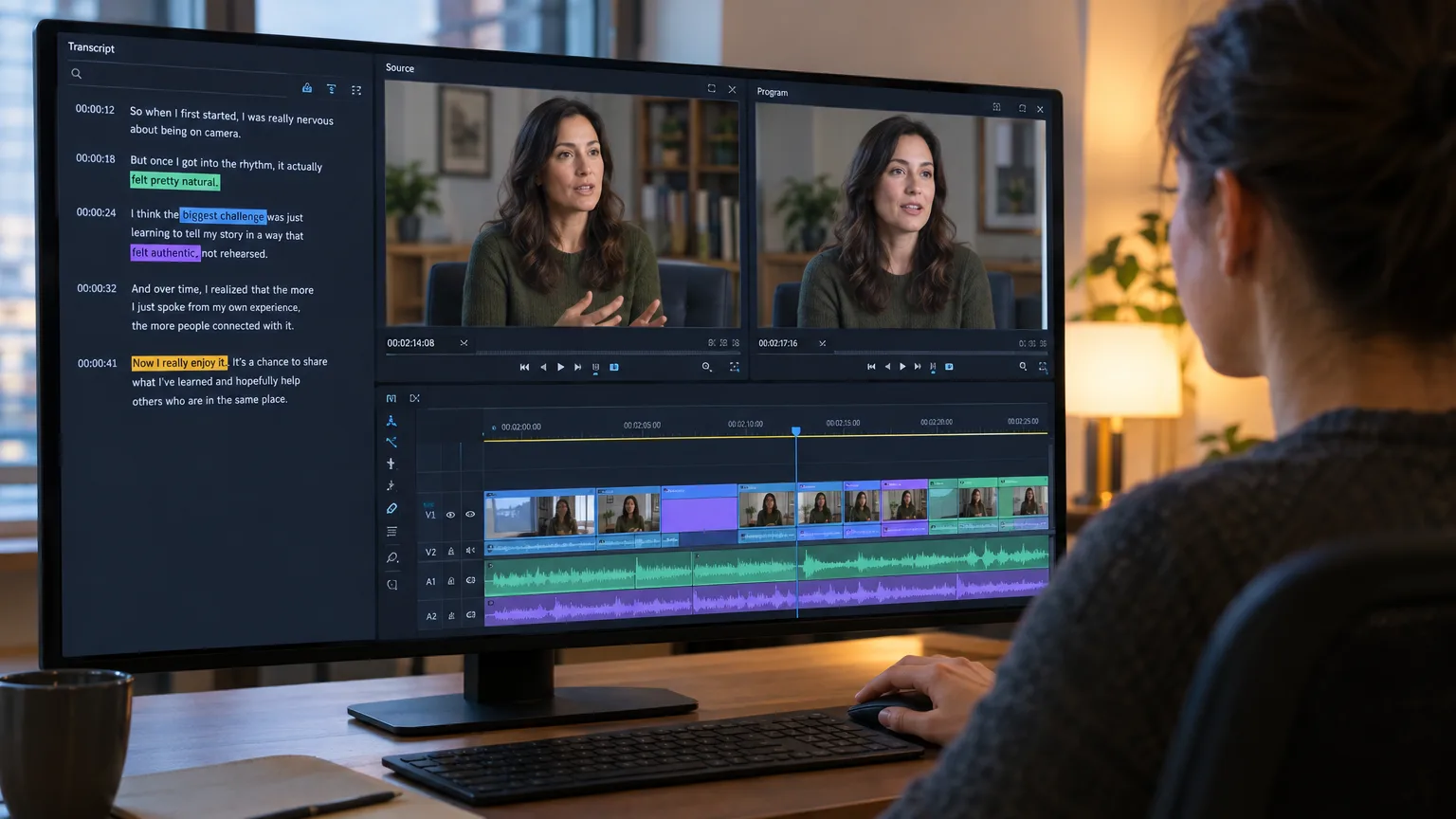
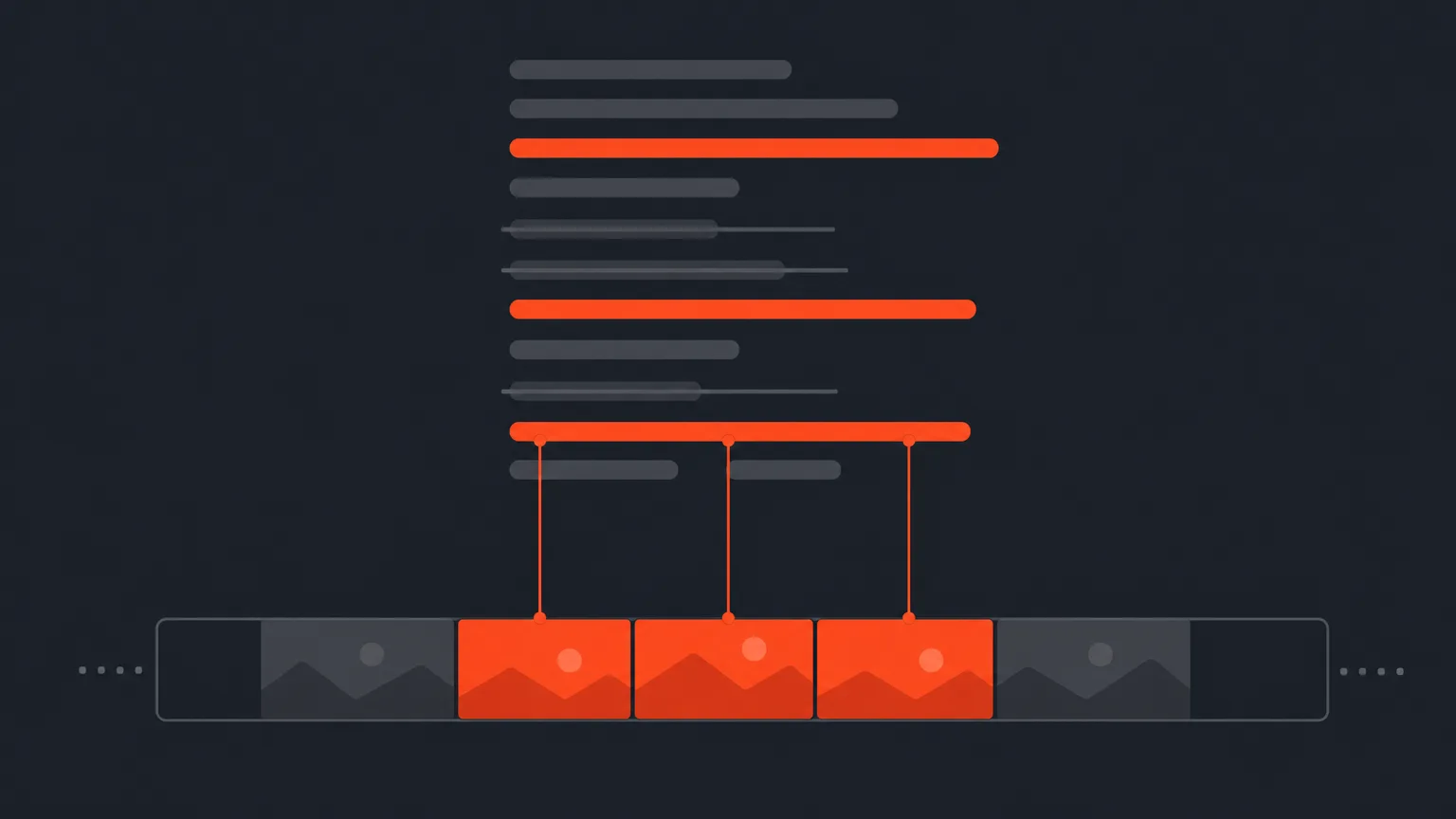
A transcript-based editor is software that treats the transcript as the primary interface for editing rather than a caption track bolted on afterward: you select text, and the software cuts the underlying clip at that word's exact timecode. If you've never seen the mechanics of that up close, how transcript-based editors work walks through the word-level timecode matching that makes it possible, and our full definition of a transcript-based editor is the place to start if this is your first time hearing the term. The shift editors describe isn't subtle. Instead of opening a 90-minute source clip and playing it at 2x speed while watching for a nod or a good line, you open a document. You read it the way you'd read an article, faster than the person spoke it, and you highlight the sentences that are doing real work. Reordering the story means dragging paragraphs, not re-trimming clips on a track. That's the entire pitch, and it holds up because reading has always been faster than listening.Timeline scrubbing
How Traditional Editing Still Finds the Story
Traditional timeline editing finds the story by listening to it, in real time or close to it, while marking in and out points directly on the clip. An editor imports footage, screens it start to finish (often more than once), logs promising moments into a spreadsheet or a bin with timecode ranges, and then drags those selects onto a sequence to build what's traditionally called a stringout. None of this is wrong. It's how documentary and interview editing worked for decades before affordable transcription existed, and plenty of skilled editors still work this way by choice. The cost shows up in review cycles. A producer can't easily approve a structure that only exists inside an editor's head and a half-built sequence; they have to watch a rough assembly, which means the editor has already spent hours in the NLE before anyone outside the edit bay has weighed in. That's the step transcript-first editing removes, and it's the biggest single reason teams describe the switch as a time-saver rather than a taste preference. It also explains why offline editing and paper-first workflows have always been close cousins: both push the expensive, hard-to-reverse decisions earlier, onto cheaper material. This is also the reason ratio matters so much in documentary work. A filmmaker like Frederick Wiseman, who has shot documentaries at roughly 40 to 60 hours of footage for every hour used, can't afford to find the story by scrubbing everything on a timeline. Somewhere upstream of the timeline, that footage has to be logged and read, not just watched.Head to head
Six Places the Two Workflows Diverge
The two approaches don't just feel different, they diverge on specific, countable things: who can review the structure, how expensive a change is, and what skill the editor is actually using at each stage. This table compares two ways of working, not priced products, so there is no pricing to list here as of June 2025, the table below is organized around workflow steps instead.| Where they diverge | Traditional timeline editing | Transcript-based editing |
|---|---|---|
| Finding the best line | Scrub and listen, often at playback speed | Read the transcript like a document |
| Reviewing structure with a client | Requires a built rough assembly first | Can happen on the page, before any cutting |
| Reordering the story | Drag and re-trim clips on a track | Drag paragraphs or lines of text |
| Catching a tone or performance problem | You were already watching, so you catch it live | You have to deliberately play back the selected clip |
| Core skill being used | Ear for pacing while watching footage | Editorial judgment while reading, verified by ear later |
| Best fit | Performance-heavy, music-driven or highly visual footage | Talking-head, interview, podcast and panel footage |
Why now
Why the Switch Is Happening in 2026, Not 2015
The switch is happening now because the two ingredients it needs, cheap accurate transcription and mainstream tool support, only recently became standard rather than niche. AI transcription made word-accurate, timecoded transcripts affordable for footage that used to get logged by hand or not logged at all. On the tool side, Adobe added Text-Based Editing to Premiere Pro in its 23.4 update around NAB 2023, which put transcript-driven cutting in front of an NLE's existing user base instead of leaving it to standalone apps. Descript and Reduct built their entire products around the idea years earlier, proving there was demand before the big NLEs caught up. There's a workforce reason too, and it's less about software and more about how teams are structured now. Editors, producers and clients are more likely to be in different cities or time zones than they were a decade ago, and a shareable transcript with selects marked is something a client can review from a phone in five minutes. Waiting for a scheduled cut review of a half-built timeline doesn't fit that rhythm anymore. If you're weighing which specific app to adopt, our roundup of transcript-based video editing tools compares the current field rather than just the two biggest names. None of this is entirely new, it just spread from audio to video. Podcast teams were doing a version of this long before it had a name: Radiolab built transcript logging directly into its production process, and This American Life has long relied on hand-logged transcripts to shape episodes before anything gets mixed. Video editing is catching up to a habit radio already had.Worked example
The Same 90-Minute Interview, Two Ways
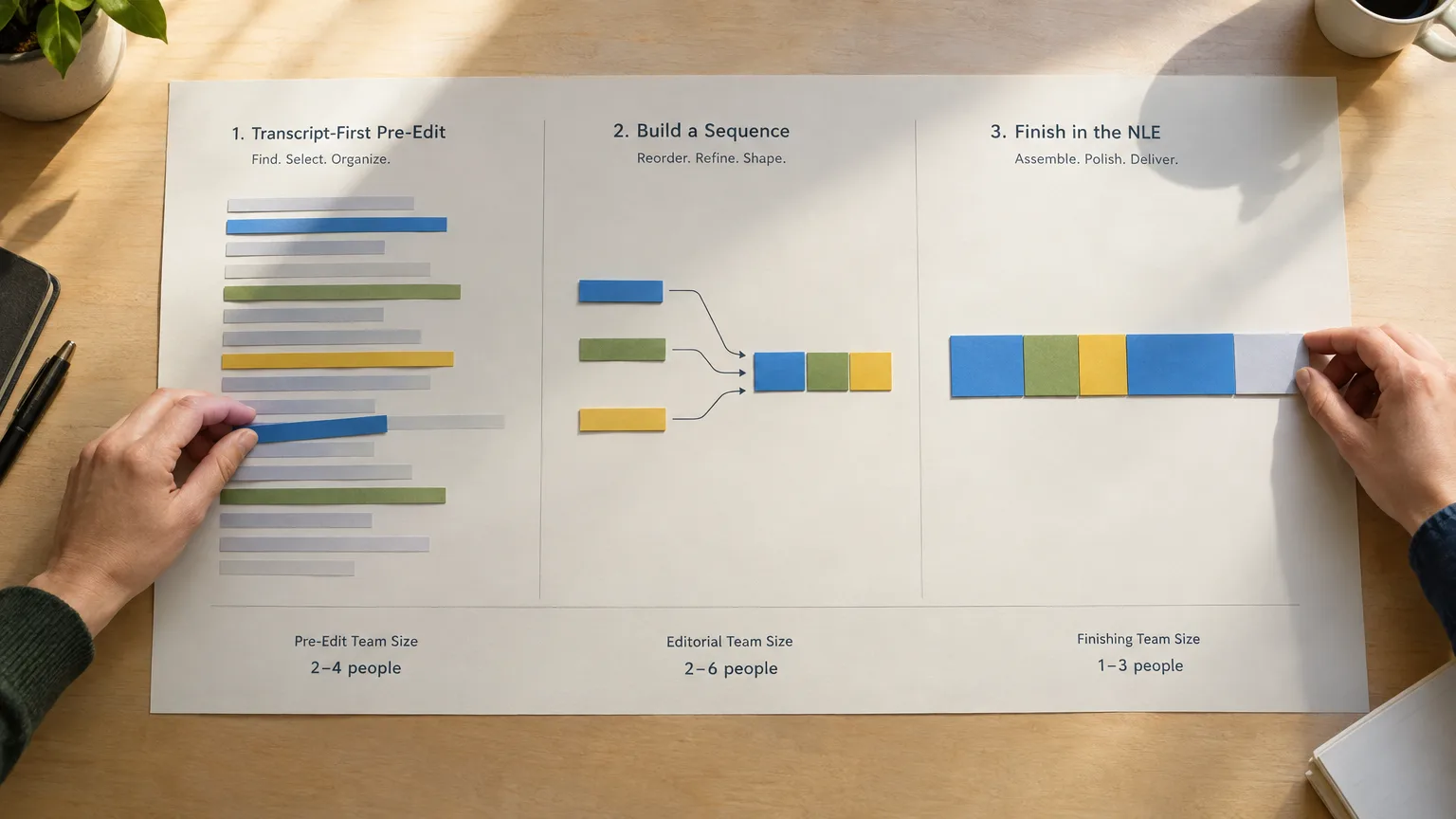
Picture a single 90-minute sit-down interview that needs to become an 8-minute segment, cut two ways. In the traditional path, the editor screens the full 90 minutes at least once, often twice, logging timecodes into a document as they go, then builds a stringout by hand before a producer sees anything resembling a shape. If notes are unclear or the producer wants a different emphasis, that's another pass through the same footage. In the transcript-first path, the editor reads the interview as a document in a fraction of the time it took to record, highlights the strongest quotes, and drags them into a rough sequence on the page, complete with a title for the piece and rough section breaks. A producer can review and approve that structure before a single clip has been dragged into an NLE. This approach is exactly what documentary editor Doug Blush and co-editor Jennifer Raim used to turn more than 30 hours of raw interview footage into a 5-hour assembly through paper cuts before conforming anything, and it's the same logic the BBC's Dilesh Korya has pointed to on the series Empire, where a paper-edited three-camera interview was later conformed in DaVinci Resolve because the structural decisions were already locked. Neither example replaced the NLE. Both used the page to make the expensive timeline hours count.When timeline wins
Where Traditional Editing Still Beats the Transcript
Traditional timeline editing still wins whenever the footage is carrying more meaning in performance than in words, and no amount of reading substitutes for watching. A comedic beat that lives in a pause, a music-driven sequence, an action-heavy b-roll package, or anything where rhythm is the whole point needs an editor watching and listening in real time, not scanning a page. Documentary filmmaker Errol Morris is well known for rejecting scripted or paper-cut approaches to his interview films, preferring to let structure emerge from footage on the timeline rather than from a text plan built in advance. There's also a craft warning worth taking seriously. Michael Rabiger, whose Directing the Documentary is the standard reference for the paper edit method, cautions that leaning too hard on a document of quotes can quietly produce a flat, talking-heads film if the editor never returns to what the footage actually looks and sounds like. A paper edit is a hypothesis about the film, not the film itself. That's exactly why we built ScriptCut so every selected line stays playable as a real clip: the page tells you what could work, but you still confirm tone and timing by ear before you commit. Skipping that check is how reasonable-sounding sentences turn into a frankenbite, words that were never actually said together, a practice the reality show controversy around the 2016 documentary Under the Gun put under public scrutiny.Common mistakes
Mistakes Editors Make When They First Switch
The most common mistake is treating the selected text as the final answer and never playing the clip back before locking it into a sequence. A sentence that reads as confident can sound uncertain on tape, and the only way to know is to listen. A close second is trusting speaker diarization labels blindly on multi-person recordings; automatic speaker splitting still misattributes lines often enough that a quick pass to correct names matters before you build off it. Editors also sometimes skip the producer review step entirely just because the transcript tool makes it optional, which throws away the workflow's biggest advantage. And a subtler mistake: pulling fragments from different parts of an answer and stitching them into a sentence the subject never actually said, which is the frankenbite problem again, just easier to fall into when you're moving fast on a page instead of a timeline. Reordering and trimming for length is normal editing. Manufacturing a statement isn't, and that line matters more, not less, when the cutting gets faster.Making the switch
How to Trial Transcript-First Editing on Your Next Project
Start with one talking-heads-heavy project, not your hardest edit, so you can judge the workflow on its own terms. Transcribe the interview with word-level timecode, read it start to finish before you touch any tool, and mark your selects the way you would highlight a document. Build the sequence on the page, get a producer or client to sign off on the structure through a share link, and only then move to your NLE to conform. That last step is where the payoff actually lands: you're not re-deciding structure inside Premiere Pro or Resolve, you're placing already-approved decisions onto a timeline and doing the craft work, color, sound, pacing polish, that a timeline is genuinely good at. If you want the fuller playbook for this exact sequence on interview footage specifically, our guide to editing an interview faster with a transcript-first workflow goes step by step, and our complete definition of a paper edit covers the terminology (paper cut, selects, stringout, radio cut) if you want the history behind the method. None of this makes traditional timeline editing obsolete, and we wouldn't pretend otherwise. It makes it optional for the specific job of deciding what a piece is about, so the timeline is left for the job it's actually best at. If you're ready to try it on your next talking-head shoot, panel or podcast, ScriptCut lets you build and share that structure before you open an NLE at all, then hand off a frame-accurate timeline when you're ready to cut.Sources
frequently asked questions
It's software that lets you cut video by selecting words in a transcript rather than scrubbing a timeline, cutting the underlying clip at that word's exact timecode.
They describe the same core idea, but Premiere's Text-Based Editing is one implementation inside an NLE, while dedicated transcript-based editors are built around the transcript as the whole workflow, from first read to approved structure, before you ever open an NLE.
Yes. A transcript-based editor handles the pre-edit, selecting and arranging the story, then hands off a timeline to Premiere Pro, DaVinci Resolve, Final Cut Pro or Avid for color, sound and final craft work.
It works best on anything with spoken content, interviews, podcasts, panels, vlogs, webinars, but it's a poor fit for music-driven, performance-heavy or dialogue-light footage where meaning lives in timing rather than words.
Trusting the text without playing the clip back. A line can read well and still sound wrong on tape, and skipping that check is also how frankenbites, stitched-together statements a subject never actually made, happen.
There's no single verified percentage, but the time savings are structural: reading is faster than listening, and structure can be approved by a producer before any timeline hours are spent, which is the step that traditionally causes the most rework.
You might also like...


Start selecting.

Pick the story in the transcript, export a finished rough cut.
Get the ScriptCut newsletter
Thanks! Check your inbox to confirm.
Something went wrong. Please try again.