

Best Transcript-Based Video Editing Tools (2026)
Transcript-based tools fall into two real camps: some finish the cut inside their own app, and some hand you a timeline for the NLE you already use. The right pick depends on where your project needs to live when it's done, not which tool looks fastest in a demo.
Reading a transcript to find a cut is faster than scrubbing a timeline, and every tool here builds on that idea. What differs is what happens after you highlight a line: does the app render the video itself, or does it export instructions for something else to build?
The Two Camps
Edit in the app, or export to your NLE
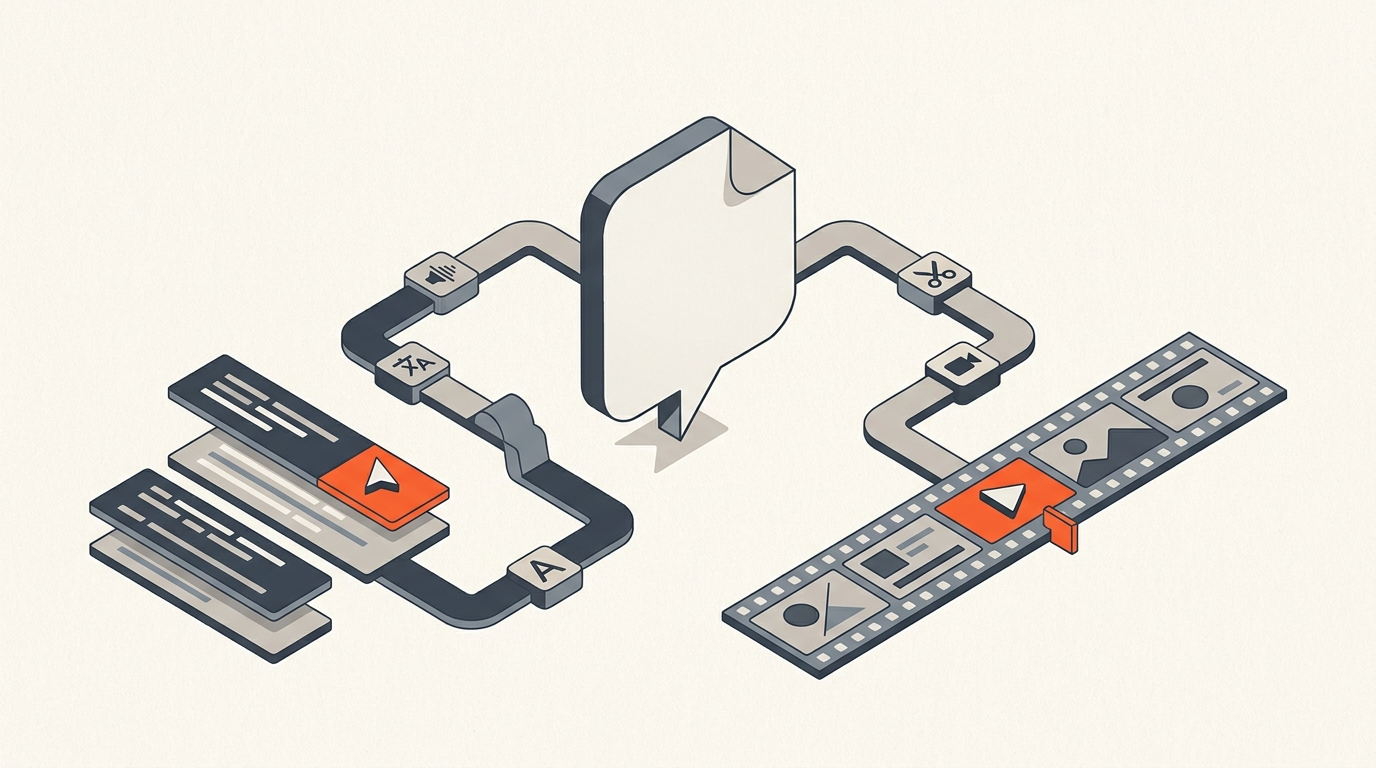
Descript, and to a lesser degree Trint and Simon Says, treat the transcript as the timeline itself: delete a word, the matching video is cut. Premiere Pro and DaVinci Resolve build text-based editing straight into their own timeline, so the transcript step happens after the project is already open in that app. ScriptCut sits in a third position: it is a selection and approval layer that exports a real timeline, XML, subtitles, or audio, into whichever NLE you finish in.
| Tool | Best for | Pricing (as of July 2026) | Export formats |
|---|---|---|---|
| Descript | Solo creators, podcasters, all-in-one | Free; Hobbyist $16/mo; Creator $24/mo; Business $50/mo (annual billing) | Rendered video/audio; Premiere/FCP/Pro Tools timeline XML on Creator plan and up |
| ScriptCut | Teams who select and approve by transcript, then finish in a pro NLE | Free $0; Starter $19/mo ($15/mo annual); ProAI $29/mo ($24/mo annual) | XML, subtitles, audio to Resolve, Premiere, FCP, or Avid |
| Adobe Premiere Pro (Text-Based Editing) | Editors already on a Premiere subscription | Included with Premiere Pro / Creative Cloud | Builds directly into the open Premiere sequence |
| DaVinci Resolve Studio (Speech to Text) | Editors who own Resolve Studio | $295 one-time (Studio license), or roughly $30/mo rental | Builds directly into the open Resolve timeline |
| Trint | Newsrooms and media teams | Starter roughly $52-80/mo; Advanced roughly $60-100/mo | SRT, VTT, and an EDL/SRT Premiere plugin export |
| Simon Says | Freelance editors who need fast, affordable transcription | Starter $20/mo; Pro $40/mo; Pro+ $150/mo | SRT, VTT, and NLE-ready caption/subtitle exports |
| Reduct | Research and qualitative teams tagging large footage libraries | Personal $12/mo; Professional $40/mo; Enterprise from $75/mo per seat | Clip reels and transcript exports; limited timeline handoff |
Tool By Tool
What each one is actually built to do
Descript is the most complete all-in-one: record, transcribe, edit by text, add captions, and publish, without leaving the app. It also added a timeline export to Premiere, Final Cut, and Pro Tools on its paid plans, which softens the old edit-in-app-only limit, though multicam and some effects still do not carry over.
Premiere's text-based editing and Resolve's Speech to Text are the free-with-the-app option if you already own one of those NLEs. Both auto-transcribe a clip, let you select and rearrange by text, and place the result straight onto the sequence you are already working in. Neither one gives a client something to review before the timeline exists. Our Premiere transcript workflow guide and Resolve transcript editing guide cover the mechanics in each app.
Trint and Simon Says are closer to transcription platforms than editors, but both matter here because their exports feed directly into an NLE. Trint's Premiere plugin can hand over an EDL of just the highlighted lines, which is functionally a rough paper edit. Simon Says is priced for freelancers and turns around fast, accurate transcripts with usable caption exports.
Reduct is built for teams working through hours of interviews or user research, tagging themes and pulling clips collaboratively rather than assembling a broadcast cut. Its strength is search and review across a large footage library, not timeline handoff.
ScriptCut is the pre-edit layer: word-level timecode makes every highlighted line a frame-accurate cut, you can remove filler and arrange the story, a client or director reviews the selects on a share link, and only then does an XML timeline leave the app. It is not a replacement for Premiere or Resolve, it is what happens before you open either one.
A Real Case
How one podcast network shortened its review cycle
The HubSpot Podcast Network produces three weekly shows and used Descript's text-based editing to let non-editors review and mark up scripts directly in the transcript instead of watching a rough cut. Senior producer Arie Desormeaux put it plainly in Descript's own case study: "Descript's text-based editing makes shaping a story so much easier because you're actually rearranging words on a page." The detail worth noting is not the tool, it is the behavior: giving a stakeholder the transcript to mark up, rather than a video to re-watch, is what actually saves the time. ScriptCut's client approval workflow applies the same principle one step earlier, before any footage is assembled at all.
This side-by-side of Descript and Premiere's text-based editing shows the two mental models directly: one treats the transcript as the timeline, the other adds transcript selection on top of a timeline that already exists. Watching both run through the same cut makes the tradeoff easier to feel than to read.
Pricing In July 2026
What you actually pay
Pricing splits along the same lines as the camps. Descript's free tier covers light use and its paid tiers climb with monthly media minutes and AI credits. Premiere and Resolve's transcript tools cost nothing extra if you already pay for the app, Resolve's version specifically requiring the $295 Studio license rather than the free build. Trint and Simon Says charge for transcription volume more than for editing, so a newsroom doing dozens of interviews a month will spend more than a solo creator doing four. Reduct's pricing tracks team seats and research hours. ScriptCut is plan-based with transcription billed per hour and AI selection features on the paid ProAI tier. None of these numbers matter as much as your real monthly footage volume, since a cheap tool that forces a rebuild in another app later is not actually cheap.
How To Choose
The one question that settles it
Ask where the finished project needs to live. If the answer is "right here, then published," an edit-in-app tool like Descript fits. If the answer names a separate NLE, Resolve, Premiere, Final Cut, or Avid, then editing somewhere else first just adds a move you pay for later, and a paper-edit-and-export tool fits better. If your work is mostly reviewing and tagging long-form research footage rather than assembling a broadcast piece, Reduct is worth a look before either camp.
Transcript accuracy matters no matter which camp you pick, because every selection rides on the words being right. Clean audio produces clean text and faster selecting; noisy audio means budgeting time to correct the transcript first, in any of these tools.
Common Mistakes
What trips people up
The most common mistake is picking a tool because a demo video showed it cutting fast, without checking whether its export actually fits the pipeline the project needs to end in. The second is trusting a raw auto-transcript on rough audio and selecting against words that are wrong, which sends the fix downstream to the timeline instead of catching it on the page. The third is treating an all-in-app tool's convenience as free when the work always ends up finished somewhere else anyway, which just moves the real cost later instead of removing it.
The Honest Pick
Recommendation
Choose Descript if you want one app, start to finish, and rarely need a separate NLE. Choose Trint or Simon Says if transcription speed and newsroom or freelance turnaround matter more than editing features. Choose Reduct if the job is research review across a large footage library. Stay with Premiere's or Resolve's built-in tools if you are loyal to one NLE and do not need client review before the timeline exists. Choose ScriptCut if you finish in a pro NLE and want a fast, approved paper edit that exports cleanly to whichever one you use. Try it at app.scriptcut.io.
Sources
frequently asked questions
It means selecting or editing a video by reading and highlighting its transcript instead of scrubbing a timeline. Some tools cut the video directly when you edit the text, others use the transcript to build a selection you export into a separate editor.
Descript is an all-in-one editor: delete a word and the matching video is cut inside the app, and it can render or export a finished project. ScriptCut is a pre-edit tool: you select, trim filler, and get client approval by transcript, then export a real XML timeline into Resolve, Premiere, Final Cut, or Avid.
Yes. Premiere Pro's Text-Based Editing and DaVinci Resolve Studio's Speech to Text both auto-transcribe a clip and let you select and rearrange footage from the text, building the result directly into that app's own timeline.
ScriptCut exports a real timeline file, XML, subtitles, or audio, built from your word-level selections, that opens directly in DaVinci Resolve, Premiere Pro, Final Cut Pro, or Avid Media Composer.
Descript ranges from free to $50 a month on annual billing, Trint runs roughly $52 to $100 a month for newsroom-grade transcription, and ScriptCut is free to start with Starter at $19 a month and ProAI at $29 a month. Premiere's and Resolve's transcript tools are included with those apps, though Resolve's version needs the $295 Studio license.
Trint and Simon Says are built for newsroom transcription speed and turnaround, while Reduct is built for research teams tagging and reviewing large footage libraries collaboratively.
You might also like...


Start selecting.

Pick the story in the transcript, export a finished rough cut.