
New feature
Upload a Brief to Prompt the AI
You can now upload a brief in any AI window and let ScriptCut read it, fill in the options it states, and write the full prompt for you.
What it is
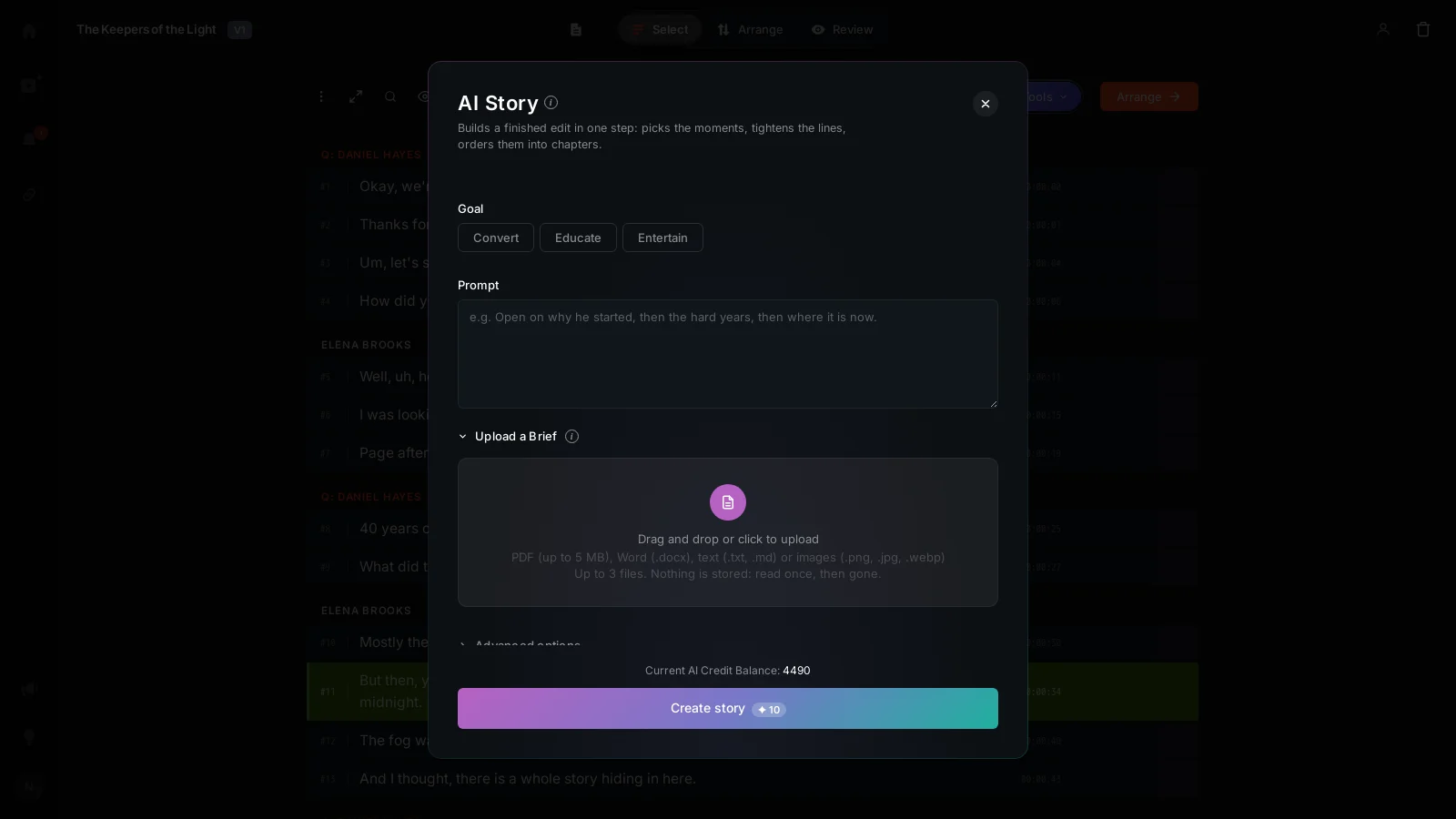
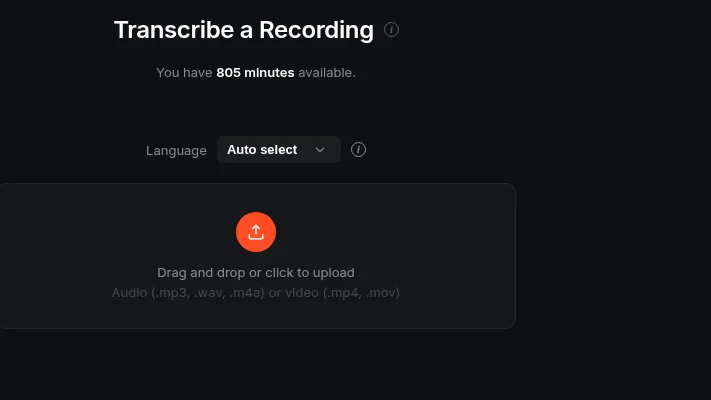
Every AI window, AI Select, AI Story, AI Arrange and AI Clips, has an Upload a Brief row under the Prompt box. Click it and an upload field opens for drag and drop or picking a file. It takes a PDF up to 5 MB, a Word .docx, plain text, Markdown, or an image like a photo of a printed page, up to 3 files at a time.
The problem it removes
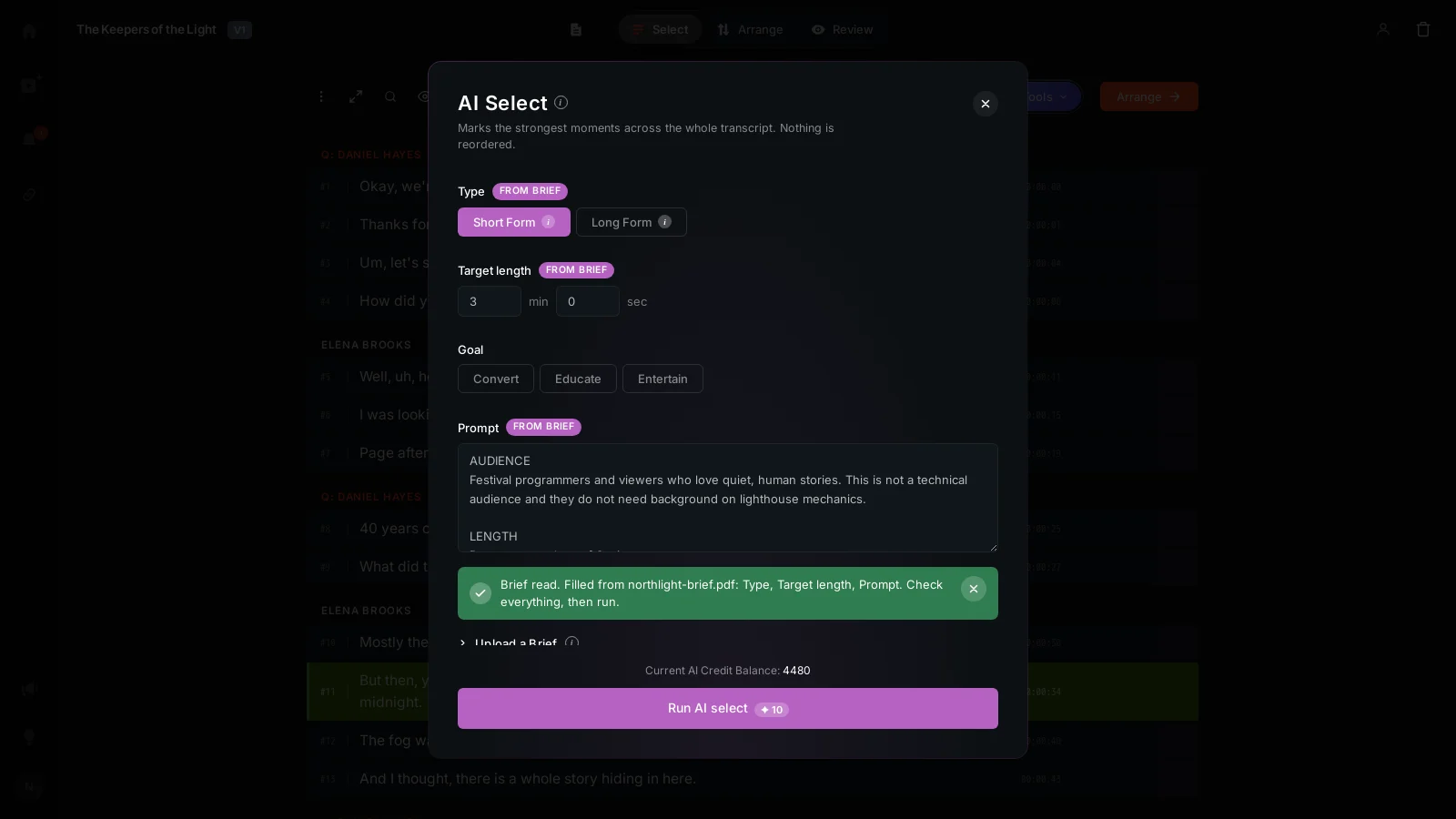
When a brief already exists, whether from a client, a producer or your own notes, typing it all into a prompt by hand means re-reading it and deciding what matters. Uploading it lets the AI do that first pass: it reads the brief once and fills the options it actually states, like Type, Goal, Target length, Hard max, Don't include Interviewer and Cutting style, and in AI Clips the number of clips and clip length too.
How it works
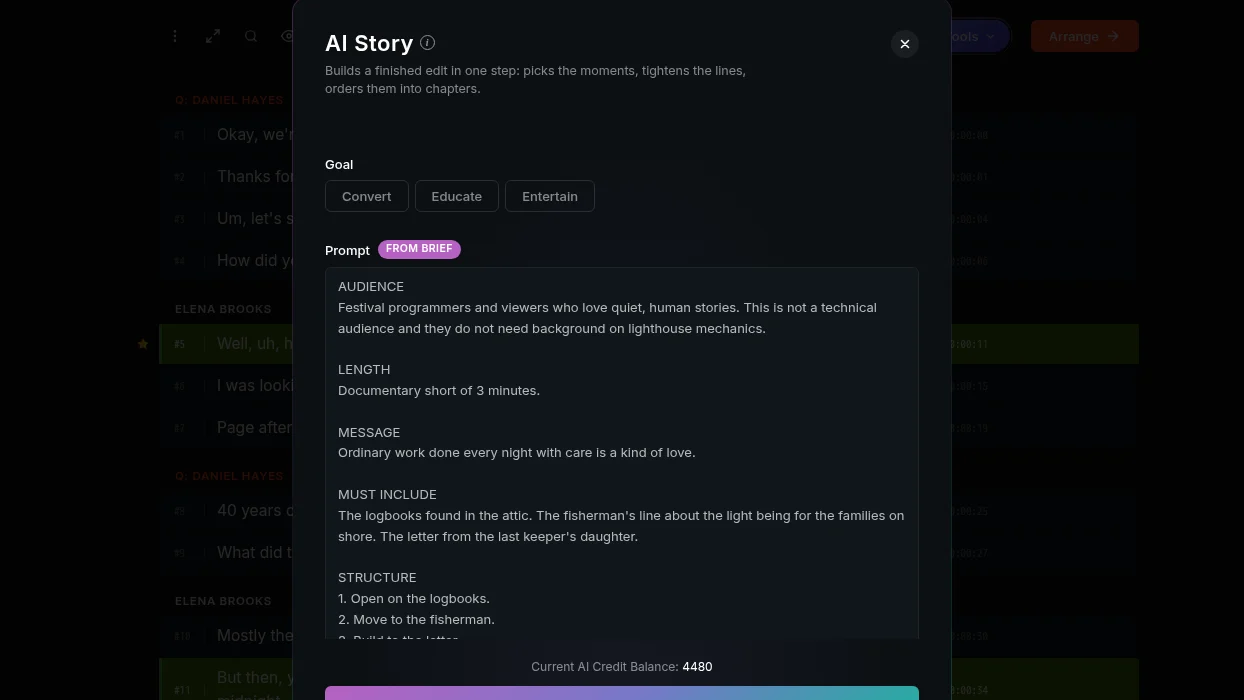
Say an agency has a PDF brief for a coffee brand's launch video: audience, key message, three moments that must appear, and a line about avoiding anything too salesy. Upload that PDF in the AI Story window, and ScriptCut fills in the fields the brief covers and writes a full Prompt: the audience, the message, the must-include moments, a structure broken into numbered sections, the tone, what to avoid, and how it should end. Every field it fills shows a FROM BRIEF mark so you can see exactly what came from the document, and everything stays editable. Nothing runs until you click. Anything the brief doesn't mention is left alone, never guessed.
The read brief, its summary and file names, is saved with the project, so when you move to AI Arrange or AI Clips later, those windows see it too without another upload. Forget brief clears it if you want to start over.
What stays private
Your files are never stored. They're read in the browser, sent to the AI once, and gone. Only the extracted brief, its fields, summary and file names, stays with the project.
Who it helps
This saves time for anyone starting from a document someone else wrote: agencies working from client briefs, producers handing off notes to an editor, or marketers who already wrote a one-pager before the shoot. It also helps if your only copy of the brief is a photo of a printed page.
Try it in any AI window at ScriptCut.
frequently asked questions
AI Select, AI Story, AI Arrange and AI Clips all have an Upload a Brief row under the Prompt box.
PDF up to 5 MB, Word .docx, plain text, Markdown, or an image such as a photo of a page, up to 3 files at once.
No. A field the brief does not state is left alone, never guessed.
Yes. Every option filled from your brief shows a FROM BRIEF mark and stays fully editable, and nothing runs until you click.
No. The read brief is saved with the project, so AI Select, AI Story, AI Arrange and AI Clips can all see it. Use Forget brief to clear it.
No. Files are read in the browser, sent to the AI once and gone. Only the extracted brief, its fields, summary and file names, stays with the project.
Old .doc files, Pages documents and HEIC photos aren't read. Export your brief as a PDF, .docx or PNG first.
More Product updates
Start selecting.

Pick the story in the transcript, export a finished rough cut and ready to post short form video.
What are you looking for?
Get the ScriptCut newsletter
Thanks! Check your inbox to confirm.
Something went wrong. Please try again.