
New feature
Set Answer-By Dates And Reminders
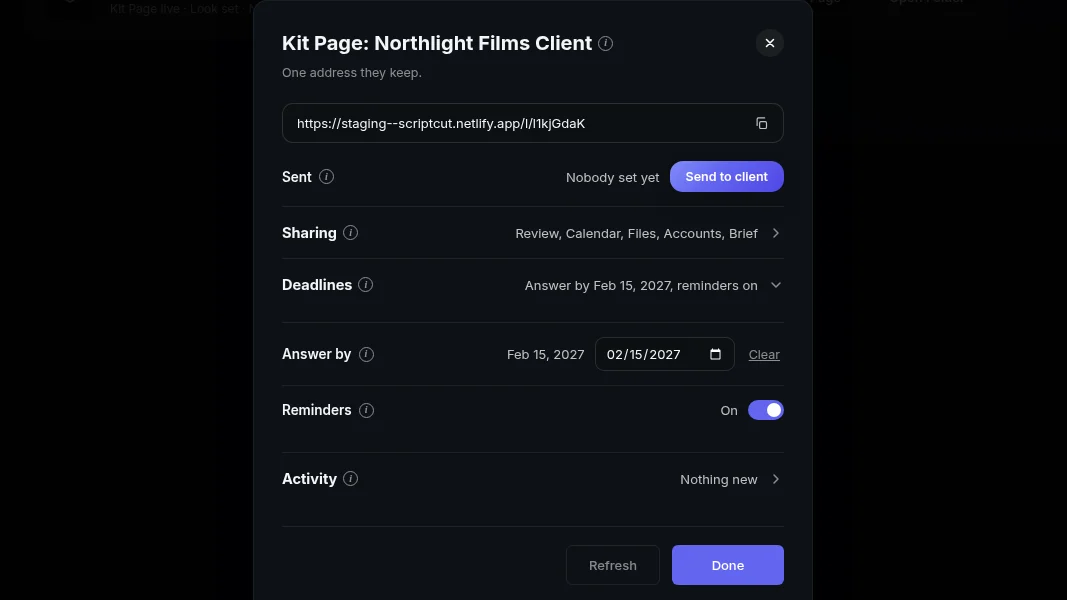
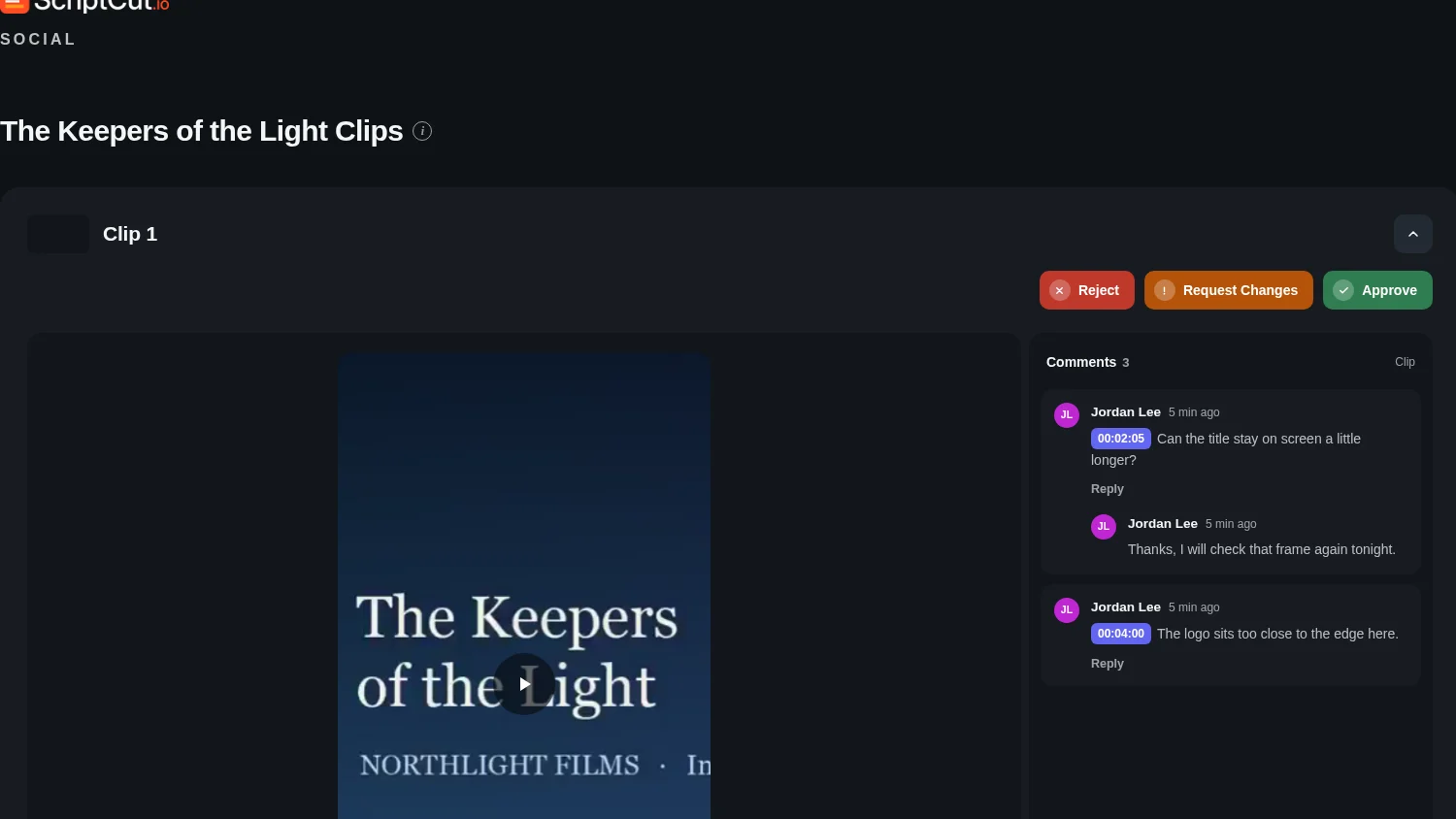
You can now set an answer-by date on a Kit Page, have ScriptCut send reminders, and see in Activity when your client opened the kit without answering.
What it is
In the Kit Page window, the Deadlines section holds an answer-by date and reminders for that client. Set the date once and ScriptCut handles the nudging, so you are not the one chasing a reply.
The problem it removes
You send a kit, the clock is running on a launch or a posting schedule, and you have no way to know if your client even opened the page. Deadlines gives the client a visible date to work against, and reminders keep the kit on their radar without another message from you.
How it works
Open the Kit Page window and expand Deadlines to set the answer-by date and turn on reminders for that client. The Activity section tracks answers and answer speed, and it opens by itself when something is waiting. So if a podcast host has not approved the three clips due before a Friday post, you can open Activity and see they opened the kit on Wednesday and never answered, instead of guessing whether your message landed.
Who it helps
Anyone who hands off review to a client and needs clips approved by a real deadline: an agency juggling several accounts, a producer locking a cut before a release date, a marketer who needs sign off before a campaign goes live. The date gives the client a clear target, and Activity tells you whether a nudge or a phone call is the next move.
Ready to put a date on your next kit? Open ScriptCut.
frequently asked questions
Open the Kit Page window for that project and expand the Deadlines section, where you set the answer-by date and turn reminders on.
Yes, the answer-by date appears on their Kit Page so they know what they are working against.
The Activity section of the Kit Page window shows answers and answer speed, and it opens by itself when something is still waiting on them.
ScriptCut sends them once reminders are switched on in the Deadlines section, so you do not have to message the client yourself.
Kit Page parts, including Deadlines, are switched on per client in the Kit Page window, so each client's kit can have its own answer-by date.
Yes, the Kit Page already groups clips under each project row, and the Deadlines and Activity sections apply to that client's whole kit.
More Product updates
Start selecting.

Pick the story in the transcript, export a finished rough cut and ready to post short form video.
What are you looking for?
Get the ScriptCut newsletter
Thanks! Check your inbox to confirm.
Something went wrong. Please try again.