
New feature
Add Text Right On Your Clips
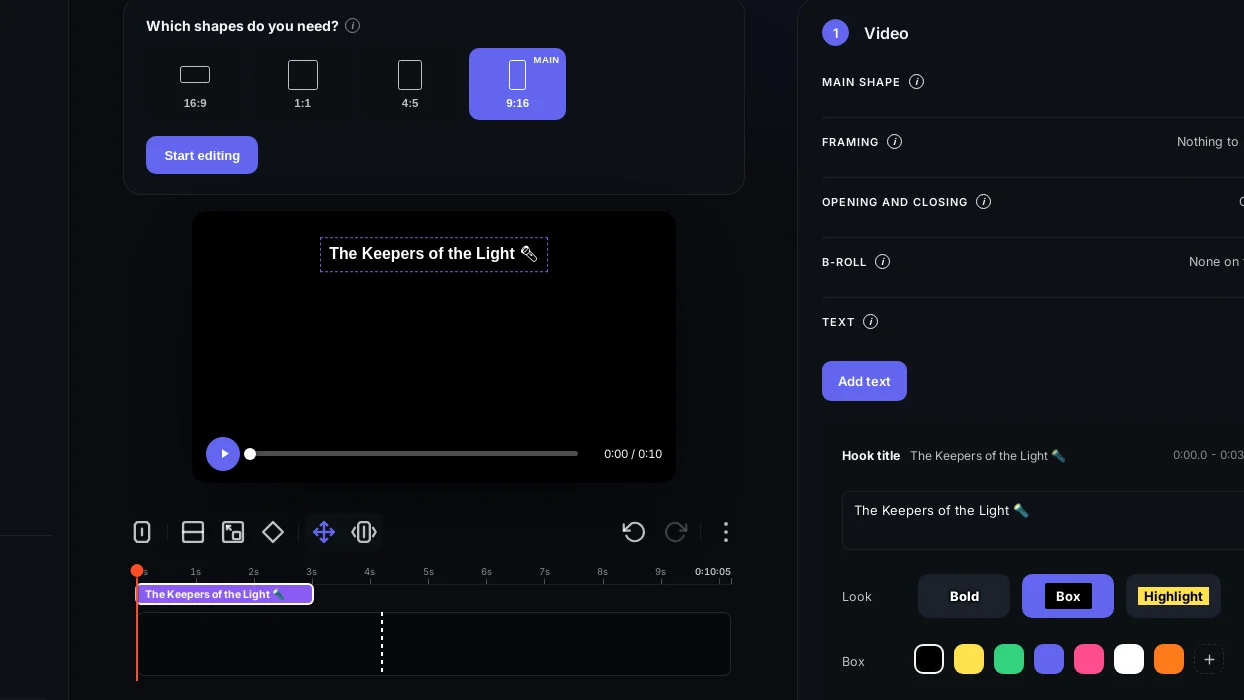
You can now add a hook title and text boxes directly on your Social clips, drag them into place, and set exactly when they show, emoji included.
What it is
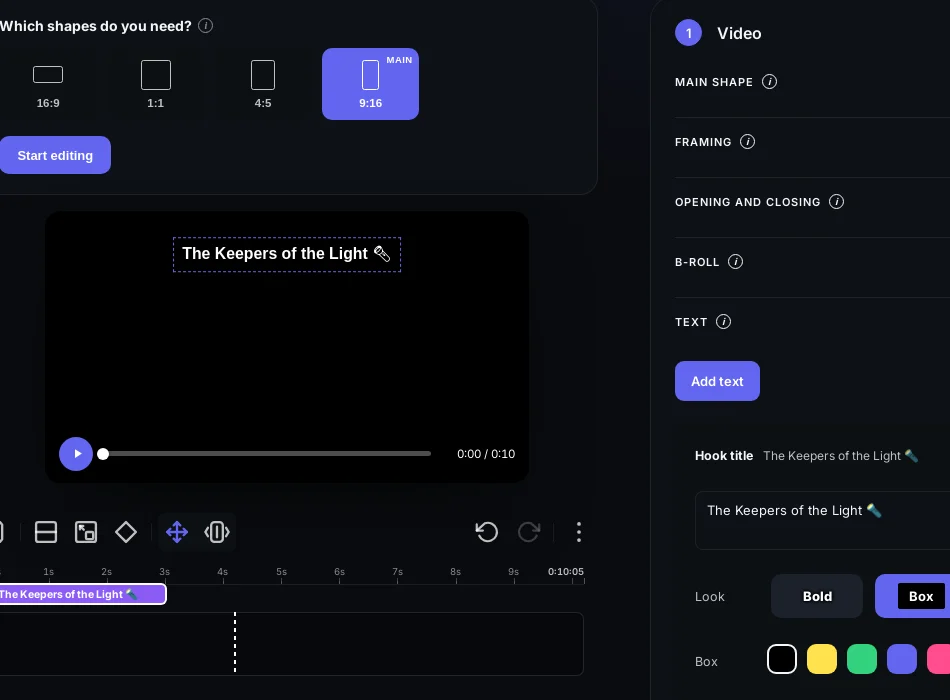
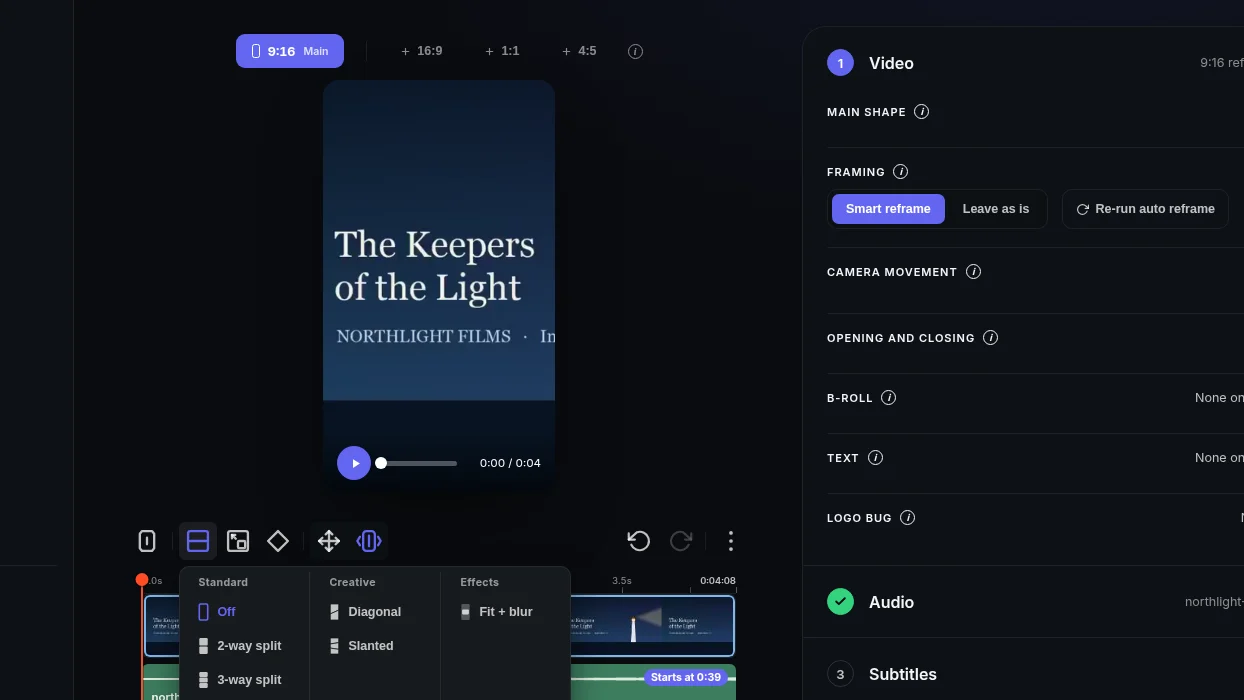
Text on Video is a new layer in the Social clip screen. Once your clip is cut and framed, you can drop in a hook title at the top, add extra text boxes anywhere in the frame, and move them exactly where you want them to sit over the video.
The problem it removes
A clip without on-screen text loses viewers in the first second, especially on sound-off feeds. Before this, you had to finish your clip in ScriptCut, export it, and then open another tool just to add a title or a caption line. That extra step slowed down every single clip.
Now the text lives in the same place as the edit. You add it, place it, time it, and export, all without leaving the clip you are already working on.
How it works
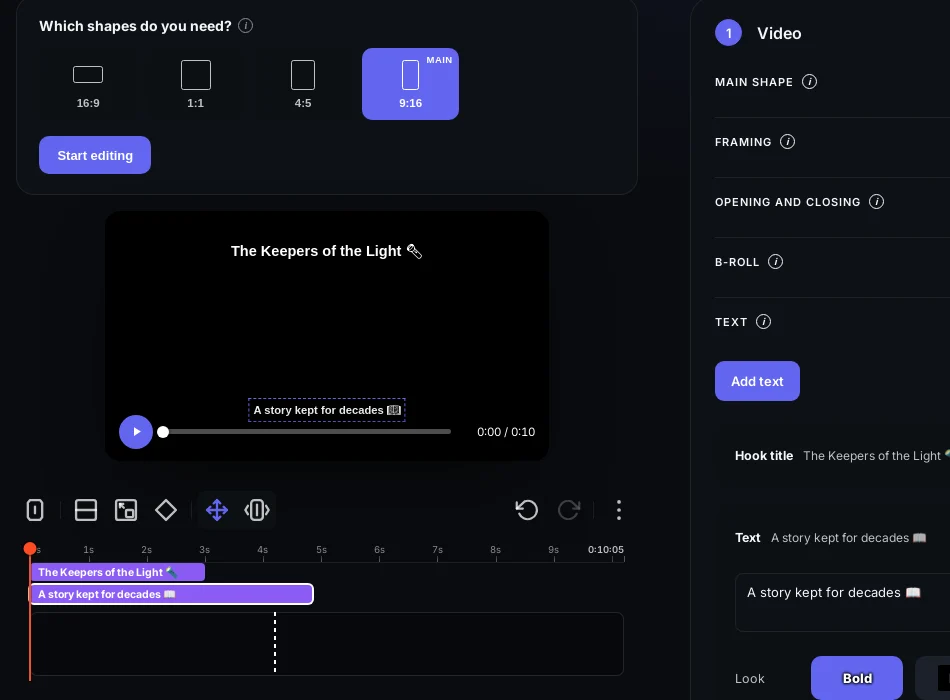
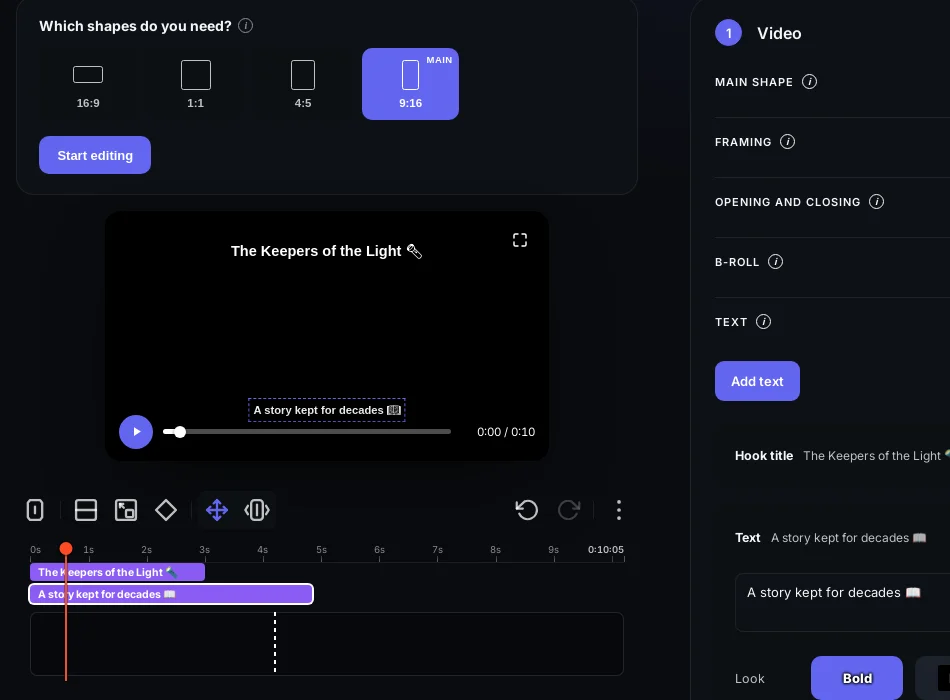
Open a Social clip, add a hook title to grab attention in the first frame, then add text boxes for any line you want to call out further into the clip. Drag each box to where it reads best against the footage, and set when it appears and when it disappears, so a title can fade in on the hook and a line of text can pop up right as the speaker says it. Emoji drop in the same way as text, so a reaction or a callout can sit right next to the words.
Example: a podcast host clips a three-minute answer into a 45-second Social clip. She adds a bold hook title over the first few seconds to stop the scroll, then a short text box midway through to repeat the key line the speaker just said, with a clapping emoji next to it. Both are dragged into position and timed to match the audio, right inside the clip she is already editing.
Who it helps most
This is built for anyone turning long recordings into Social clips: podcast hosts, UGC and talking-head creators, agencies cutting clips for clients, and marketers who need a hook and a callout line on every post without switching tools.
Try it on your next Social clip in ScriptCut.
frequently asked questions
Yes, you can add a hook title plus as many extra text boxes as your clip needs.
Yes, you set when each text box or hook title shows, so you can time it to match what is being said.
Yes, drag each text box or the hook title to wherever you want it to sit over the video.
Yes, emoji work the same way as text, so you can add them inline or next to a text box.
Text on Video works on any Social clip.
No, you add and time the text inside ScriptCut before you export the clip.
More Product updates



Start selecting.

Pick the story in the transcript, export a finished rough cut and ready to post short form video.
What are you looking for?
Get the ScriptCut newsletter
Thanks! Check your inbox to confirm.
Something went wrong. Please try again.