
Improvement
Pick Where Your Music Track Starts
You can now move a music bed to start from any point in the track, not just the top of the file, so the part you want lines up with the picture.
What changed
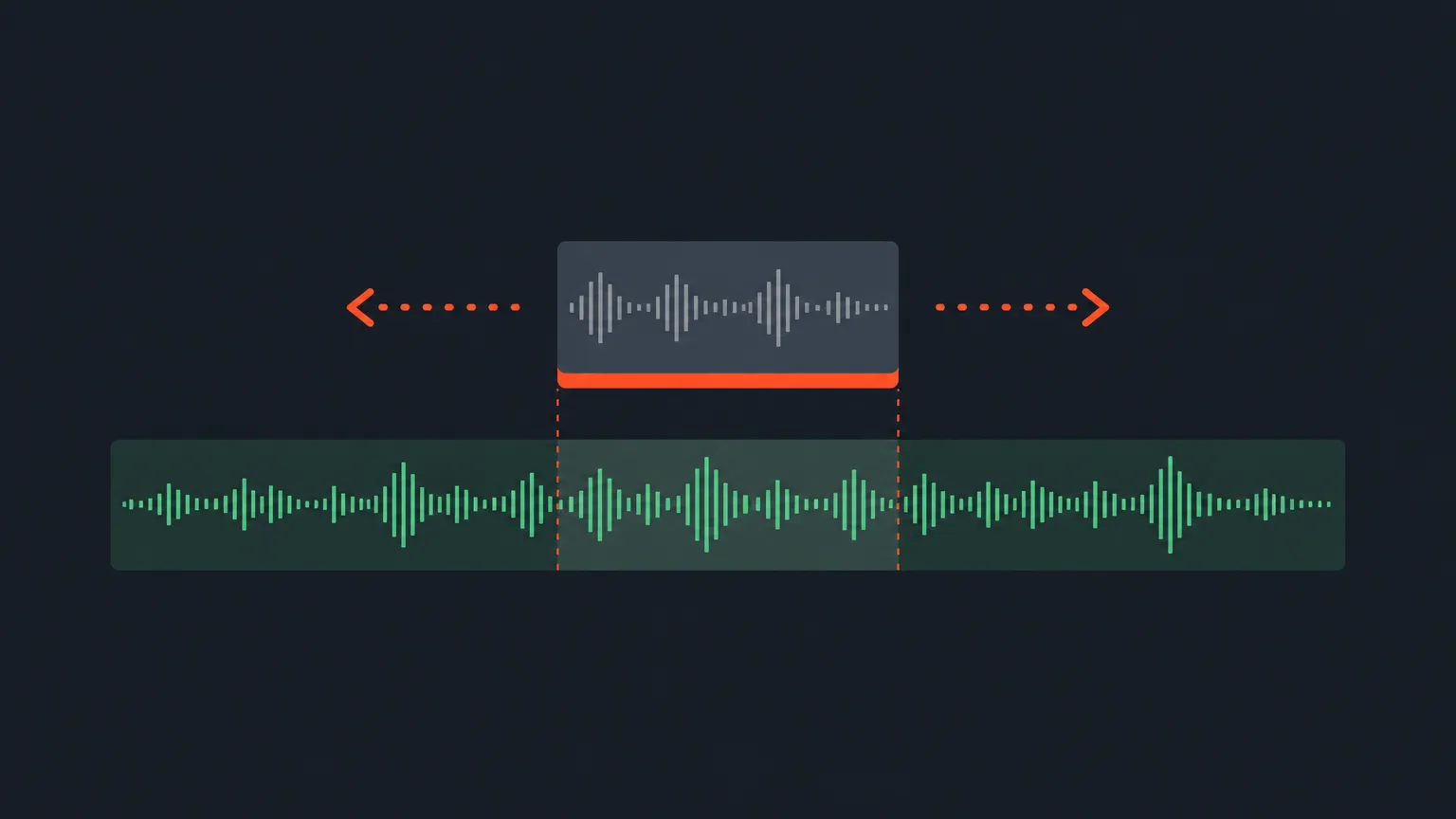
Music beds used to always begin at the top of the file. Now you can switch the toolbar above the timeline to Timing, then drag the green music track (or nudge it with the arrow keys) to start the bed on a different moment of the song. The picture stays put. Only the music slides.
Why it matters
A lot of tracks build slowly and only get good around the chorus or a drop. Before, that meant either waiting out the intro under your clip or picking a different track altogether. Now you can skip straight to the part that fits the energy of the scene.
How it works
The waveform under the clip moves with the track as you drag it, so you can see exactly which stretch of the song you are choosing before you commit. A purple chip counts the frames as you move it, the same way it does when you re-time a shot, so you know precisely how far into the track you have landed.
Say you have a 15-second product clip for a coffee brand and the track you picked has a quiet 10-second intro. Drag the music row so the bed opens right where the beat kicks in, and that energy plays under your clip from frame one instead of the slow build-up.
- The bed still runs the full length of the clip and fades out at the end.
- If the remaining part of the track is shorter than the clip, it wraps back to its own beginning rather than going silent.
- The Music section shows where the track currently starts, and one click resets it back to the top of the file.
Who this helps
Editors cutting social clips who want a track's best section under the hook of a video. Podcast and vlog editors laying beds under highlight reels who need the mood to hit right at the cut, not several seconds later. Agencies matching a client's chosen music to a specific beat in the edit.
Try it in ScriptCut.
frequently asked questions
No. The picture never moves. Only the music track shifts to begin on a different part of the song.
If the remaining part of the track is shorter than what is left in the clip, it wraps back to its own beginning instead of going silent.
A purple chip counts the frames as you drag or nudge the track, the same counter used when re-timing a shot.
Yes. The Music section shows where the track currently starts, and one click resets it to the top of the file.
No. The level is still set from the track itself to sit under speech, and the fade-out at the end still happens the same way.
Switch the toolbar above the timeline to Timing, then drag the green music row under your clip or nudge it with the arrow keys.
Start selecting.

Pick the story in the transcript, export a finished rough cut.
Get the ScriptCut newsletter
Thanks! Check your inbox to confirm.
Something went wrong. Please try again.