
New feature
Frame-Accurate Trims At Every Cut
You can now shave or add single frames at any cut point on the timeline, and fix a shot that bleeds into the next one with one click.
What it is
ScriptCut cuts on words, matching your edit points to the transcript. But a transcript's timing is not always frame perfect. A cut can land a few frames into the next word, or if your uploaded video was already edited, a cut can leave a few frames of the wrong shot sitting at the seam. This feature gives you frame-level control at any edit point in the Video step, without breaking the word-based structure underneath.
The problem it removes
Small timing errors are easy to miss on a rough cut but obvious once you watch it back: a mouth still moving after the next line starts, or a flash of the previous shot before the cut settles. Fixing that used to mean guessing where the real frame boundary was. Now you see it and set it directly.
How it works
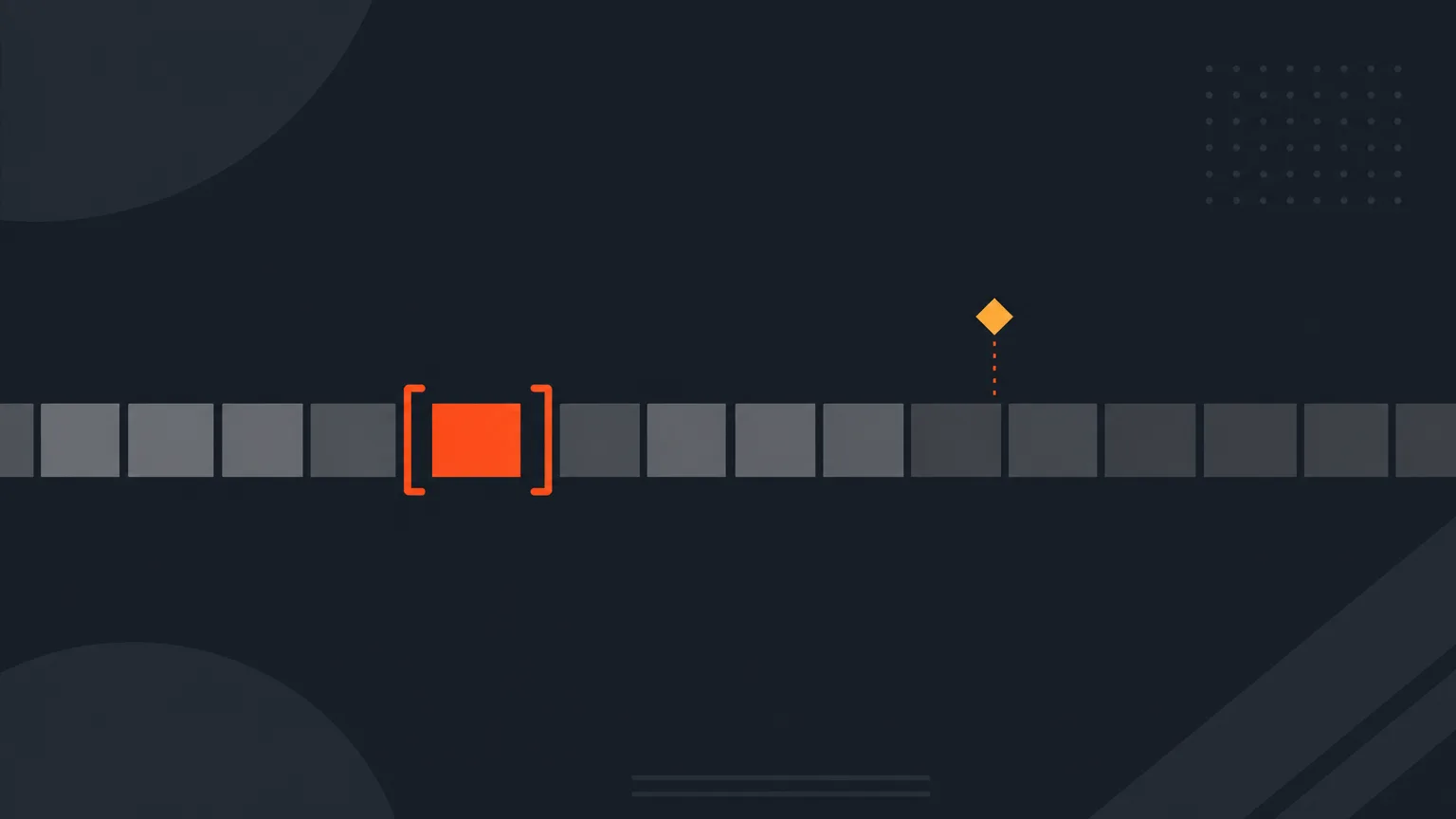
Click any edit point on the timeline and a bracket appears on each side of it. Drag the brackets, or use the left and right arrow keys, to shave frames off or add them one at a time. The preview shows you the exact frame you are choosing as you move. The seam between the two brackets rolls the edit point without changing the overall clip length, so your story stays intact while you clean up the join.
If the picture in the source changes a few frames away from a cut, a small amber marker shows up and offers to snap the cut there in one click. That covers the common case of a shot bleeding in from an already-edited upload, without you hunting for the exact frame yourself.
For example, say you are cutting a panel discussion and one speaker's line was picked up a beat late. Click that edit point, nudge the left bracket back a few frames with the arrow key until the preview shows their mouth already moving on the right frame, and move on. If the uploaded footage had a stray frame of the wide shot sitting at a cut, the amber marker snaps it clean before you even reach for the brackets.
Who it helps most
Anyone cutting from unscripted or already-edited footage feels this: podcast and interview editors tightening word-level cuts, documentary and panel editors dealing with multi-camera bleed, and agency editors turning long recordings into social clips where every frame at the cut shows.
Try it on your next timeline in ScriptCut.
frequently asked questions
No. The seam between the two brackets rolls the edit point, but the overall clip length stays the same.
Click any edit point on the timeline in the Video step and a bracket appears on each side of it.
You can drag the brackets or use the left and right arrow keys to shave or add frames one at a time, with the preview showing the exact frame you're on.
It appears when the picture in the source changes a few frames from a cut, usually from footage that was already edited before upload, and lets you snap the cut to that shot change in one click.
ScriptCut cuts on words, and a transcript's timing is not always frame perfect, so a cut can land slightly into the next word or leave a sliver of the wrong shot.
No, it works on any edit point in any recording you bring into ScriptCut, from panels and documentaries to vlogs and UGC.
Start selecting.

Pick the story in the transcript, export a finished rough cut.
Get the ScriptCut newsletter
Thanks! Check your inbox to confirm.
Something went wrong. Please try again.