
Best Transcription Software for Video in 2026
The shortlist
Seven tools that actually get used on real video projects
Every "best transcription software" list reads the same because most of them are written from spec sheets, not from a timeline. Here is a shorter, honest version: seven tools editors and producers actually pay for in August 2026, what each one is built for, and where each one runs out of road the moment transcription stops being the whole job.
The filter that matters for video is not raw word-error rate. It is whether the tool gives you word-level timecode you can trust, whether it separates speakers cleanly on a real two-person interview, and whether the transcript can leave the app as something other than a PDF.
The comparison
Pricing and fit, side by side, as of August 2026
| Tool | Starting price | Best for | Speaker labels | Exports to an NLE |
|---|---|---|---|---|
| Rev | $0.25/min AI, $1.99/min human, or $25.49/seat/mo | Legal and broadcast-grade human accuracy | Yes | SRT, DOCX |
| Otter.ai | Free (300 min/mo), $8.33/mo annual for Pro | Live meeting notes, not post-production | Yes, live | No timeline export |
| Sonix | $10/hr pay-as-you-go, or $22/mo + $5/hr Premium | Fast multilingual AI transcripts | Yes | SRT, no NLE timeline |
| Trint | ~$80/seat/mo Starter (7 files/mo) | Newsroom teams with a shared workspace | Yes | SRT, no NLE timeline |
| Happy Scribe | $17/mo (120 AI min) | Subtitling in 120+ languages | Yes | SRT/VTT, no NLE timeline |
| Descript | Free tier, $16/mo annual Hobbyist | Solo creators who edit inside the transcript | Yes | Its own project only |
| Adobe Premiere Pro (Text-Based Editing) | Included with a Premiere Pro subscription | Editors who never want to leave the NLE | Basic | Native, but locked to Premiere |
Sources for the numbers above: Rev's pricing page, Otter.ai's pricing page, Sonix's pricing page, Trint's plans page, and Descript's pricing page. Deeper, tool-by-tool breakdowns: Otter.ai alternative, Sonix alternative, Trint alternative, and Descript alternative.
For a side-by-side look at how a few of these actually handle the same clip, here's a walkthrough comparing Rev, Descript, Otter.ai, and Sonix head to head:
The test
Running a real 45-minute two-person interview through the shortlist
A noisy 45-minute sit-down interview, two speakers, a coffee shop's worth of background clatter, is the file that separates a demo from a workflow. Rev's human pass came back the cleanest on hard-to-hear names and technical terms, at the cost of a multi-hour turnaround and $1.99 a minute. Sonix and Descript's AI passes landed in the high 90s on word accuracy but both mislabeled the two speakers twice during overlapping talk. Otter, built for live meetings, handled the real-time transcription fine but has no real path into a video timeline once you're done.
None of that is a knock on any of these products doing what they were built to do. It's the reminder that "most accurate transcript" and "fastest way to a finished cut" are two different contests.
The gap
What every transcription tool on this list stops short of
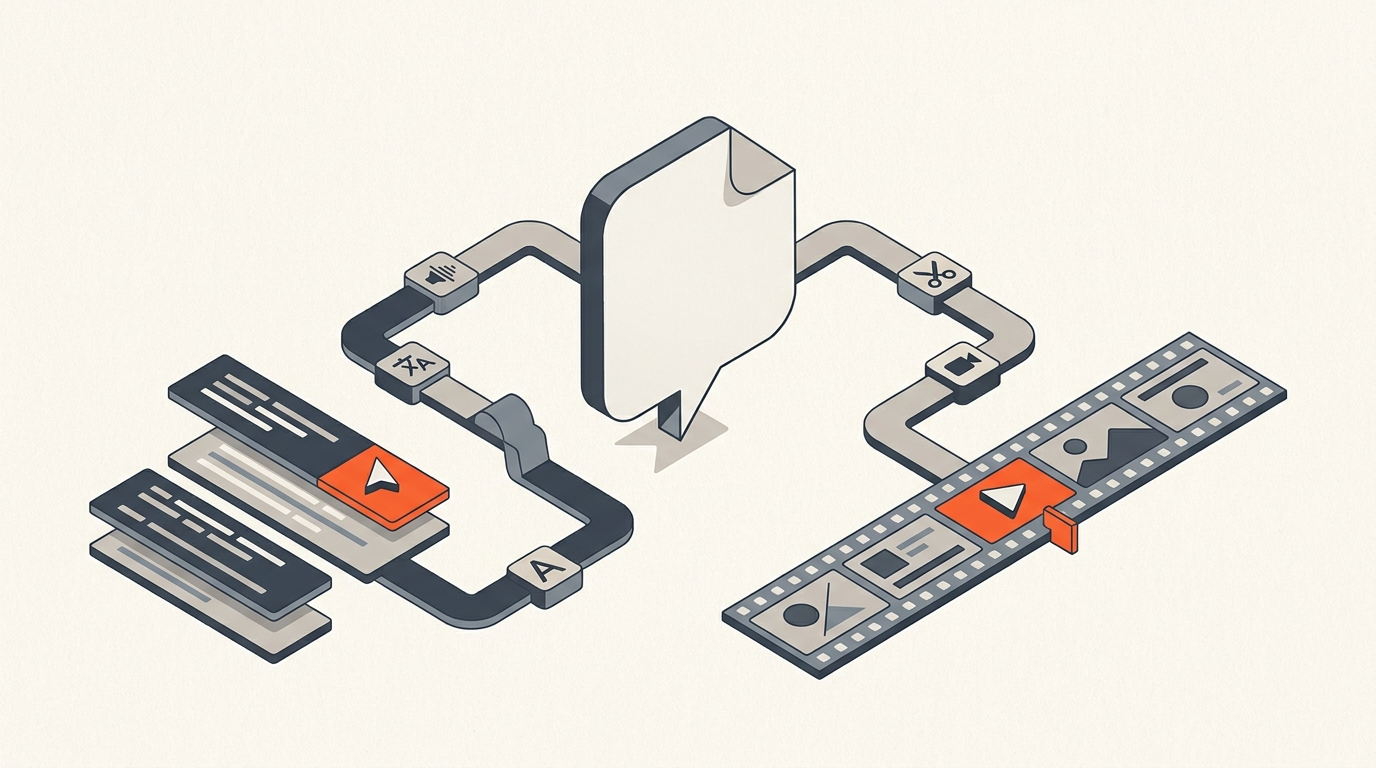
Transcription is the first ten minutes of a video edit, not the edit. Once you have a clean, speaker-labeled transcript with word-level timecode, the actual work starts: reading it to find the moments worth keeping, cutting the filler, reordering the story, getting a client to sign off on structure, and then getting all of that into an EDL, XML, or subtitle file your NLE can open.
Most of the tools above stop at the transcript. A few, like Descript, keep you inside their own editor for the cut too, which works until you need to hand a real timeline to a colleague in DaVinci Resolve or Avid.
ScriptCut is built for that second half specifically: word-level timecoded transcripts feed straight into selecting, arranging, and exporting a real XML or EDL that opens in Premiere Pro, DaVinci Resolve, Final Cut Pro, or Avid, with a client-approval share link in between. Transcription on ScriptCut runs $7/hour on the free plan, $5/hour on Starter ($19/mo), and $4/hour on ProAI ($29/mo), each of which also bundles monthly transcription minutes. It is not trying to out-accuracy Rev on a legal deposition; it is trying to be the shortest real distance between a transcript and a finished, approved timeline.
Fit
Which tool to actually open Monday morning
- Need courtroom-grade accuracy on a single file: Rev's human transcription.
- Running live meetings and want searchable notes: Otter.ai.
- A newsroom team sharing one workspace: Trint.
- Subtitles in a dozen languages: Happy Scribe.
- A solo creator who wants to record, transcribe, and cut in one app: Descript.
- You live inside Premiere Pro and never want to export a transcript anywhere: Text-Based Editing.
- You need the transcript to become an approved, exportable timeline for a real NLE: ScriptCut.
As Adobe's own documentation puts it, Text-Based Editing lets you "create and edit video sequences using a transcript," which is exactly the direction the whole category is moving: transcripts as an editing surface, not a document you file away.
Bottom line
Pick the tool that matches the job after the transcript
Buy accuracy where accuracy is the product: legal, broadcast, research. Buy speed and multilingual reach where reach is the product: Sonix, Happy Scribe. And when the actual goal is turning a transcript into an edited, client-approved, NLE-ready timeline, that's a narrower job than "transcription software" solves on its own, which is the gap ScriptCut is built to close. See how the two halves connect in what a paper edit actually is and how word-level timecode works.
Sources
frequently asked questions
It depends on the job: Rev for courtroom-grade human accuracy, Otter.ai for live meetings, Trint for newsroom teams, Happy Scribe for multilingual subtitles, Descript for solo creators, and ScriptCut when the transcript needs to become an approved, exportable NLE timeline.
Rev's human transcription is generally the most accurate for difficult audio, since a person is verifying it, though it costs more and takes longer than AI transcription from Sonix or Descript.
Real-world accuracy on the actual audio, clean speaker separation across a multi-person conversation, and word-level timecode so a selected line maps to a precise cut.
Happy Scribe supports subtitling and translation in 120-plus languages and is built specifically for that workflow.
Transcription is the first step, not the finished job. The transcript still needs to be read, cut, reordered into a story, approved, and exported into a real editing timeline.
No. ScriptCut is built for what happens after transcription: turning a transcript into a selected, client-approved, exportable timeline for Premiere Pro, DaVinci Resolve, Final Cut Pro, or Avid.
You might also like...
Start selecting.

Pick the story in the transcript, export a finished rough cut.