
What Is a J-Cut and an L-Cut?
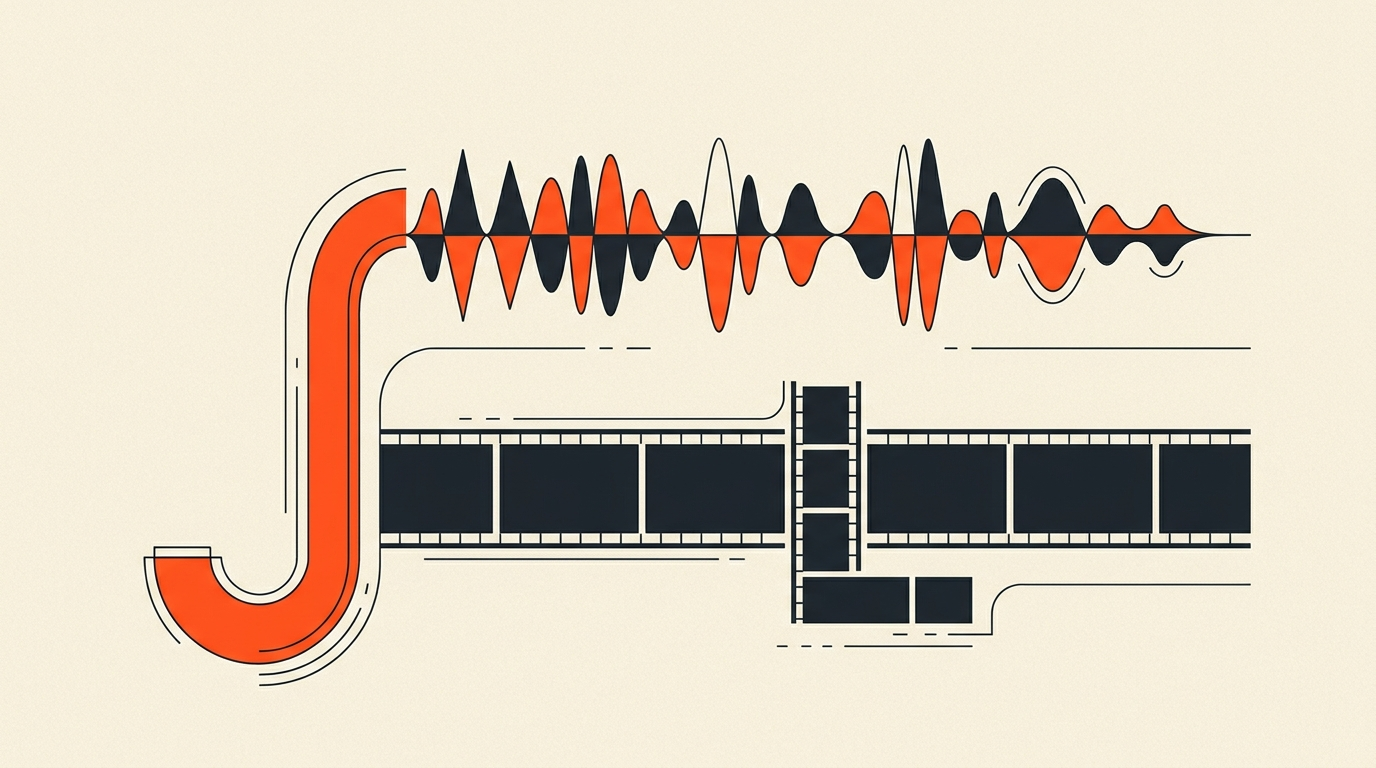
A J-cut lets you hear the next scene before you see it. An L-cut lets you keep hearing the current scene after the picture has already moved on. Both are split edits, sound and picture change at different moments instead of together, and both exist to hide the seam of a cut so a conversation feels continuous instead of chopped.
The names
Why they're called J and L in the first place
The names come straight from what the edit looks like on a timeline. In a J-cut, the incoming clip's audio track starts to the left of its video, so the shape traced across the two tracks resembles the hook at the bottom of a letter J. In an L-cut, the outgoing clip's audio extends to the right past its own picture, tracing an L. Editors have used this shorthand since the earliest days of dialogue editing on physical film, long before nonlinear timelines existed, and it's stuck because it's exactly what you see when you look at the tracks.
Sound arrives early
The J-cut, in practice
A J-cut brings in the next scene's audio a moment before its picture appears. It's one of the most common ways filmmakers ease a transition instead of hard-cutting into it cold. In Apocalypse Now, the sound of helicopter blades arrives before Coppola cuts to the helicopters themselves, building the moment instead of just announcing it. In Inception, waves crashing lead into the cut to Leonardo DiCaprio's character waking up on a beach, so the audience arrives at the new location with the sound already in progress instead of the cut announcing "new scene" on its own.
Sound lingers behind
The L-cut, in practice
An L-cut keeps the outgoing shot's audio playing after the picture has already cut to something new, most often a reaction shot. In Skyfall, the museum scene between Q and 007 uses this to let Q's dialogue continue while the picture cuts to the painting he's describing, tying the explanation directly to what's on screen instead of holding on a static two-shot. In interview and dialogue editing generally, the L-cut is the workhorse move for reaction: you cut to the listener's face while the speaker is still talking, because in real conversation people watch each other react, not just whoever's mid-sentence.
Why bother
What split edits actually fix
A hard cut, where audio and picture switch on the exact same frame, calls attention to itself. Stack enough of those in a row and a scene starts to feel like it's ping-ponging between speakers instead of flowing as a conversation. Split edits smooth that over: the sound carries the viewer across the visual change, so the cut registers as a shift in attention rather than an interruption. Documentary editor Walter Murch, known for Apocalypse Now and The English Patient, argued that emotion sits above every other priority in deciding where a cut lands, and split edits are one of the most direct tools for protecting an audience's emotional connection to a face at the exact moment a cut happens.
Worked example
Two people, one conversation
In a two-person interview, cutting to the listener a beat before they start speaking, an L-cut on the outgoing answer, catches their reaction before they respond, which reads as more honest than cutting the instant they open their mouth. Letting their actual response start as audio-only for a beat before you cut to their face, a J-cut into the new shot, adds a small amount of anticipation instead of feeling mechanical. Combine both across a scene and the conversation starts to feel alive instead of alternating between two static shots on a metronome.
When to skip them
Hard cuts still have their place
- A deliberate jolt is the point: comic smash cuts, shock beats, anything meant to jar the viewer on purpose
- A pure montage sequence driven entirely by music, where the cutting rhythm is the point, not the dialogue continuity
- Early in a cut, before the scene's structure is locked, when split edits just add polish work you might redo
Where they go wrong
Three mistakes to watch for
- Overlapping too long. A J-cut that brings the next scene's audio in five seconds early stops reading as a lead-in and starts reading as a mistake. A beat or two is usually enough.
- Fighting room tone. If the two clips have noticeably different background ambience, the overlap can clash instead of smoothing anything. A short crossfade on the audio usually fixes it.
- Using them on every single cut. Split edits lose their effect if there's no contrast. Hard cuts still matter, if only to make the split edits feel intentional when they show up.
The tradeoff
Manual work, professional payoff
Split edits take real time in the timeline, trimming audio and video independently, listening back, adjusting the overlap by a frame or two. For a quick social clip that's rarely worth it. For a documentary conversation, a narrative dialogue scene, or anything where the cut needs to disappear behind the performance, it's close to essential. These are finishing details, and they only pay off once the story structure underneath them is locked.
Where this fits
Lock the story first, then polish the seams
J-cuts and L-cuts belong to the finishing pass, after selection and arrangement are already settled, not before. Reworking split edits every time you reorder a scene wastes the exact craft time they're supposed to reward. In ScriptCut, selects get made and arranged against the transcript first, filler removed, order locked, before any of that timeline-level polish begins, so the editor doing the split edits is working on a structure that's already final. Read more on cutting down a long interview without losing the story, how to find the best soundbites, and what a paper edit actually is for the steps that come before this one.
Sources
frequently asked questions
In a J-cut, the next shot's audio starts before its picture appears. In an L-cut, the current shot's audio continues after the picture has already cut away.
The names come from the shape the offset audio and video tracks trace on an editing timeline, resembling the letters J and L.
In Apocalypse Now, the sound of helicopter blades arrives before Coppola cuts to the helicopters themselves.
In Skyfall's museum scene, Q's dialogue continues over a cut to the painting he's describing, tying his explanation directly to the image on screen.
Use a hard cut for a deliberate jolt like a comic smash cut, during a music-driven montage, or early in a cut before the story structure is locked.
Letting the overlap run too long. A J-cut that brings in the next scene's audio five seconds early stops feeling intentional and starts feeling like an error.
You might also like...
Start selecting.

Pick the story in the transcript, export a finished rough cut.